










Hours into a gaming session, your lower back starts to ache, your shoulders creep upward, and your neck tilts forward without you noticing. By the time you log off, the damage is already done. The fix is rarely about playing less — it is about sitting better. And sitting better starts with understanding what a genuinely ergonomic gaming chair actually delivers, beyond the marketing language printed on the box.
The word "ergonomic" has been stretched to cover almost every chair with a racing stripe and a lumbar pillow. But true ergonomics is a specific discipline rooted in biomechanics and the science of fitting furniture to the human body — not the other way around. A chair earns that label only when it has the right combination of adjustable features, structural integrity, and materials that work together to keep your spine aligned, your muscles relaxed, and your focus sharp across hours of play.
In this guide, we break down the 8 features that genuinely define an ergonomic gaming chair — what each one does, why it matters for your body, and what to look for when you are comparing options. Whether you are building your first serious setup or upgrading an aging chair, this is the checklist that cuts through the noise.
What "Ergonomic" Actually Means for a Gaming Chair
Ergonomics, at its core, is about designing tools and environments that fit natural human anatomy — reducing strain, preventing injury, and supporting performance over time. When applied to seating, this means a chair must accommodate a wide range of body types, sitting styles, and activity types without forcing the user into a fixed, uncomfortable position. A chair that looks aggressive and esports-inspired is not automatically ergonomic. Equally, a minimalist office chair without sufficient adjustability is not automatically superior just because it avoids the racing aesthetic.
The key principle that separates a truly ergonomic gaming chair from a glorified lounge piece is adjustability matched to your body. The more accurately a chair can be calibrated to your specific height, weight, shoulder width, and sitting habits, the more effectively it supports your musculoskeletal health during extended sessions. With that framework in mind, here are the eight features that actually matter.
Feature 1: Adjustable Lumbar Support
If there is one feature that defines the quality gap between gaming chairs, it is lumbar support. The lumbar region — the lower curve of your spine, roughly at the L3–L4 vertebral level — naturally bows inward when you are standing. When you sit, gravity and muscle fatigue tend to flatten that curve, which puts significant compressive load on your spinal discs and strains the muscles running along your lower back. A proper lumbar support system gently reinforces that inward curve so your spine does not have to fight gravity on its own.
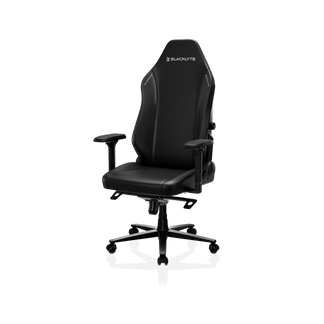
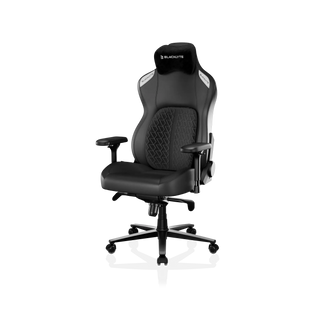
The critical distinction is between adjustable, integrated lumbar systems and basic removable pillows. External pillows shift around, lose their position during movement, and flatten over time. Integrated lumbar systems — where the support is built directly into the chair's backrest — stay exactly where you set them. Look for a system that adjusts both in height (so it aligns with your specific lower back curve) and in depth (so you can control how much forward pressure it applies). At Blacklyte, chairs like the Kraken Pro and Athena Pro are built with advanced lumbar support systems designed for precise positional control, not just approximate comfort.
Feature 2: 4D Adjustable Armrests
Armrests are underestimated by a surprising number of buyers. Positioned incorrectly, they either force your shoulders upward (creating tension in the trapezius muscles) or leave your arms dangling unsupported, which pulls your entire shoulder girdle downward. Either way, the result is neck pain, upper back fatigue, and — over time — wrist and elbow problems. The average human arm weighs around 10 pounds, and during a long session, your chair's armrests are absorbing that load so your muscles do not have to.
4D armrests adjust in four directions: up/down, forward/backward, left/right (width), and rotational angle (pivot). This range of motion lets you align each armrest precisely with your natural elbow position whether you are using a keyboard and mouse, a controller, or switching between the two. 2D armrests (height only) are insufficient for serious use — they might support one position but will be wrong for everything else. Blacklyte's chairs are equipped with 4D armrests across the full lineup, precisely because it is the minimum adjustment range for genuine ergonomic performance at a desk. Explore the full range on the chair comparison page to see how each model's armrest specs stack up.
Feature 3: Seat Height Adjustment and Gas Lift Class
Seat height is the foundational adjustment from which everything else flows. The ergonomic target is simple: feet flat on the floor, knees at roughly a 90-degree angle, thighs parallel to the ground. When the seat is too low, your knees rise above your hips, compressing the lower back. When it is too high, your feet hang unsupported and pressure concentrates under your thighs. Most chairs achieve height adjustment through a hydraulic gas piston — but not all pistons are equal.
The industry standard to look for is a Class 4 gas lift. Class 4 pistons are rated for heavier dynamic loads, meaning they handle the repeated stress of sitting, shifting weight, and daily use without drifting or failing. Budget chairs frequently use Class 3 pistons, which are adequate for lighter static loads but tend to sink gradually over time, undermining every other ergonomic adjustment you have made. Blacklyte chairs are built with Class 4 hydraulic mechanisms — a detail that speaks to long-term reliability, not just first-impression comfort. A chair that cannot hold its height setting reliably is not a chair worth sitting in for the next three to five years.
Feature 4: Seat Depth and Pan Contour
Seat depth is one of the most ergonomically important — and most frequently overlooked — chair specifications. The correct seat depth leaves a gap of roughly two to three fingers between the front edge of the seat pan and the back of your knees. Too deep, and the seat edge presses into your popliteal area (behind the knee), restricting blood flow and creating numbness or aching in the lower legs over time. Too shallow, and your thighs are poorly supported, shifting excess weight onto your lower back and hips.
Because human leg lengths vary significantly, the seat depth specification of your chair should be matched to your body before you buy. Equally important is the pan's geometry: a contoured seat with a waterfall front edge — a gentle downward curve at the leading edge — reduces pressure behind the knees and softens the transition to the floor regardless of small posture shifts. When reviewing chair specifications, always check the seat depth figure alongside your own measurements. Pair this knowledge with Blacklyte's ergonomics resource page for guidance on matching a chair to your body type.
Feature 5: Recline Range and Tilt Mechanism
One of the most important insights in modern ergonomic science is that there is no single perfect posture — the best posture is simply your next posture. Static sitting, even in a technically correct position, builds pressure in the spinal discs and tires postural muscles over time. A well-designed recline system gives you the ability to transition between active positions (upright and engaged during competitive play) and passive positions (reclined and relaxed during casual sessions or breaks), distributing load across different muscle groups throughout your session.
For gaming chairs, a useful recline range spans roughly 90° to 149°, with the ability to lock at multiple angles across that range so you can switch between an upright stance for active play and a deeper recline for breaks or media — rather than being limited to two extreme positions. Chairs that only lock fully upright or fully reclined force you into one of two rigid positions, defeating the ergonomic purpose. The tilt mechanism — located beneath the seat — is a separate but related system: a quality tilt allows the entire seat pan to rock slightly, which promotes micro-movement and reduces static loading on the lower back. Look for adjustable tilt tension so the resistance matches your body weight. Blacklyte's chairs feature multi-position recline with adjustable tilt tension, engineered to support the full spectrum of gaming and productivity use — find out more on the Gaming Hub.
Feature 6: Adjustable Headrest and Neck Support
Forward head posture — where the head drifts in front of the shoulders — is one of the most common consequences of long hours at a screen. For every inch the head moves forward of its neutral position, the effective load on the cervical spine increases dramatically. A well-positioned headrest or neck pillow supports the back of the skull and encourages the head to remain aligned over the spine, reducing that compressive load on the neck and upper back muscles.
The key word is adjustable. A fixed headrest will correctly position the head for one specific user height — and will be too high or too low for most others. Quality headrests adjust in height and, in better designs, in angle as well, allowing you to position support precisely where the base of your skull meets your neck. This matters especially when reclining: as the backrest angle changes, the ideal headrest position shifts, and a static headrest cannot follow. Blacklyte's gaming chair lineup includes adjustable headrest designs paired with proprietary cushioning materials that conform to the cervical curve rather than pushing the head forward.
Feature 7: Materials — Breathability, Foam Density, and Durability
The cover material and cushion construction of a gaming chair affect ergonomics more than most buyers realize. When seated for extended periods, your body generates heat at every contact point. If the chair material cannot dissipate that heat, discomfort builds gradually — and the body's unconscious response is to shift position, lean forward, or perch on the edge of the seat. Every one of those micro-adjustments is a compromise of your carefully dialed-in posture. Breathability is, in this sense, a direct ergonomic factor, not merely a comfort preference.
For foam cushioning, density and construction method matter far more than thickness. Budget chairs typically use low-density foam that compresses permanently within months, leaving you effectively sitting on the hard base beneath it. High-density cold-cure foam maintains its structural integrity over years of daily use, preserving the pressure distribution and spinal support the chair was designed to provide. Blacklyte's proprietary FlexKnit™ Fabric and DuraGen™ Leatherette options address both breathability and durability — FlexKnit's woven construction promotes airflow during longer sessions, while DuraGen's engineered surface resists peeling and cracking that degrades standard PU leather within a few years of heavy use. You can compare material options across the full gaming chair range.
Feature 8: Frame Strength and Build Quality
An ergonomic chair is only as good as the structure holding it together. The frame determines not just how long the chair lasts, but how consistently it holds its adjusted positions under the dynamic loads of daily gaming and work. A steel frame with properly rated components will maintain its geometry for years. A frame built from thin steel or reinforced plastic will flex, creak, and gradually allow your carefully configured adjustments to drift — at which point every other ergonomic feature becomes unreliable.
Key structural components to evaluate include the base material (aluminum or nylon-reinforced aluminum handles dynamic lateral loads better than pure plastic), the gas lift class (as discussed above), and the mechanism steel rating. The chair's wheelbase also contributes to stability — a wider wheelbase reduces the risk of tipping during leaning and reclining, which matters both for safety and for how confidently you can use the chair's full adjustment range. Blacklyte's chairs are engineered with a focus on long-term structural integrity, backed by warranties extendable up to five years on chairs and desks — a commitment that reflects confidence in the underlying build quality. Browse the complete lineup including desks and accessories at Blacklyte's full product collection.
How These Features Work Together
None of these eight features operates in isolation. Lumbar support that is perfectly positioned only stays that way if the seat height and seat depth are correctly set first. Armrests that are correctly aligned require the seat height to be right before they can be calibrated to the elbow. A great recline system is undermined if the headrest cannot follow the head as the backrest angle changes. This is why comprehensive adjustability matters more than any single premium feature — and why the honest answer to "what makes a gaming chair truly ergonomic" is not one thing, but the right combination of all eight working in harmony.
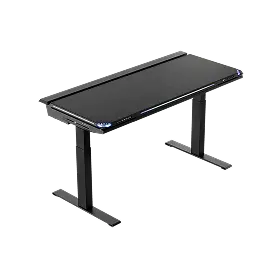
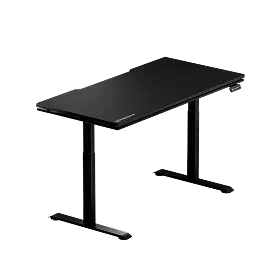
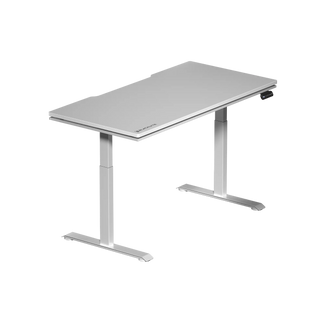
Think of ergonomic chair setup as an ecosystem rather than a checklist. The chair interacts with your desk height, monitor position, keyboard placement, and body dimensions simultaneously. For gamers who want to go further — integrating their chair setup with the right desk height for true postural alignment — Blacklyte's Atlas Standing Desk range and accessories are designed to work together as a cohesive ergonomic system, not as standalone pieces. If you are unsure which chair configuration best matches your body and use case, the Blacklyte chair comparison tool makes it straightforward to match specifications to your needs.
Final Thoughts
A genuinely ergonomic gaming chair is not defined by its looks, its brand logo, or the length of its feature list. It is defined by how precisely it can be adjusted to your body, how well its materials hold up over thousands of hours of use, and how effectively its structure supports healthy posture across the full range of activities you use it for. The eight features covered in this guide — adjustable lumbar support, 4D armrests, Class 4 gas lift, well-matched seat depth and pan contour, recline range with tilt, adjustable headrest, quality materials, and solid build construction — are the non-negotiables that separate chairs built for real ergonomic performance from those that only market it.
Investing in the right chair is not a luxury. It is one of the most direct investments you can make in your long-term health, your consistency at the desk, and ultimately your performance — whether that means ranking up in competitive play, hitting deadlines in a productive home office, or simply finishing a session without pain. Blacklyte has spent two decades building chairs that take every one of these features seriously, trusted by over 200,000 gamers across more than 50 countries and regions and backed by partnerships across global esports — including teams like Team Liquid and Fnatic alongside tournament organizer BLAST. Explore the Blacklyte Ergonomics Hub for deeper guidance on posture and setup, or use the Gaming Hub to dial in your configuration for competitive play.
Ready to Find Your Perfect Ergonomic Chair?
Browse Blacklyte's full lineup of premium ergonomic gaming chairs — including the Kraken Pro and Athena Pro — engineered with every feature on this list and built to perform across years of serious use.


