









How Long Should a Gaming Chair Last? Factors That Affect Lifespan
Building the ultimate gaming setup is an exciting project, but before you drop your hard-earned cash on a new chair, you probably have one big question on your mind: how long do gaming chairs last?
The lifespan of gaming chairs is not a one-size-fits-all number. While most gaming chairs can get you through a few years of moderate use, several factors play a significant role in determining a chair’s lifespan. When you are investing in a gaming chair, knowing what affects its durability is the best way to protect your purchase.
From build quality and materials to weight capacity, ergonomic features, maintenance, and daily sitting habits, every detail matters. For brands like Blacklyte, the goal is not only to create a chair that looks good in a gaming setup, but also one that can handle long hours of work, gaming, studying, and content creation.
Let’s break down the expected gaming chair lifespan, the various factors that cause wear and tear, and how you can get the most out of your seat.
The Baseline: How Long Will Gaming Chairs Last?
Generally speaking, you can expect a gaming chair to last anywhere from 2 to 5 years. However, this heavily depends on the tier of the chair you buy, how often you use it, and how well you maintain it.
Budget Options: Cheap chairs usually have a shorter lifespan compared to premium models. You might get 1 to 2 years out of them before the padding flattens, the faux leather peels, the wheels become unstable, or the seat height adjustment starts to feel weak.
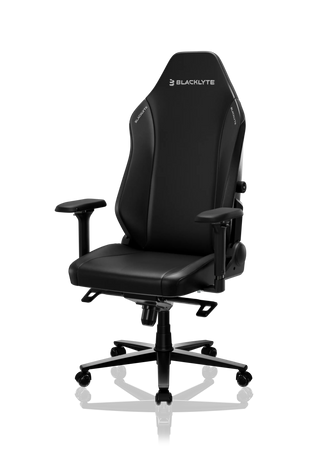
Premium Options: On the other hand, premium gaming chairs from top brands in the gaming chair industry, such as Blacklyte, are designed for a longer service life. A high-quality gaming chair can often last 5 years or more with proper care. The difference comes from better frame construction, stronger materials, more stable adjustment mechanisms, and ergonomic features designed for long gaming sessions.
A durable gaming chair is not just about how it looks on day one. It is about how well the seat, backrest, armrests, gas lift, wheels, base, and upholstery hold up after months or years of daily use.
Factors That Affect Your Gaming Chair’s Life
1. Build Quality and Materials
Build quality is the foundation of your chair’s longevity. A chair made with cheap plastic parts, low-density foam, and thin upholstery will naturally wear out faster. A durable gaming chair built with a stronger frame, high density foam, and quality upholstery will handle daily use much better.
The frame is especially important. A strong internal structure helps the chair remain stable through long hours of sitting, reclining, leaning, and adjusting. If the frame is weak, the chair may start to wobble, creak, or lose support over time.
Upholstery also matters. Basic faux leather may look good at first, but it can crack, peel, or fade if exposed to sweat, friction, and direct sunlight. Higher quality PU leather, refined synthetic leather, or premium fabric upholstery can offer better durability and comfort. For users who spend long hours at a desk, the material should balance comfort, easy cleaning, and long-term wear resistance.
This is where premium gaming chairs stand apart from lower-cost options. The difference is not always obvious in product photos, but it becomes clear after daily use.
2. Weight Capacity and User Weight
Every gaming chair has a specific weight capacity. This is not just a basic product number; it directly affects the chair’s lifespan. The weight limit tells you how much stress the gas lift, wheels, base, seat plate, and reclining mechanism are designed to handle.
If a chair is constantly supporting a user weight near its maximum capacity, it will experience more wear over time. The gas lift may lose smoothness, the wheels may wear faster, and the seat base may feel less stable. Matching your body weight to the right chair helps with better weight distribution and protects the hardware.
This is especially important for gamers, streamers, students, and remote workers who sit for extended periods. A chair may feel fine during short use, but long gaming sessions put more pressure on the foam, frame, and adjustment parts.
The right chair should fit your body type, not just your room aesthetic.
3. Ergonomic Features and Body Types
A chair with a strong ergonomic design can last longer because it supports your body more evenly. When a chair fits your body well, it reduces uneven pressure on the seat cushion, backrest, and armrests.
Important ergonomic features include adjustable lumbar support, built-in lumbar support, headrest support, adjustable armrests, reclining control, and proper seat height adjustment. These features help the chair adapt to different body shapes and sitting styles.
For example, a fixed lumbar pillow may work for some users, but it may not fit everyone perfectly. Adjustable lumbar support gives users more control and can reduce pressure on the lower back during long hours. Built-in lumbar support can also create a cleaner, more stable support experience because it is integrated into the chair design instead of shifting around like a loose pillow.
A good gaming chair should support different body types and different sitting habits. Some users sit upright for office work. Others lean back during casual gaming. Some move between work, streaming, and competitive play. Adjustable features help the chair stay useful across these different scenarios.
4. Usage and Sitting Habits
How you use your chair has a major impact on how long it lasts.
A casual player who uses a chair for a few hours a week will naturally create less wear than a professional gamer, streamer, or remote worker who sits for 8 to 10 hours a day. Intense gaming sessions and long gaming sessions compress foam faster, especially if the chair is not built with high-density foam.
Sitting habits also matter. Dropping heavily into the seat, leaning back aggressively, sitting on the edge of the cushion, or always leaning to one side can shorten the chair’s lifespan. Poor posture can cause uneven compression in the padding and may put extra stress on one side of the frame.
Good posture does not just protect your back. It also helps your chair last longer because your body weight is distributed more evenly.
5. Desk Setup and Daily Environment
Many users focus only on the chair, but the full gaming setup also affects chair lifespan. If your desk is too high or too low, you may constantly raise your shoulders, lean forward, or sit in an awkward position. Over time, this can cause uneven pressure on the seat and backrest.
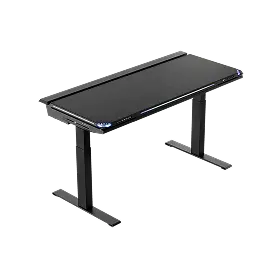
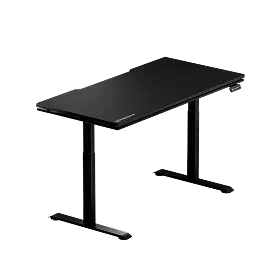
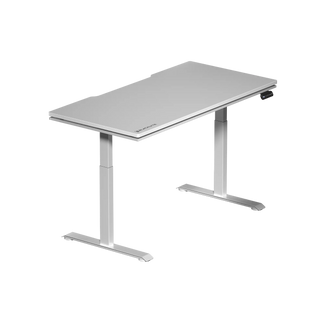
That is why a good chair often works best with a proper desk setup. Blacklyte’s Atlas and Atlas Lite desks are designed to support a more flexible gaming and work environment, especially for users who spend long hours at the same station.
The Blacklyte Atlas Gaming Desk is the more performance-focused option. It comes in a Large size of 1500mm × 700mm and features a PVC-wrapped desktop with MDF and steel inside. It also includes a magnetic desktop, smart lighting control, dual motors, and a faster lift speed of 38mm/s. For gamers and creators, these details help create a cleaner, more immersive setup that supports both performance and comfort.
The Blacklyte Atlas Lite is a more flexible option for different rooms and user needs. It is available in Medium, Large, and Extra Large sizes, with color options including Obsidian Black, Moonstone White, and Natural Oak. It uses a melamine laminate desktop with MDF inside, dual motors, quiet lifting performance under 48 dB, and 4 memory height presets.
Why does this matter for gaming chair lifespan? Because a height-adjustable desk can help users switch between sitting and standing, improve arm positioning, reduce awkward posture, and lower the amount of pressure placed on the chair during all-day use. If you use your chair for work, gaming, studying, and streaming, pairing it with the right desk can help protect both your posture and your chair.
Blacklyte Gaming Chair Details That Matter for Durability
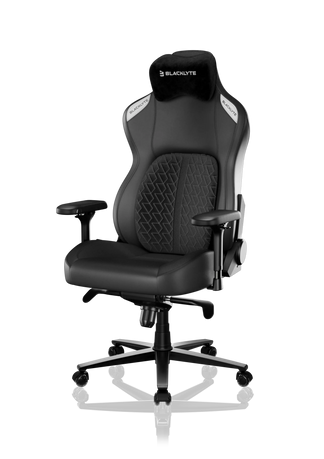
When comparing how long gaming chairs last, it helps to look at the actual chair structure instead of only the design. Blacklyte offers several gaming chair models for different needs, from daily gaming and studying to professional work and long streaming sessions.
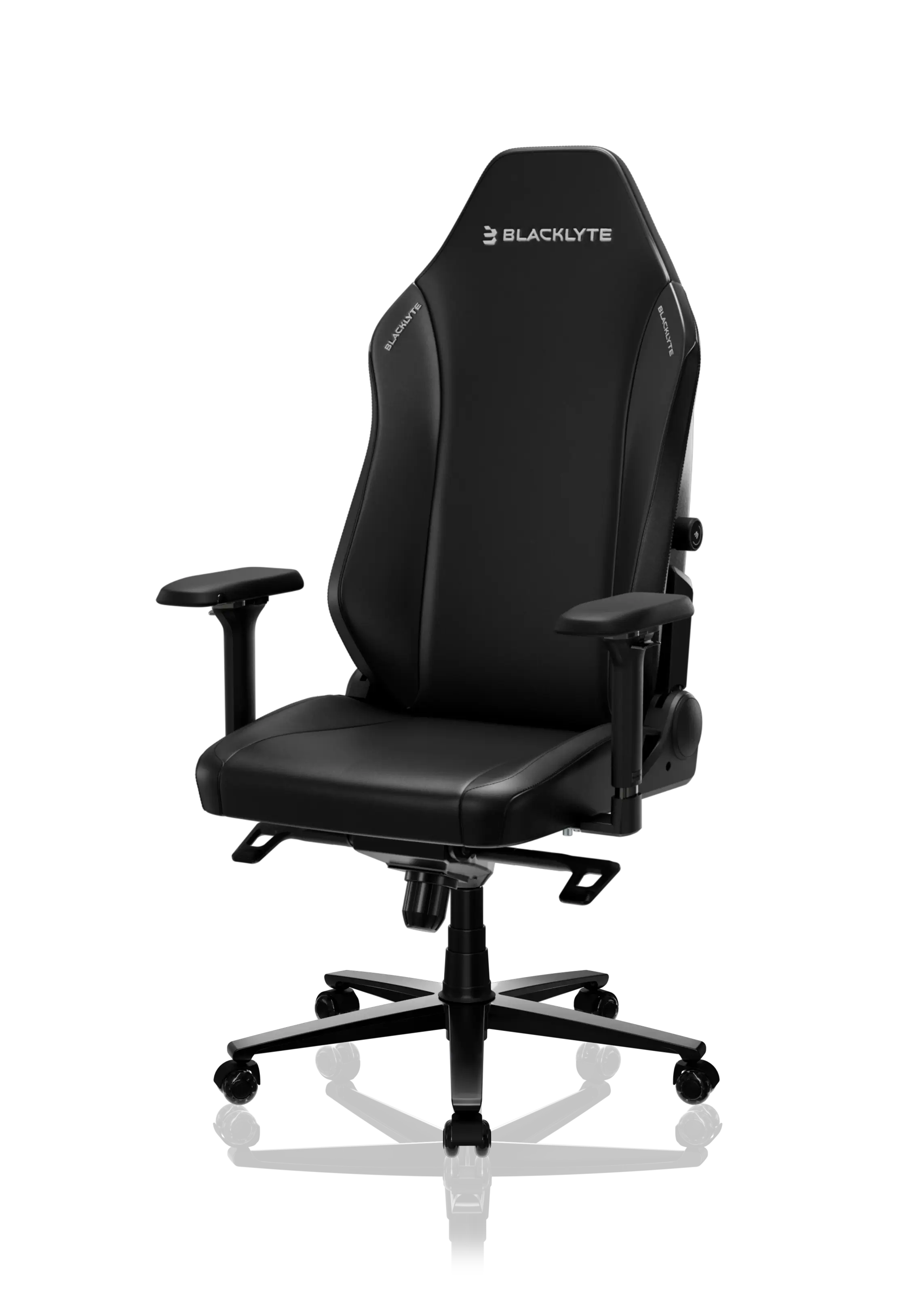
For users who want a balanced entry point, the Blacklyte Athena Gaming Chair is designed with an external memory foam lumbar pillow that helps support the lower back during long hours of gaming, studying, or working. This makes it a practical choice for users who want comfort, style, and everyday support without moving into the highest price tier.
For buyers who want stronger ergonomic control, the Blacklyte Athena Pro Gaming Chair adds a 4-way built-in adjustable lumbar support system, dual-layer memory foam, 4D armrests, a full steel frame, KGS Class 4 gas lift, aluminum alloy wheelbase, and a 90°–149° reclining angle. These details matter because the chair is not only built for comfort, but also for repeated daily adjustment, posture changes, and long-session support.

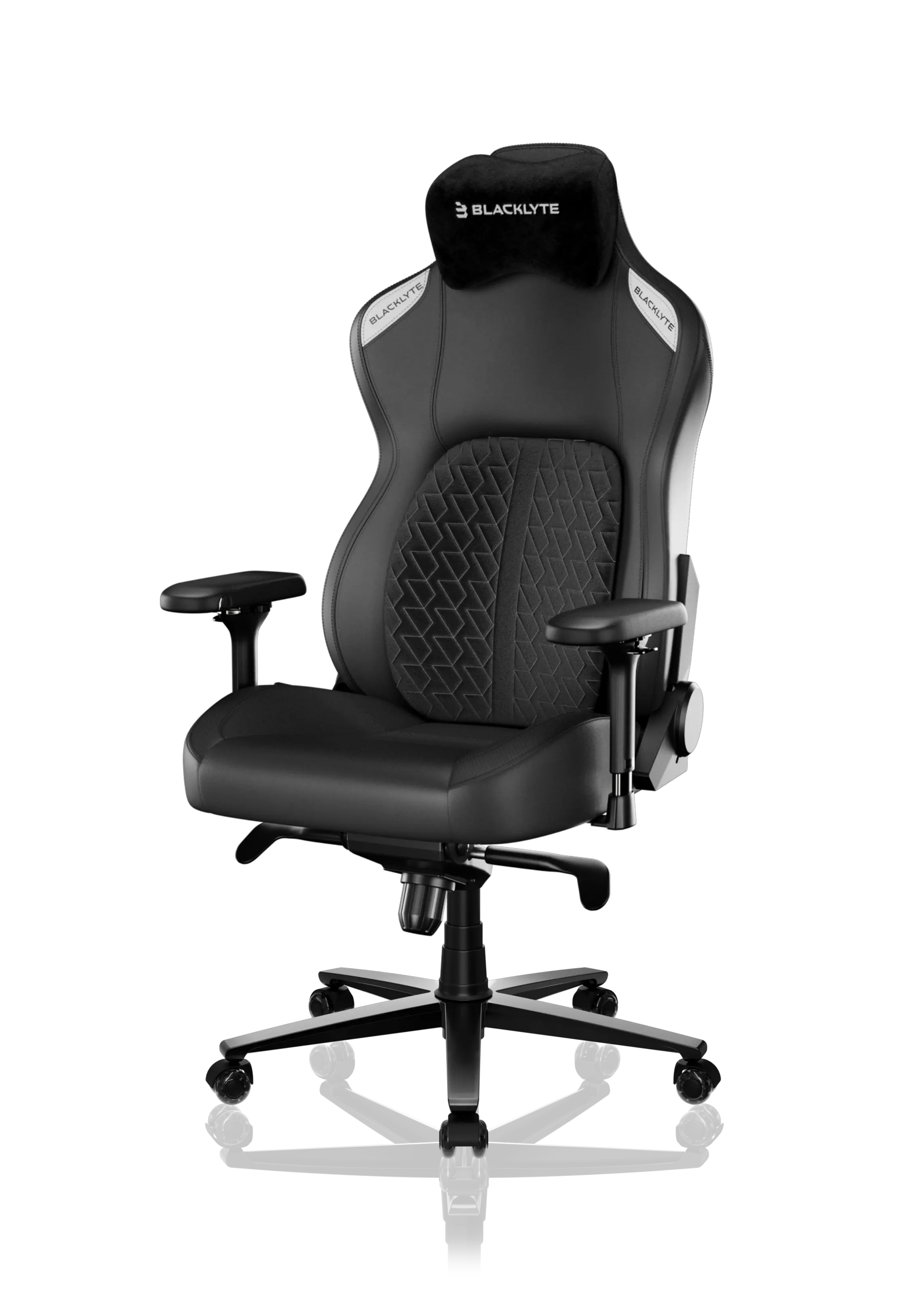
For users who want Blacklyte’s most advanced chair experience, the Blacklyte Kraken Pro Gaming Chair focuses on dynamic lumbar support and premium full-body comfort. Its floating lumbar system lets users fine-tune and lock in their preferred support position, helping the chair adapt from focused work to intense gaming and relaxed downtime. This makes Kraken Pro a stronger fit for gamers, creators, and remote workers who spend many hours in the same seat every day.
If you are still comparing models, the Blacklyte gaming chair collection is a useful place to start. Athena is a strong value-focused option, Athena Pro is better for users who want upgraded ergonomic support, and Kraken Pro is the flagship choice for advanced comfort, craftsmanship, and long-term performance.
A chair’s lifespan depends on more than the name of the model. Details like lumbar support, seat foam quality, gas lift strength, armrest adjustability, recline stability, caster quality, and frame construction all affect how the chair feels after months or years of use. That is why Blacklyte’s chair lineup is especially relevant for users who need one chair for gaming, office work, studying, streaming, and everyday desk use.
Blacklyte Product Details That Support Long-Term Use
When evaluating how long a gaming chair should last, buyers should look beyond surface-level style. Blacklyte’s product positioning fits users who want a setup that feels premium, functional, and built for daily use.
A Blacklyte gaming chair is especially relevant for people who need one seat for multiple scenarios: office work during the day, gaming at night, streaming on weekends, and studying or creating content in between. For this type of user, durability is not just about surviving occasional use. It is about staying comfortable and stable through repeated daily sessions.
The key product details users should pay attention to include:
Ergonomic support: A gaming chair with lumbar support, back support, and adjustable features helps reduce uneven pressure on the body and chair structure.
Long-session comfort: High-quality padding and a supportive seat design help the chair stay comfortable during long gaming sessions, not just short play sessions.
Adjustability: Seat height adjustment, reclining control, and armrest adjustment allow the chair to fit different body shapes, desk heights, and sitting habits.
Premium setup compatibility: When paired with Blacklyte’s Atlas or Atlas Lite desk, the chair becomes part of a full ergonomic gaming setup instead of a standalone seat.
Aesthetic appeal: Blacklyte products are designed for users who care about how their setup looks. This matters because many buyers want a chair that works well in a gaming room, home office, bedroom, or creator setup.
How to Choose the Right Blacklyte Chair for Your Setup
Choosing the right gaming chair can also affect how long the chair feels useful. A chair that does not match your body type, desk height, or daily use pattern may feel uncomfortable sooner, even if the product itself is still functional.
If you want a strong everyday gaming chair for casual play, studying, and office work, the Blacklyte Athena Gaming Chair is a practical option. Its external memory foam lumbar pillow gives users extra back support while keeping the design simple and easy to use.
If you sit for longer hours and want more control over posture, the Blacklyte Athena Pro Gaming Chair is a better match. The built-in 4-way adjustable lumbar support, 4D armrests, full steel frame, and aluminum alloy wheelbase make it a stronger choice for users who want more ergonomic flexibility and long-term durability.
If you want the most advanced comfort experience in Blacklyte’s lineup, the Blacklyte Kraken Pro Gaming Chair is designed for serious desk users. Its dynamic lumbar support and premium comfort-focused structure make it suitable for gaming, streaming, working, and long daily sessions.
Users who are unsure which model fits best can also check the Blacklyte chair comparison page before making a purchase. Comparing chair dimensions, support features, materials, recline range, and adjustment options can help you choose a chair that fits your body and setup more accurately.
Maintenance Tips to Extend the Lifespan
Finding the right chair is only half the battle. Proper care and proper maintenance can significantly extend your gaming chair’s life. Here are a few maintenance tips to keep your chair in good shape.
Regular Cleaning
Sweat, snacks, dust, and pet hair can slowly damage upholstery. Practice regular cleaning by wiping down your seat with a microfiber cloth or another type of soft cloth.
For PU leather or refined synthetic leather, a slightly damp cloth can help remove light stains. Avoid harsh chemicals because they may damage the surface. For fabric upholstery, vacuuming regularly can help remove dust and small particles from the seat and backrest.
Regular cleaning keeps the chair looking better, but it also helps prevent material breakdown.
Avoid Direct Sunlight
Keep your gaming setup away from direct sunlight when possible. UV rays can dry out materials, fade colors, and cause cracking over time. This is especially important for leather-like surfaces.
If your chair is near a window, consider using curtains, blinds, or repositioning the setup to reduce sun exposure. Protecting the upholstery helps preserve both durability and aesthetic appeal.
Check the Hardware
Make regular maintenance a habit. Check underneath the seat for loose screws, unstable parts, or unusual sounds like squeaking and grinding. Tightening bolts every few months can help the chair remain structurally sound.
Pay attention to the wheels, gas lift, armrests, and reclining mechanism. Small issues are easier to fix early. If ignored, they may become bigger problems that shorten the chair’s lifespan.
Use the Chair Properly
A gaming chair is designed for sitting, reclining, and support, but it is not designed for rough handling. Avoid dropping into the seat, standing on the chair, leaning too far to one side, or forcing the recline mechanism.
Good usage habits help protect the frame, foam, wheels, and gas lift. This is especially important if you use the chair every day.
Keep Your Setup Balanced
Your chair should match your desk height. If the desk is too high, your shoulders may stay tense. If it is too low, you may hunch forward. Both habits can create discomfort and uneven pressure on the chair.
Using a height-adjustable desk like Blacklyte Atlas or Atlas Lite can help create a more balanced setup. With memory height presets, users can move between sitting and standing positions more easily, reducing the amount of time spent pressing into the chair during long work or gaming days.
Signs It May Be Time to Replace Your Gaming Chair
Even a high-quality gaming chair will not last forever. Here are a few signs that it may be time to replace your chair:
- The seat cushion no longer feels supportive, even after you adjust your posture.
- The lumbar support no longer lines up with your lower back.
- The chair makes loud squeaking, grinding, or cracking sounds.
- The gas lift keeps sinking or no longer holds the right seat height.
- The armrests, wheels, or base feel unstable.
- The upholstery is badly cracked, peeling, or torn.
- You feel more back, neck, or shoulder discomfort after sitting.
If the chair no longer supports your body properly, keeping it may cost you more in comfort than replacing it.
Final Verdict: How Long Should a Gaming Chair Last?
Most gaming chairs last around 2 to 5 years, but the real answer depends on build quality, materials, weight capacity, user weight, ergonomic features, sitting habits, and maintenance. Budget chairs may only last 1 to 2 years, while a premium gaming chair from a brand like Blacklyte can last much longer with proper care.
If you want a chair that lasts, do not only look at the design. Look at the frame, foam, upholstery, weight limit, ergonomic support, and adjustability. A high-quality gaming chair should support your body, match your setup, and stay comfortable through long gaming sessions and daily work.
For Blacklyte users, the best approach is to think beyond the chair alone. A durable gaming chair paired with a height-adjustable desk like the Atlas or Atlas Lite can create a stronger long-term setup for gaming, work, streaming, and studying. The chair supports your body, while the desk helps improve posture, arm position, cable organization, and everyday flexibility.
If you are choosing a chair for long-term use, start with your sitting habits. Casual users may find the Athena Gaming Chair more than enough for everyday comfort. If you need stronger lumbar adjustment and upgraded materials, the Athena Pro Gaming Chair is a better match. For the most advanced support in the lineup, the Kraken Pro Gaming Chair is built for users who spend serious time at their desk. You can also explore the full Blacklyte gaming chair collection to compare models and choose the right chair for your setup.
At the end of the day, investing in a high-quality gaming chair made from durable materials and designed for your specific body type is the smartest move. Combine a great purchase with regular cleaning, hardware checks, proper maintenance, and a well-matched desk setup, and you can extend the lifespan of your gaming chair for years to come.