










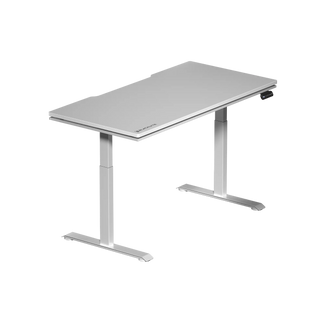


If you've spent any time researching ergonomic gaming desks, you've probably seen the same headline repeated across dozens of articles: adjust your desk to the right height. And yes, sit-stand height adjustment matters. Sitting at the wrong height strains your shoulders, compresses your wrists, and quietly wrecks your posture over hundreds of gaming hours. But height is table stakes — the absolute minimum requirement for any desk calling itself ergonomic.
The gamers who are genuinely protecting their long-term health and maximizing their performance are thinking about a much longer list of variables: surface depth, cable routing, integrated power access, material feel, structural stability, and how their desk coordinates with their chair's ergonomic profile. These are the details that separate a truly engineered gaming workstation from a standing desk with a gaming logo slapped on it.
This guide goes beyond the basics. Whether you're building your first serious battlestation or upgrading an existing setup, here's what actually defines an ergonomic gaming desk — and why every feature on this list deserves your attention before you buy.
Why Height Adjustment Is Just the Starting Point
Height-adjustable desks earned their reputation for good reason. Being able to shift between sitting and standing positions throughout a long session reduces the compressive load on your lumbar spine, improves circulation, and helps prevent the kind of chronic lower-back tension that sidelines serious players. The research backing standing desk intervals is well-established, and no ergonomic conversation should dismiss it.
That said, height adjustment is a single axis of a multi-dimensional problem. You can have a desk with a perfectly calibrated height range and still develop wrist pain from an undersized surface, eye strain from poor monitor positioning, or shoulder tension from a cluttered layout that forces awkward reach distances. Ergonomics is a system, not a single setting. Once you understand that, the rest of this guide makes a lot more sense.
Surface Depth and Width: The Forgotten Dimensions
Surface area is arguably the most overlooked ergonomic factor in gaming desk design. Width gets some attention — most buyers know they need enough horizontal space for their monitors, keyboard, and mouse pad. But surface depth is where setups quietly fall apart. A shallow desk forces your monitors uncomfortably close to your face, which accelerates eye fatigue and makes it nearly impossible to maintain a neutral neck position. The standard ergonomic recommendation places your monitor screen approximately an arm's length away (roughly 50–70 cm), and achieving that on a desk with less than 70 cm of depth is a real challenge once you factor in monitor stand footprint.
For multi-monitor setups or ultrawide displays, width compounds the issue. A 100 cm desk might feel spacious until you add a 34-inch ultrawide, a keyboard tray, a mouse pad, and a headset stand. Serious gaming setups benefit from surfaces in the 140–180 cm range that allow true peripheral organization without forced compromises. When comparing desks, check the listed surface dimensions carefully — and think about your actual hardware layout before committing.
Cable Management That Actually Works
Cable management on gaming desks exists on a wide spectrum, from a single grommet hole to fully integrated routing channels, under-desk cable trays, and magnetic bundling systems. The ergonomic argument for serious cable management goes beyond aesthetics. Cables pooling on the floor create trip hazards, introduce desk vibration when tugged, and — critically — get in the way of desk height transitions. If your cables aren't routed to accommodate vertical movement, a sit-stand desk becomes a frustrating tangle every time you raise or lower the surface.
The best gaming desk designs route cables internally or through dedicated channels that travel with the desk's movement. Look for under-surface cable trays that keep wiring organized at a fixed reference point, plus grommet placement that aligns with where your actual hardware sits rather than wherever the manufacturer found it convenient to drill. Magnetic cable ties and clip systems integrated into the desk structure are a significant quality-of-life upgrade for anyone running multiple peripherals, a monitor arm, and an external power strip.
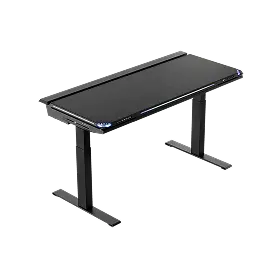
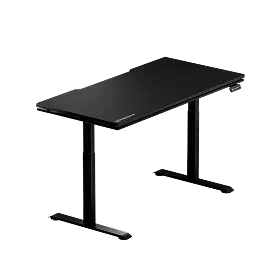
Blacklyte's Atlas and Atlas Lite Standing Desks approach this with an integrated cable management system designed to move cleanly through height transitions, so your cable organization holds whether you're sitting, standing, or anywhere in between.
Integrated Power and Connectivity
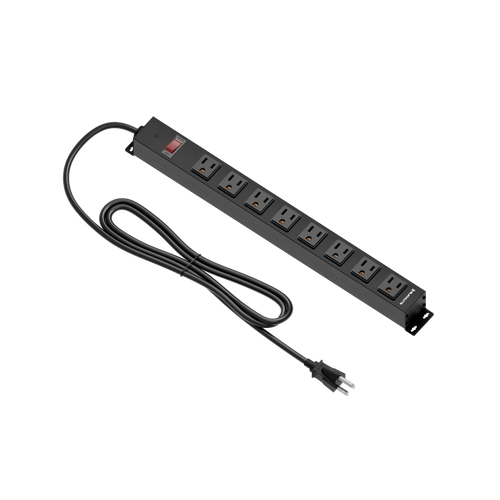
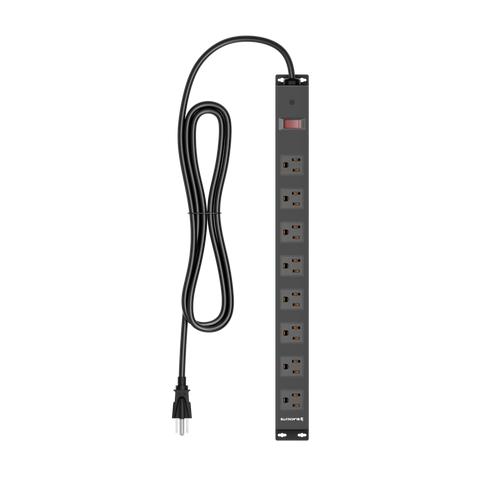
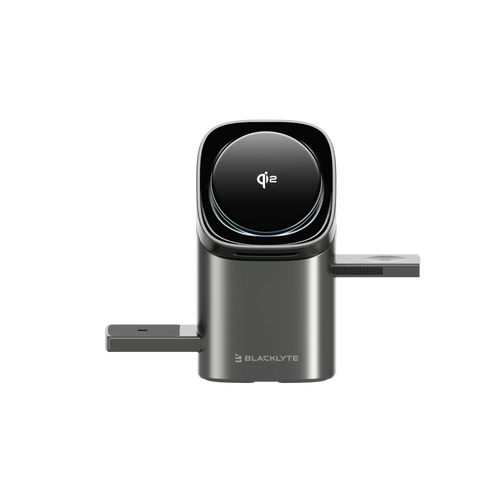
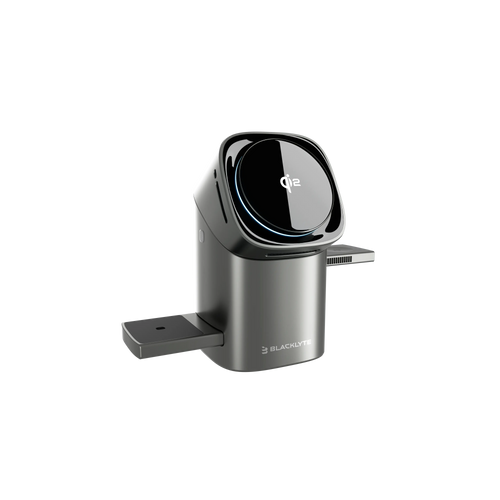
An ergonomic gaming desk should reduce the number of times you're reaching behind furniture or bending down to plug things in. A built-in power box with mains sockets, integrated into the desk, brings your power access to where your hands already are. This isn't a luxury feature — it directly impacts posture during sessions. Every time a gamer leans awkwardly to plug in a controller, headset, or phone, they're breaking the ergonomic alignment they spent money on a good chair and desk to maintain.
When evaluating built-in power, check what the on-desk power box actually provides — and remember that a built-in power box houses mains sockets, not a power supply of its own. The quality of that power box matters as much as its presence. Look for desks that include surge protection in their built-in power, since gaming peripherals are sensitive to power fluctuations and replacing a monitor or DAC because of a power spike is an expensive lesson.
Surface Material: Feel, Friction, and Fatigue
The material your wrists, forearms, and mouse rest on for hours at a time has a measurable impact on fatigue. Hard surfaces — unfinished MDF, cheap laminate, or tempered glass — transfer vibration directly, offer no cushioning for wrist contact points, and can cause forearm discomfort over extended sessions. Textured or micro-patterned surfaces interact differently with various mouse feet and can affect tracking performance for optical sensors.
Surface hardness and friction coefficient are worth understanding when comparing desks. A matte finish with slight texture provides better mouse control for low-DPI players but may feel slower for high-DPI players who prefer a slick surface. Some premium gaming desks now incorporate magnetic surface overlays or interchangeable panels that let users tune the feel to their preference without replacing the desk itself. If you run a large mouse pad that covers most of your desk surface anyway, the base material matters less — but the surface's ability to lie flat without warping or bubbling under the mouse pad still affects long-term performance.
Stability and Weight Capacity Under Real Gaming Loads
Desk wobble is more than an annoyance — it's an ergonomic and performance problem. A desk that vibrates when you adjust your mouse grip or shifts when you lean an elbow on the edge disrupts both your game and your posture recovery. Sit-stand desks introduce additional wobble risk at their height extremes because extended leg frames create longer lever arms. Frame design, leg geometry, crossbar placement, and motor quality all contribute to stability at height.
Weight capacity deserves careful scrutiny for gaming setups specifically. The numbers on spec sheets assume evenly distributed weight, but gaming setups rarely distribute weight evenly. A 32-inch monitor on a monitor arm near the edge of the desk, combined with a PC tower on one side and a dense audio interface on another, creates concentrated load points. Factor in the weight of your actual equipment and check whether the desk's rated capacity accounts for dynamic load (movement and vibration) rather than just static weight. High-quality frames use reinforced steel construction with precision-aligned leg columns to minimize both flex and height transition noise.
Desk Lighting and Ambiance Control
Ambient lighting around your desk isn't just atmosphere — it has genuine ergonomic relevance. Bias lighting behind your monitor (indirect lighting that softens the contrast between your bright screen and a dark room) measurably reduces eye strain during long sessions. This is well-documented in display ergonomics research and is one reason streaming-focused setups almost universally include some form of indirect ambient light.
Integrated desk lighting that supports customizable color temperature and brightness gives you control over your visual environment without needing to mount separate LED strips or position desk lamps. Smart lighting systems that sync with game events or time-of-day presets go further, allowing you to automate warmer, lower-intensity lighting during evening sessions when blue light exposure matters most. Blacklyte's Atlas Desk integrates smart lighting controls through its Atlas Driver software, allowing gamers to manage ambiance, desk height memory presets, and power settings from a unified interface — a level of integration that's still rare in the broader gaming desk market. Explore the Atlas Desk to see these features in detail.
Why Your Desk and Chair Must Work Together
An ergonomic gaming desk doesn't operate in isolation. The relationship between your desk height, monitor position, keyboard angle, and chair configuration is where most setup ergonomics are won or lost. A desk with a 58–123 cm height range only matters if your chair's seat height and armrest position can be dialed in to match. If your armrests can't reach the desk surface without forcing your shoulders up or your elbows out, the sit-stand range is academic.
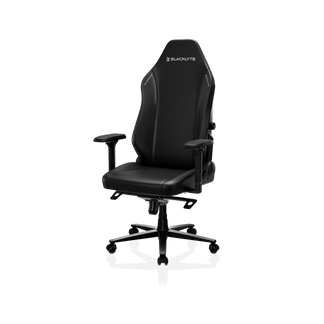
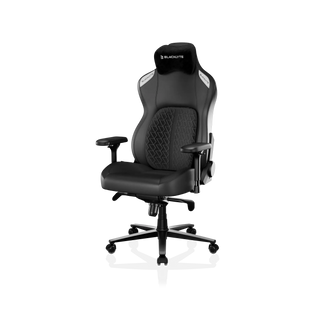
This is why serious ergonomic setups pair their desk with a chair that offers meaningful adjustability at compatible ranges. Blacklyte's gaming chair lineup — including the Kraken Pro (premium), Athena Pro (flagship), and Athena — all feature Class 4 hydraulic gas pistons for precise seat height adjustment, plus 4D armrests across the full lineup that adjust in height, width, depth, and angle. This 4D armrest capability is specifically valuable for desk-chair coordination: you can position the armrests to meet the desk edge at exactly the right height to keep your forearms parallel to the surface and your shoulders relaxed. Visit the chair comparison page and desk comparison page to find combinations that work together for your body dimensions.
For a deeper look at how chair and desk ergonomics interact in both work and play environments, Blacklyte's Ergonomics resource page and Gaming Hub cover posture principles, setup guides, and adjustment tutorials in detail.
What to Actually Look for When Buying a Gaming Desk
Pulling all of these factors together, here's a practical checklist for evaluating an ergonomic gaming desk beyond its height range:
- Surface dimensions: Minimum 70 cm depth for single-monitor setups; 140 cm+ width for dual-monitor or ultrawide configurations
- Cable management system: Integrated routing channels or under-desk trays that accommodate desk height transitions cleanly
- Built-in power box: mains sockets and surge protection in an accessible position without awkward reach
- Surface material: Durable, warp-resistant finish appropriate for your mouse setup and forearm comfort during long sessions
- Frame stability: Crossbar-reinforced steel frame construction with minimal wobble at both seated and standing heights
- Weight capacity: Rated well above your actual equipment load, accounting for concentrated (not just distributed) weight points
- Lighting integration: Bias lighting or ambient light control with adjustable color temperature for eye strain reduction
- Software and smart features: Height memory presets, lighting sync, and power management ideally accessible from a single interface
- Chair compatibility: Confirmed height range overlap and armrest clearance with your specific chair model
- Warranty coverage: Look for extended warranty options; Blacklyte offers warranties extendable up to 5 years on desks
No single desk will be perfect on every point, but understanding which factors matter most for your specific setup — your hardware, your session length, your posture tendencies — lets you make a genuinely informed decision rather than buying on spec-sheet numbers alone. Browse the full Blacklyte product range or compare desks directly at the desk comparison page to see how these features stack up across the lineup.
Height adjustment opened the conversation around ergonomic gaming desks, but it's nowhere near the end of it. Surface dimensions, cable routing, integrated power, material quality, frame stability, ambient lighting, and chair coordination are the variables that determine whether your setup actually supports your body over thousands of hours of play. The best gaming desks engineer all of these factors together rather than treating each one as an optional add-on.
Blacklyte builds its Atlas Desk series with exactly this systems-level thinking — because protecting your posture and performance isn't a single-axis problem. It never has been.
Ready to build a setup that works harder for you?
Our team can help you match the right desk to your chair, your hardware, and your ergonomic goals. Whether you're optimizing a gaming battlestation or a hybrid work-play workstation, we're here to help you get it right.


