


















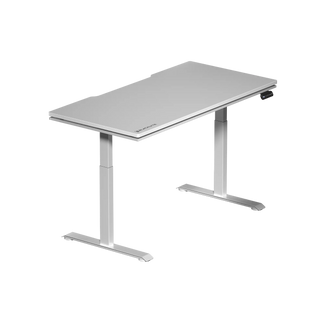


You invested in a height-adjustable standing desk — now what? Simply raising the desk surface and standing at it doesn't automatically mean you're doing your body any favors. In fact, standing incorrectly can cause just as much strain as sitting for hours in a poor-quality chair. The difference between a standing desk that transforms your day and one that leaves you with sore feet and a stiff lower back comes down to three fundamentals: proper posture, the right anti-fatigue mat, and a realistic sit-stand schedule.
Whether you're powering through a remote workday, grinding ranked matches, or running a dual-purpose gaming and work setup, this guide breaks down exactly how to use a standing desk correctly — from dialing in your desk height on day one to building a sustainable movement routine that actually sticks. Let's get your setup optimized.
Why Correct Standing Desk Use Actually Matters
Standing desks have earned their place in ergonomic conversations for good reason. Research consistently links prolonged uninterrupted sitting with increased risks of musculoskeletal discomfort, reduced circulation, and lower energy levels throughout the day. But the counterpoint that often gets glossed over is this: standing improperly for long stretches carries its own set of problems, including varicose veins, lower back fatigue, and joint strain in the knees and ankles.
The goal of a height-adjustable standing desk isn't to replace sitting — it's to give you control over how you alternate between postures throughout the day. Used correctly, a standing desk reduces the compressive load on your spine during seated periods, boosts blood flow when you're on your feet, and naturally encourages micro-movements that keep your body more alert and less fatigued. The key word is correctly. Getting the fundamentals right from the start makes the difference between a desk that supports your performance and one that collects dust at sit height forever.
Step One: Setting Your Desk to the Right Height
Before you think about posture, mats, or schedules, you need your desk set to the right height for both your standing and seated positions. Getting this wrong undermines every other adjustment you make.
For your standing height: Stand up straight in your normal working shoes (or bare feet if you work at home). Bend your elbows to roughly 90 degrees, letting your forearms sit parallel to the floor. The desk surface should meet your hands at that natural position — not forcing your shoulders up or dragging your wrists down. For most people, this puts the desk surface somewhere between elbow and hip height, typically in the range of 100–115 cm depending on your stature.
For your seated height: Lower the desk so that when you're seated with your feet flat on the floor and your hips at approximately 90 degrees, your forearms again rest parallel or at a very slight downward angle. Your thighs should be roughly parallel to the floor, with a small gap between the back of your knees and the seat edge.
The Blacklyte Atlas and Atlas Lite Standing Desks feature memory-programmable height presets, so once you find both of these heights, you can save them and switch between positions in seconds — no manual guessing required every time you stand up or sit down.
Standing Desk Posture: What Good Form Really Looks Like
Most posture advice sounds simple until you're three hours into a work session and your body has quietly drifted into every bad habit in the book. Here's what correct standing desk posture actually involves, broken down so you can self-check in real time.
- Head position: Your ears should sit directly over your shoulders — not jutting forward. Forward head posture (common when screens are too low) puts enormous strain on your cervical spine.
- Shoulders: Relaxed and dropped away from your ears. If you feel tension in your traps after standing for 20 minutes, your desk may be too high or your monitor too far away.
- Spine: Maintain your natural lumbar curve — don't flatten your lower back or exaggerate the arch. Standing and locking your knees causes your pelvis to tilt, which flattens the lumbar curve and increases compression.
- Knees: Soft, not locked. A micro-bend in the knees takes strain off the joints and keeps circulation moving in your legs.
- Weight distribution: Keep your weight balanced across both feet. Shifting all weight to one hip repeatedly is a reliable recipe for lower back and hip flexor issues over time.
- Feet: Hip-width apart, pointing roughly forward. Avoid prolonged standing with one foot propped on the desk leg or a drawer — it looks casual but wreaks havoc on your pelvis alignment.
One practical trick: set a phone reminder every 20–30 minutes to do a quick posture audit. It takes five seconds and breaks the slow creep toward slouched standing that most people don't even notice until they're uncomfortable. For a deeper look at ergonomic alignment principles, Blacklyte's Ergonomics resource hub covers the full picture for both work and gaming environments.
Choosing and Using an Anti-Fatigue Mat
If you've ever stood on a hard floor for more than 30 minutes straight, you already understand why an anti-fatigue mat is non-negotiable. Standing on a rigid surface causes the muscles in your legs and feet to contract statically to maintain balance — and that sustained tension leads to fatigue, foot pain, and eventually reluctance to use your desk's standing mode at all.
How anti-fatigue mats work: The slightly unstable, cushioned surface of a quality mat encourages continuous subtle micro-movements in your leg and calf muscles. This gentle, ongoing muscular activity promotes blood flow and reduces the static load that causes fatigue. It's a small intervention with a noticeable impact on how long you can comfortably stand.
When choosing a mat, here's what to prioritize:
- Thickness: Aim for 19–22 mm (about 3/4 to 7/8 inch). Thinner mats provide minimal cushioning; mats over 25 mm can feel unstable, particularly if you're also managing a keyboard and mouse at precise angles.
- Material: High-density polyurethane foam is the most common and durable option. Avoid cheap PVC foam mats that bottom out under sustained use and lose their ergonomic benefit within weeks.
- Size: Long enough that you can shift your stance and move your feet without stepping off. A mat roughly 50 x 90 cm (20 x 36 inches) suits most single-monitor setups; wider dual-monitor configurations benefit from 60 x 120 cm.
- Beveled edges: Tapered edges reduce tripping hazards — particularly relevant in gaming setups where you may be rotating a chair back into position when you transition to seated mode.
Position your mat centered under where you naturally stand when working, and move it out of the way when you sit — leaving it underfoot while seated can affect the angle of your chair's feet and reduce seat stability.
The Sit-Stand Schedule: How Long Should You Stand?
This is where most standing desk users either go too hard too fast or never truly commit at all. Neither approach works. Standing for six hours straight on day one will leave you with aching feet and a skeptical attitude toward your new desk. Standing for ten minutes a day won't deliver meaningful ergonomic or health benefits.
Current ergonomic guidance from occupational health researchers suggests a starting target of standing for 15–30 minutes out of every hour, building toward a roughly 50/50 sit-stand ratio over several weeks as your body adapts. A practical daily schedule might look like this:
- Week 1–2: Stand for 15 minutes every hour. Use the standing periods for tasks that don't require intensive typing — reviewing documents, taking calls, reading.
- Week 3–4: Extend to 20–25 minutes standing per hour. Begin standing during active work tasks like emails and light writing.
- Month 2 onward: Target 30 minutes standing per hour as a baseline, with flexibility to stand longer during lower-intensity periods and sit during focused deep-work blocks.
The programmable height presets on desks like the Blacklyte Atlas Standing Desk make this schedule genuinely easy to maintain. One button press transitions you between positions, removing the friction that causes people to skip their planned standing intervals. Pair your desk transitions with natural breaks in your workflow — finishing a task, sending a message, starting a new document — and the habit builds quickly without feeling forced.
For gamers specifically, standing mode can work particularly well during pre-game lobbies, champion select, map review, or VOD-watching sessions. High-intensity gameplay is often better suited to seated ergonomic positioning, but the transitions themselves add meaningful movement across a long session. The Blacklyte Gaming Hub has more on structuring your setup for both competitive performance and long-term physical health.
Monitor and Peripheral Placement at a Standing Desk
Adjusting your desk height without adjusting your monitor position is one of the most common oversights in standing desk setups — and it immediately undermines your posture gains. When you raise the desk, your monitor needs to rise with it, or you'll end up craning your neck downward, defeating the purpose entirely.
Monitor height: The top of your monitor should sit at or very slightly below eye level when you're standing in correct posture. This prevents both the downward neck tilt from a low screen and the upward strain from an excessively high one. A monitor arm is the most flexible solution for a height-adjustable desk because it adjusts independently of the desk surface.
Monitor distance: Roughly an arm's length away (55–75 cm) is the standard starting point for most 24–27 inch monitors. Larger screens may benefit from slightly greater distance. The goal is to be able to read comfortably without leaning your head forward.
Keyboard and mouse: Your input devices should remain at the elbow-height position established when you set your desk height. If your keyboard is lower than your elbows when standing, you'll compensate by hunching — a very common issue in setups that use a fixed keyboard tray incompatible with standing height.
Common Standing Desk Mistakes to Avoid
Even well-intentioned standing desk users fall into predictable traps. Being aware of them makes them much easier to sidestep.
- Standing in one static position for too long: The benefit of standing comes partly from movement. Shift your weight, do a slow calf raise, take a few steps during a call. Static standing for extended periods is barely better than static sitting.
- Leaning on the desk surface: Propping your bodyweight on your hands or forearms looks relaxed but creates asymmetric loading on your wrists, shoulders, and spine.
- Using your standing desk only when you remember: Without a system — whether it's a timer, desk presets, or habit-stacking with existing routines — standing intervals get skipped whenever work gets busy. Build the trigger into your workflow deliberately.
- Wearing unsupportive footwear: Flat, unsupportive footwear amplifies the fatigue that anti-fatigue mats work to reduce. If you work barefoot or in socks, a quality mat becomes even more important.
- Setting the desk height by feel alone: Intuition often undershoots the correct standing height. Take a moment to actually measure elbow height with your arms in the correct position rather than guessing.
Building a Complete Ergonomic Workstation
A standing desk functions at its best as part of a complete ergonomic ecosystem, not as an isolated piece of furniture. The time you spend seated still represents a significant portion of your day, which means your chair, desk, and accessories all need to work together cohesively.
When you're seated, your chair should support the same ergonomic principles that govern your standing posture: lumbar support that maintains the natural curve of your lower back, seat height that allows your feet flat on the floor, and armrests positioned so your elbows sit at approximately desk height without elevating your shoulders. The Blacklyte lineup of ergonomic gaming chairs — including the premium Kraken Pro, the flagship Athena Pro, and the entry-level Athena — are engineered specifically to complement height-adjustable desk setups, with 4D armrests across the full lineup and lumbar support systems tuned for extended sessions.
Beyond the chair, consider cable management as both an aesthetic and a practical ergonomic decision. A cluttered desk surface creates obstacles to freely adjusting your monitor arm, shifting your keyboard position, or transitioning between sit and stand modes. The Atlas and Atlas Lite desks include integrated cable management channels specifically to solve this problem, keeping your workspace clean as the desk travels between heights.
For a full overview of how Blacklyte's desk and chair lineup works together as an ergonomic system, visit the complete product collection or use the desk comparison tool to find the right Atlas model for your space and workflow.
The Bottom Line
Using a standing desk correctly comes down to three things working together: a desk dialed in to the right height for both your seated and standing positions, posture habits you actively maintain rather than set and forget, and a gradual sit-stand schedule that gives your body time to adapt. Add a quality anti-fatigue mat, keep your monitor and peripherals properly positioned as the desk moves, and pair your desk with a chair that supports the hours you're still seated — and you have a workstation built for genuine, long-term performance.
The standing desk isn't a miracle cure for sedentary work. But used with intention and the right setup around it, it's one of the most effective tools available for staying sharper, more comfortable, and more energized across long work or gaming sessions. Start with the basics, build the habit gradually, and let the ergonomics do the rest.
Ready to upgrade your setup? Explore Blacklyte's height-adjustable standing desks and ergonomic gaming chairs — engineered for the way serious gamers and professionals actually work. Have questions about which setup is right for you? Contact our team and we'll help you build your perfect ergonomic workstation.


