










Most people don't realize their chair is the reason they feel wrecked after a long session — not the game, not the screen, and not the hours. Whether you're grinding ranked matches, pulling double shifts at a home office, or doing both on the same desk, the most comfortable chair for gaming isn't a luxury. It's the foundation of how well you perform and how long you can sustain it.
The problem is that the market is flooded with options that look ergonomic but aren't — chairs dressed up with racing-style aesthetics and lumbar pillows that flatten within weeks. Finding a chair that genuinely supports your posture across marathon sessions takes more than reading a spec sheet. It takes understanding what separates a chair that feels good for the first hour from one that still feels good after hour eight.
This guide breaks down the key differences between gaming, office, and hybrid chairs, walks you through every ergonomic feature that actually matters, and highlights the top picks from Blacklyte's lineup — engineered with 20 years of expertise and trusted by over 200,000 gamers across 50+ Countries & Regions. Whether you're shopping for a dedicated gaming throne or a chair that transitions seamlessly between work and play, you'll find a clear answer here.
Why Comfort Matters More Than You Think
Discomfort during gaming is rarely dramatic. It doesn't announce itself with a sudden injury — it accumulates. Lower back tightness after an hour. Shoulder stiffness after two. Neck strain that lingers into the next morning. Over time, poor seating posture contributes to chronic musculoskeletal issues that affect not just how you feel, but how you play. Reaction times slow, focus drifts, and decision-making suffers when your body is compensating for a chair that doesn't fit it properly.
The science behind this is straightforward. Sitting in a poorly supported position increases compressive load on the lumbar spine, reduces circulation to the legs, and creates muscular tension across the shoulders and neck. A well-engineered ergonomic chair counters these effects by aligning the spine's natural S-curve, distributing weight evenly across the seat, and reducing the effort your muscles need to expend just to hold you upright. The result isn't just physical comfort — it's cognitive clarity and sustained performance.
For gamers who also work from home, the stakes are doubled. Your chair isn't clocking out after a gaming session; it's carrying you through back-to-back video calls, spreadsheets, and creative work as well. That's why the concept of a "comfortable gaming chair" has evolved well beyond race-car aesthetics to encompass genuine, evidence-based ergonomic engineering.
Gaming Chairs vs. Office Chairs vs. Hybrid Chairs: What's the Real Difference?
The distinction between these three categories has blurred significantly in recent years, but it's still worth understanding where each traditionally sits — and why the lines are fading.
Traditional gaming chairs were built around a racing bucket-seat silhouette: high winged backrests, bold color schemes, and prominent lumbar and headrest pillows. The aesthetic was inspired by motorsport seats, and while they look the part, many early designs prioritized style over spinal support. The wings on the backrest, for instance, can restrict natural shoulder movement and don't suit everyone's body width.
Traditional office chairs took the opposite approach — understated designs with mesh backs, adjustable lumbar systems, and mechanisms borrowed from decades of workplace ergonomics research. They excelled at promoting airflow and supporting the lower back during sedentary work, but many lacked the recline range and padding density that gamers need for longer, more dynamic sessions.
Hybrid chairs represent the convergence of both worlds. They carry the build quality and adjustability of a premium office chair while incorporating the aesthetic sensibility, foam density, and recline capability of a gaming chair. Brands like Blacklyte have spent years engineering precisely this intersection — chairs that look at home in an esports arena and a boardroom alike, without compromising on either side of the equation. If you're trying to find the single most comfortable chair for gaming that also holds up during work hours, the hybrid category is almost always the answer.
What to Look for in the Most Comfortable Gaming Chair
Before you look at any specific model, it's worth understanding the features that actually separate a comfortable chair from an uncomfortable one. Not all of these features appear on every spec sheet, and knowing what to ask for will save you from expensive regret.
Lumbar support type and adjustability is arguably the most important factor. A lumbar pillow is better than nothing, but it moves around, loses shape over time, and rarely lands at exactly the right height for your specific spine. Built-in lumbar systems — especially those with both height and depth adjustment — are meaningfully superior because they stay in position and can be dialed in to your exact anatomy.
Seat foam quality determines how long a chair stays comfortable. Lower-density foams compress quickly and create a "bottoming out" sensation within months. High-density cold-cure foam maintains its shape and support over years of daily use. For the best long-term comfort, look for foam densities in the range of 45–60 kg/m³ depending on the series, with the highest densities reserved for flagship models that may incorporate memory foam layers for additional contouring.
Armrest range is frequently overlooked. Fixed or 1D armrests force your arms into positions that strain the shoulders and wrists over time. At minimum, look for height adjustment. Ideally, 4D armrests — which move up, down, forward, back, and pivot inward and outward — allow you to position your arms in perfect alignment with your desk, keyboard, and mouse, dramatically reducing upper-body fatigue.
Recline range and mechanism quality matters both for variety of seating positions and for recovery during breaks. A quality tilt mechanism should feel smooth and controlled, with adjustable tension so lighter and heavier users can calibrate resistance to their preference. A recline range of 90° to 149° covers everything from upright focus mode to a relaxed lean-back position for cutscenes or calls.
Additional features worth checking include:
- Base material: Aluminum alloy bases are lighter and more durable than nylon; steel offers excellent strength at a lower price point.
- Gas piston class: A Class 4 hydraulic gas piston provides smoother, more reliable height adjustment and greater long-term durability than lower-rated options.
- Cover material: Leatherette offers easy cleaning and a premium look; fabric breathes better and reduces heat buildup. Proprietary fabrics engineered specifically for gaming chairs can offer the best of both.
- Warranty length: A chair is a long-term investment — look for warranties extendable beyond the standard period as a signal of the manufacturer's confidence in their product.
You can also use Blacklyte's chair comparison tool to stack specifications side by side and identify the model that fits your exact needs.
Top Picks: Office, Gaming, and Hybrid Chairs Worth Your Money
Blacklyte's current lineup spans three distinct tiers, each engineered for a different type of user and use case. All three share core quality commitments — Class 4 hydraulic gas pistons, 4D armrests across the full lineup, and a recline range of 90° to 149° — but differ meaningfully in materials, lumbar systems, and seat construction.
Blacklyte Kraken Pro — Premium Performance, Serious Support
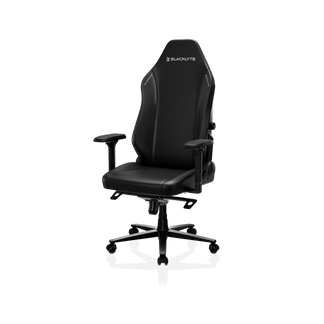
The Kraken Pro sits at the premium tier and is engineered for users who want a high-specification chair with a bold, competition-ready aesthetic. Its seat uses high-density contour foam (45–50 kg/m³), which ensures both comfort and softness, as well as firm and durable support. The cover is built with Blacklyte's proprietary DuraGen™ Leatherette, which combines the clean look of leather with improved durability and easier maintenance.
The Kraken Pro's lumbar system is a built-in floating lumbar with front-and-back fine adjustment and a lock position, giving you meaningful control over support depth. Like all Blacklyte chairs, it ships with 4D armrests, an aluminum alloy base, and the same Class 4 hydraulic gas piston for smooth, reliable seat height control. It's the right pick for competitive players and hybrid work-gamers who want a premium foundation. You can explore the chair comparison page to see exactly how it compares to the rest of the lineup.
Blacklyte Athena Pro — The Flagship for All-Day Comfort
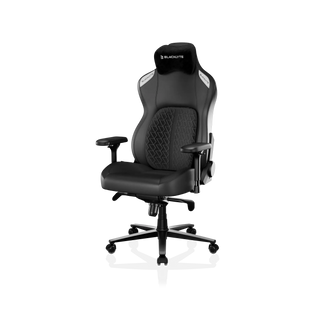
The Athena Pro is Blacklyte's flagship chair, and it earns that position through a combination of material choices and ergonomic features you won't find anywhere else in the lineup. The seat is built with a memory foam layer over a contour-foam core, infused with bamboo charcoal and silver ions for temperature regulation and hygiene — a meaningful advantage for users who spend multiple hours seated daily. The backrest uses contour foam shaped to follow the spine's natural curve, keeping you aligned without forcing a rigid posture.
The lumbar system is where the Athena Pro truly differentiates itself: a built-in 4-way adjustable lumbar mechanism that moves both up and down and front and back, allowing you to position the support point precisely at your L3-L5 vertebrae regardless of your height or sitting position. The base is aluminum alloy — the same material used in aerospace and performance automotive applications — keeping weight down while maximizing structural integrity. If you're looking for the single most comfortable chair for long gaming sessions and serious work hours, this is the model built specifically for that demand. Browse all Blacklyte gaming chairs to see how the Athena Pro fits into the full range.
Blacklyte Athena — A Solid Entry into Ergonomic Gaming
The Athena is Blacklyte's entry-level chair, but "entry-level" here refers to price positioning rather than quality compromises. It uses the same high-density contour foam seat construction as the broader lineup (55–60 kg/m³), a FlexKnit™ Fabric cover for breathability and durability, and the same 4D armrests and Class 4 hydraulic gas piston found across all three models. The base material steps down to an aluminum alloy 5-star base — extremely strong and perfectly capable, though heavier than the aluminum found on the Kraken Pro and Athena Pro.
The lumbar system uses an external lumbar pillow, which is adjustable in position but less precise than the built-in systems on the upper tiers. For users who are stepping into ergonomic gaming furniture for the first time, or who want a capable workhorse chair without the premium price tag, the Athena delivers on the core promise: a chair that actually supports your body and holds up over time. It's backed by Blacklyte's warranty program (extendable up to 5 years), the same fast free shipping, and 30-day easy returns. Visit the gaming chairs collection to find your fit.
Building the Perfect Hybrid Setup
The most comfortable chair for gaming doesn't exist in isolation — it's part of a broader workstation that either supports or undermines your posture and performance. If you're serious about long-term comfort, pairing your chair with a quality desk setup is worth considering as part of the same decision.
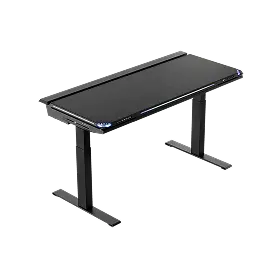
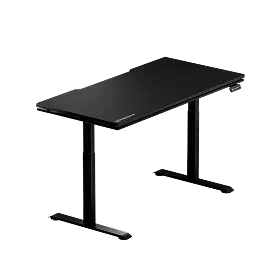
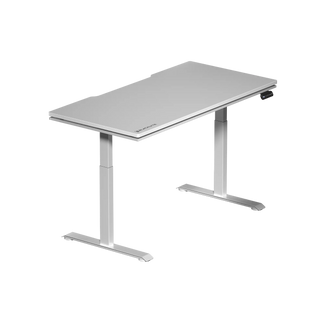
Blacklyte's standing desk lineup — including the Atlas Desk and Atlas Lite — is engineered to complement the chair range directly. Height-adjustable desks allow you to alternate between sitting and standing throughout the day, which reduces the cumulative load on your spine and improves circulation. When your desk height is calibrated to your chair height, your arms, wrists, and neck all benefit from a properly aligned seating posture. The Atlas Desk also includes integrated cable management, a magnetic surface system, and smart lighting controls via Blacklyte's proprietary Atlas Driver software — keeping your setup clean and your focus on the session.
For users building a complete hybrid gaming and work station, Blacklyte's ergonomics resource and Gaming Hub both offer detailed guidance on dialing in your setup for maximum comfort and performance. Small adjustments — monitor height, desk height, chair recline — compound into significant differences over a full day of use.
Frequently Asked Questions
Is a gaming chair actually more comfortable than an office chair?
It depends on the quality of both chairs being compared. Premium gaming chairs engineered with proper ergonomic principles — high-density foam, adjustable lumbar, 4D armrests, and quality tilt mechanisms — can absolutely match or exceed the comfort of traditional office chairs. The key is looking past the aesthetic and evaluating the actual support systems. Many office chairs excel at breathability and lumbar adjustment but fall short on foam density and recline range, making them less suited for extended gaming sessions.
How long should a quality gaming chair last?
A well-constructed gaming chair built with high-density foam and durable cover materials should last five years or more with regular daily use. The key longevity factors are foam density (higher-density foams resist compression far better), cover material quality, and the durability of the tilt mechanism and gas piston. Brands that offer extended warranties — like Blacklyte, which offers up to 5 years on chairs — tend to have confidence in those longevity claims backed by actual engineering standards.
What recline angle should I look for in a gaming chair?
A recline range of 90° to 149° covers the full spectrum of practical sitting positions — from fully upright for focused work or competitive play, through a comfortable lean for casual gaming or watching content. Angles beyond that range become impractical for active use and rarely add meaningful comfort. More important than the maximum angle is the quality of the tilt mechanism: smooth resistance adjustment, a stable lock position, and a frog-type tilt mechanism that responds predictably under varying body weights.
Can I use a gaming chair for office work?
Yes — and increasingly, this is exactly the use case that premium gaming chair brands design for. Modern hybrid gaming chairs like those in Blacklyte's lineup are built to perform across both environments. The adjustability range (armrest positions, lumbar support, recline tension) means they can be configured for upright keyboard work just as easily as for relaxed gaming. If anything, the superior foam density of a quality gaming chair often makes it more comfortable for extended desk work than a budget office chair.
The Bottom Line
Finding the most comfortable chair for gaming comes down to understanding what your body actually needs across the hours you spend seated — and then matching that to a chair engineered to deliver it consistently. The difference between a chair that feels good for an hour and one that still feels good at hour eight isn't marketing; it's materials science, mechanism engineering, and ergonomic precision.
Blacklyte's lineup gives you three clearly differentiated options: the Kraken Pro for those who want premium-tier build quality, bold aesthetics, and serious support; the Athena Pro for users who want the absolute best in all-day comfort with memory foam seating and full 4-way lumbar adjustment; and the Athena for anyone stepping into serious ergonomic gaming furniture for the first time. All three are backed by fast free shipping, 30-day easy returns, and warranties extendable up to 5 years — because a chair is a long-term investment, and Blacklyte stands behind that.
Trusted by over 200,000 gamers across 50+ Countries & Regions and partnered with leading esports organizations including tournament organizer BLAST, Team Liquid, and Fnatic, Blacklyte brings two decades of expertise to every chair it makes. The only question is which one fits your game.
Ready to Find Your Perfect Chair?
Explore the full Blacklyte gaming chair lineup and use our comparison tool to find the model built for your sessions — then reach out if you need help deciding.


