










The way you work at home has a direct impact on how you feel, focus, and perform — and nothing reveals that more clearly than spending eight hours hunched over a desk that was never designed with your body in mind. A standing desk for your home office is one of the most effective upgrades you can make, not just for your posture, but for your energy levels, concentration, and long-term spinal health.
But buying a height-adjustable desk is only half the equation. How you set it up — the height, the monitor position, the sit-stand rhythm, the cable situation — determines whether you actually benefit from it or just stand in discomfort for an hour before sitting back down. This guide covers everything you need to know: from choosing the right desk and dialing in the ergonomics, to building a setup that supports both deep work sessions and intense gaming. Whether you're a remote worker, a creator, or a competitive gamer building out a dual-purpose station, these principles apply.
Why a Standing Desk Belongs in Your Home Office
Prolonged sitting is one of the most common contributors to chronic back pain, poor circulation, and afternoon energy crashes — all of which quietly erode your productivity without you noticing until it's already a problem. Research from the University of Waterloo and other institutions consistently shows that alternating between sitting and standing throughout the workday reduces musculoskeletal strain and keeps energy levels more stable across long sessions. For home office workers who don't have colleagues walking over to their desks, or a commute breaking up their day, the risk of sitting for dangerously long stretches is even higher.
A height-adjustable standing desk gives you control. You decide when to sit, when to stand, and how to transition between the two throughout the day. That flexibility, when combined with good ergonomics, is what makes a standing desk genuinely effective rather than just a trend. It's also worth noting that this isn't a one-size-fits-all solution — setup matters enormously, and a poorly configured standing desk can create new problems even while solving old ones.
Choosing the Right Standing Desk for Your Setup
Before you think about height settings and monitor arms, you need to start with the desk itself. Not all standing desks are built the same, and the features you choose up front will shape your entire experience. Here are the key factors worth evaluating:
- Height range: Make sure the desk's minimum and maximum height accommodate both your seated and standing positions. Taller users in particular should check upper height limits carefully.
- Motor stability: A dual-motor system provides more consistent lift performance and handles heavier loads (multiple monitors, PCs, peripherals) without wobble at standing height.
- Memory presets: Electric desks with programmable height presets let you switch between positions instantly — no manual adjusting every time.
- Surface size and material: Consider how much desk real estate your setup actually needs. A spacious surface accommodates ultrawide monitors, keyboards, and accessories without feeling cramped.
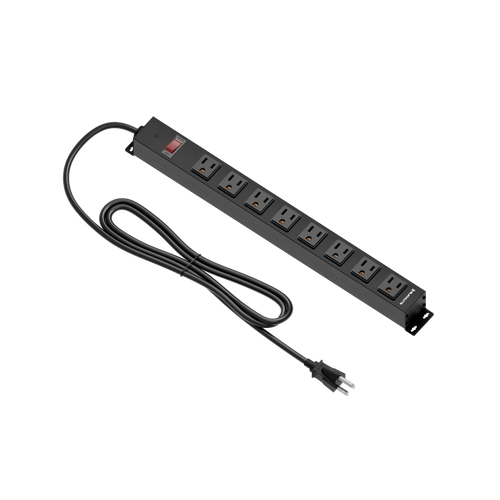
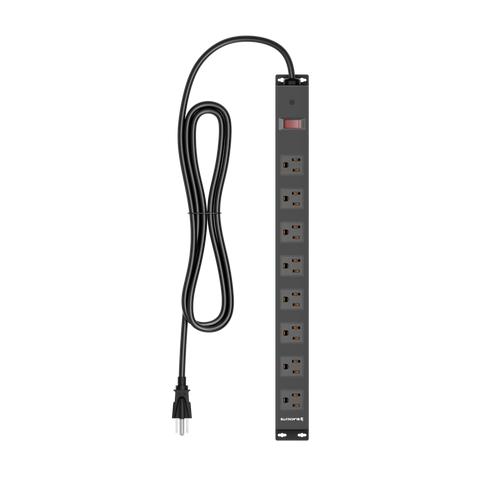
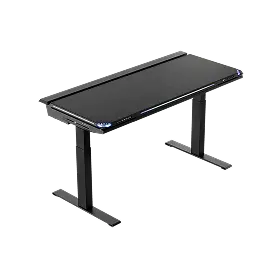
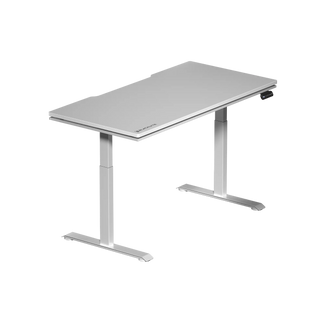
- Integrated features: Premium desks like the Blacklyte Atlas Desk and Atlas Lite go further — offering built-in power strips, magnetic surface panels, integrated cable management channels, and smart lighting controls via the proprietary Atlas Driver software. These aren't just conveniences; they change how clean and functional your workspace feels on a daily basis.
- Cable management: Look for desks with built-in cable routing or channels. We'll cover this in more depth below.
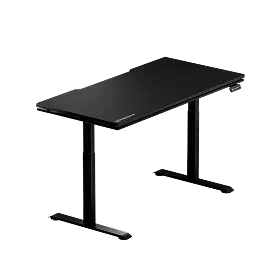
If you're comparing options, Blacklyte's desk comparison page breaks down the Atlas and Atlas Lite side by side so you can match the right model to your space and workflow.
Setting the Correct Desk Height
This is the single most important step in your standing desk setup, and it's also the most commonly skipped. People often set their desk to an approximate height and assume it's close enough. It usually isn't. An incorrect height — even by a few centimeters — introduces cumulative strain on your wrists, shoulders, and neck that compounds over weeks and months.
The correct standing height puts your elbows at approximately 90 degrees with your forearms parallel to the desk surface. Your shoulders should be relaxed, not raised or rolled forward. Your wrists should rest in a neutral, flat position — not tilted up or bent downward. For seated height, the same elbow angle applies: 90 degrees, with your feet flat on the floor and your thighs roughly parallel to the ground. If you've invested in an ergonomic workstation, this alignment is the foundation everything else is built on.
A practical way to find your standing height: stand naturally, let your arms hang loosely, then bend your elbows to 90 degrees. The height of your forearms is where your desk surface should sit. Set that as your standing preset, then adjust your seated height from your chair position rather than your desk.
Proper Posture While Standing
Standing at a desk sounds simple until you're 45 minutes in and realize you've been leaning on one hip with your neck craned forward. Good standing posture at a desk is an active habit, not a passive one — and these are the key points to stay aware of:
- Elbows: Bent at 90 degrees, forearms parallel to the desk. Avoid reaching up or dropping your arms too low to type.
- Wrists: Neutral and floating — not resting hard on the desk surface and not tilted in any direction.
- Knees: Slightly soft, never locked. Locking your knees while standing for long periods restricts blood flow and accelerates fatigue.
- Spine: Upright and neutral. Imagine a straight line from your ears through your shoulders down to your hips. Avoid rounding forward or arching your lower back excessively.
- Shoulders: Relaxed and level — not shrugged upward toward your ears.
- Weight distribution: Shift your weight evenly between both feet. Avoid favoring one side for extended periods.
One of the most effective habits you can build is a periodic posture check — a quick mental scan every 20 to 30 minutes to reset your alignment before bad habits compound into discomfort.
Proper Posture While Sitting
A standing desk doesn't replace a good chair — it works alongside one. When you transition back to seated work, the quality and adjustability of your chair becomes just as important as the desk itself. An ergonomic chair with proper lumbar support, adjustable armrests, and a well-calibrated seat height is essential for maintaining the same postural discipline you practice while standing.
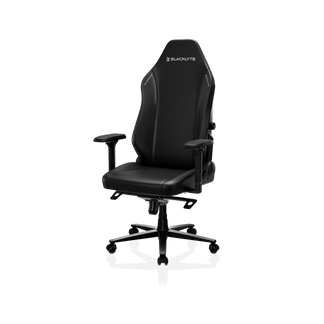
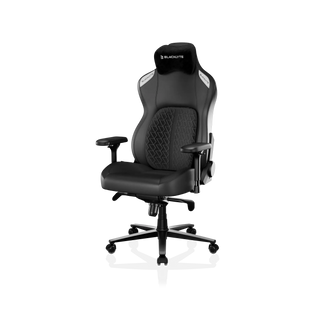
Blacklyte's gaming chair lineup — including the Athena Pro, Kraken Pro, and Athena — is purpose-built for this kind of extended use. The Athena Pro features a built-in 4-way adjustable lumbar system (adjustable both up/down and front/back) for precision lower-back support. The Kraken Pro includes a built-in floating lumbar with front/back fine-adjustment and lock. All three models include 4D armrests across the full lineup, a frog-type tilt mechanism with adjustable tilt tension, and a recline range of 90° to 149° — giving you full control over your seated position throughout the day. Paired with a height-adjustable desk, this combination covers both halves of the sit-stand equation.
When seated, keep your elbows at 90 degrees with your forearms resting lightly on the desk or chair armrests. Your feet should be flat on the floor, knees at roughly 90 degrees, and your back supported fully by the chair's lumbar system — not by leaning forward or slouching into the backrest.
Monitor Placement and Eye-Level Alignment
Your monitor position changes every time you switch between sitting and standing, which is one of the most overlooked ergonomic challenges of a height-adjustable setup. If you're simply placing your monitor on the desk surface, it will be in the wrong position at least half the time.
The ideal monitor height puts the top edge of the screen at or just below eye level, with the screen tilted back slightly (around 10 to 20 degrees). The viewing distance should be approximately arm's length — roughly 50 to 70 cm from your face — with a comfortable downward viewing angle of about 15 to 30 degrees. A monitor arm or height-adjustable mount is the most practical solution here, allowing you to reposition your screen precisely as the desk height changes. It also frees up desk surface area, which is a meaningful benefit on smaller setups.
If you're running a dual-monitor configuration — common for gaming and content creation setups — position the primary screen directly in front of you and the secondary screen at a slight angle to the side, keeping both at consistent heights to avoid chronic neck rotation in one direction.
Cable Management: Keeping Your Desk Clean
Cable chaos is the enemy of a clean, functional home office. It's also a practical hazard: cables that run freely under a height-adjustable desk can snag on the lifting mechanism, create trip risks, or simply make the entire workspace feel cluttered and stressful. Good cable management isn't cosmetic — it's part of a properly functioning ergonomic setup.
The most efficient approach combines desk-integrated cable channels (if your desk supports them), a cable management tray mounted beneath the desk surface, and cable clips or raceways to route individual lines cleanly from power sources to devices. The Blacklyte Atlas Desk is designed with this in mind, featuring integrated cable management as a built-in feature rather than an afterthought — so your display cables, peripherals, and power lines stay organized regardless of how many times you raise and lower the desk throughout the day.
When planning cable runs, always leave enough slack at the base of the desk for the full range of height adjustment. A cable that's too tightly run will pull or disconnect when the desk reaches its upper height limit.
The Optimal Sit-Stand Ratio
Research from the University of Waterloo suggests a useful target ratio: for every 15 minutes of sitting, aim for 15 to 45 minutes of standing. In practical terms, this translates to roughly 1 hour of sitting for every 1 to 2 hours of standing across a full workday. The exact ratio will vary based on your fitness level, the type of work you're doing, and how long you've been using a standing desk — newcomers should build up gradually rather than trying to stand for half the day from the start.
The easiest way to maintain a consistent rhythm is to use your desk's memory presets. Desks with programmable height settings let you transition in seconds, which dramatically lowers the friction of switching positions. Pair this with a simple timer or a productivity app that nudges you to change positions every 30 to 45 minutes. Over time, the sit-stand pattern becomes automatic rather than something you have to consciously manage.
One thing to avoid: treating standing as a passive activity where you just stop moving. The benefit of standing comes from reduced static loading on the spine, but you'll maximize that benefit by shifting your weight, taking short walks, or doing light stretches during standing periods.
Accessories That Complete Your Standing Desk Setup
A standing desk works best as part of a considered ecosystem rather than a standalone piece of furniture. The right accessories address the gaps that the desk itself can't solve and make the overall setup significantly more comfortable and functional. Some of the most impactful additions include:
- Anti-fatigue mat: Standing on a hard floor accelerates leg and lower-back fatigue. A quality anti-fatigue mat with cushioning and contoured edges keeps you comfortable during longer standing sessions and encourages subtle weight-shifting movements.
- Monitor arm: As covered above, a monitor arm solves the height-mismatch problem between sitting and standing and opens up desk surface space.
- Ergonomic chair: Your sit-stand setup is only as good as the chair you return to. An ergonomic chair with adjustable lumbar support, 4D armrests, and a recline system keeps your seated posture as dialed-in as your standing posture.
- Keyboard and mouse placement: A keyboard tray or a well-positioned wireless setup ensures your input devices are always at the correct height regardless of desk position.
- Desk lighting: Proper lighting reduces eye strain and creates a more focused working environment. The Blacklyte Atlas Desk includes smart lighting controls via Atlas Driver software, letting you adjust ambiance without adding additional desktop clutter.
Browse Blacklyte's full range of desk accessories to find components that integrate cleanly with your existing setup.
How to Prevent Pain and Fatigue at a Standing Desk
Even a perfectly configured standing desk won't protect you from discomfort if you ignore the signals your body is sending. The most common pain points — lower back tightness, knee soreness, wrist strain, and neck tension — are almost always the result of staying in one position too long or letting posture slip gradually without noticing. Prevention is simpler than recovery.
Keep your knees slightly soft while standing rather than locked. Shift your weight periodically, and take short walking breaks every 30 to 60 minutes to reset circulation. For wrist health, keep your hands floating in a neutral position over the keyboard rather than resting your wrists hard on the desk surface. Make sure your monitor is always at eye level — especially after adjusting your desk height — so your neck isn't tilting forward or upward to compensate.
A few simple stretches integrated into your day make a meaningful difference: calf raises to combat leg fatigue during standing sessions, gentle neck rolls to release tension, shoulder rolls to prevent upper-back tightness, and light lower-back stretches during transitions between positions. Hydration also plays a role — fatigue often arrives earlier than expected when you're even mildly dehydrated, so keeping water at your desk is a small habit with a noticeable effect on sustained focus and physical comfort.
For a deeper look at how ergonomic principles apply to both work and gaming environments, Blacklyte's Ergonomics guide and Gaming Hub are worth exploring — both are built around the same performance-first philosophy that drives Blacklyte's product design.
Build a Setup That Performs as Hard as You Do
A standing desk for your home office is one of the most meaningful investments you can make in your long-term health and daily performance. But the desk is just the starting point. How you set it up — the height calibration, the posture habits, the monitor alignment, the sit-stand rhythm — determines whether you get the full benefit or just add a new piece of furniture to the room. When every element works together — a well-engineered desk, an ergonomic chair, the right accessories, and intentional usage habits — the difference in how you feel at the end of a long day is hard to overstate.
Blacklyte's Atlas and Atlas Lite standing desks are built for exactly this kind of setup: integrated power, smart cable management, magnetic surface organization, and Atlas Driver software control in a design that fits both serious workstations and high-performance gaming rigs. Pair one with a Blacklyte ergonomic chair and you have a complete sit-stand ecosystem engineered for the demands of long sessions — whether you're in a ranked match or a six-hour deep work sprint. Explore the full desk lineup and all products to start building your setup.
Ready to Upgrade Your Home Office?
Have questions about which Blacklyte desk or chair is right for your setup? Our team is here to help you build a workstation that performs as hard as you do.
Contact Us


