


















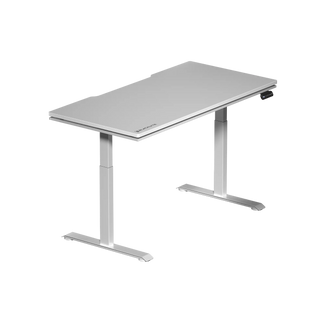


You invested in a height-adjustable standing desk. Maybe you've already felt the difference on days when you remember to actually use it. But here's the honest truth most desk guides skip: simply owning a sit-stand desk isn't enough. If your desk is set to the wrong height — even by a couple of centimeters — or if you're standing for too long without a plan, you're trading one set of posture problems for another. Finding your sit-stand sweet spot is less about the desk itself and more about understanding your body, your workflow, and how those two things fit together. This guide covers exactly that: how to dial in your standing desk height for both positions, how to structure your day between sitting and standing, and what features in a height-adjustable standing desk actually make a difference in the long run.
Why the Sit-Stand Balance Actually Matters
Prolonged sitting has been linked to increased risks of cardiovascular issues, metabolic slowdown, and chronic lower back pain — outcomes that researchers have been documenting for over two decades. But the answer isn't simply to stand all day instead. Sustained static standing creates its own set of problems: leg fatigue, varicose veins, increased compression in the lumbar spine, and reduced cognitive performance over extended periods. The human body isn't designed for either extreme; it's designed for movement and postural variety.
This is where a height-adjustable standing desk earns its keep — not as a standing desk, but as a movement tool. The ability to transition fluidly between seated and standing positions throughout the day keeps your musculature engaged, reduces the static load on your spine, and has been shown in occupational health research to improve energy levels and self-reported comfort during working hours. The desk's adjustability is only valuable, however, if you've set both height positions correctly and developed a habit around using them. Getting those two things right is what this guide is about.
How to Find Your Ideal Desk Height (Sitting and Standing)
The foundational principle of ergonomic desk height is straightforward: your desk surface should meet your hands at the height where your elbows naturally rest at roughly a 90-degree angle, with shoulders relaxed and wrists neutral. In practice, that means your forearms are roughly parallel to the floor when your fingers rest on the keyboard. Sounds simple — and it is, once you account for your actual body proportions rather than relying on a one-size-fits-all chart.
For Seated Height
Start by sitting in your chair with your feet flat on the floor and your back supported by the lumbar region of your seat. Relax your arms to your sides, then bend your elbows to 90 degrees. The height at which your hands naturally fall is the target surface height for your desk. For most adults this lands somewhere between 68–76 cm, but individual variation is significant — taller users or those with longer torsos may need considerably more. If your chair's seat height requires adjustment to achieve a proper 90-degree elbow angle, adjust the chair first, then dial in the desk to match.
For Standing Height
Stand in your natural upright posture — not artificially tall, not slouched. Repeat the same process: relax your arms, bend your elbows to 90 degrees, and note where your hands fall. This is your standing desk height. For many people, their standing desk height ends up being roughly 20–30 cm higher than their seated height, depending on the length of their torso relative to their legs. If you wear different footwear throughout the day (particularly for those who alternate between flat shoes and heeled footwear), you may need to account for that variation — a quality motorized desk with memory presets makes this adjustment nearly effortless.
One often-overlooked variable is monitor position. At both sitting and standing heights, the top of your monitor should sit at or just slightly below eye level, with the screen roughly an arm's length away. If your monitor height changes significantly when you transition from seated to standing, a monitor arm is a worthwhile addition to your setup. You can explore Blacklyte's full range of desk accessories — including cable management and ergonomic add-ons — to round out your workstation.
The Sit-Stand Ratio: How Long Should You Actually Stand?
There's a persistent misconception that more standing is always better. Occupational health researchers at institutions including the University of Waterloo have suggested that a practical target for most desk workers is approximately 15–30 minutes of standing per hour, with movement breaks integrated throughout. That translates roughly to a sit-stand ratio of 1:1 to 3:1 (sitting to standing), depending on your baseline activity level, fitness, and how your body responds.
For most people just starting out with a sit-stand routine, the advice is to begin conservatively. Stand for 15 minutes per hour in the first week, gradually extending standing intervals as your body adapts. Foot fatigue, lower back tightness, or discomfort in the knees are signals to sit down — not push through. Over time, you'll develop an intuitive sense of when a position transition is needed, which is the real goal. The desk's adjustability should support natural, responsive movement, not a rigid timed schedule.
Setting memory height presets on a motorized standing desk dramatically reduces the friction involved in switching positions. When transitioning from sitting to standing takes less than five seconds and requires no manual effort, you're far more likely to actually do it. This is a practical reason why motorized desks with programmable presets consistently outperform manual crank models in real-world usage patterns.
Building the Full Ergonomic Setup Around Your Desk
A height-adjustable desk is the centerpiece of an ergonomic workstation, but it functions best as part of a coordinated system. Your chair is the first layer — and arguably as important as the desk itself. An ergonomic chair with proper lumbar support, seat height adjustment, and adjustable armrests ensures that your seated position is correctly supported regardless of your desk height setting. Blacklyte's gaming chair lineup is built around exactly this principle, with 4D armrests across the full lineup, independent lumbar support systems, and Class 4 hydraulic gas pistons on every model.
When standing, an anti-fatigue mat is one of the highest-impact additions you can make. Standing on a hard floor for extended periods compresses the joints of the feet, knees, and hips; a quality anti-fatigue mat with a contoured or beveled edge encourages subtle micro-movements that reduce static muscle fatigue significantly. A footrest for use when seated can also help shorter users achieve the correct 90-degree knee angle without raising the chair so high that armrests no longer align with the desk surface.
Cable management is another practical ergonomic concern that is easy to overlook. A cluttered desk surface creates a psychological friction that makes it harder to focus, and cables draped across the floor create a safety hazard when you stand and move around. A standing desk with integrated cable management — like routing channels, grommets, or under-desk cable trays — keeps your workspace clean and your movement unrestricted. For a deeper dive into setting up a truly ergonomic workstation, visit Blacklyte's dedicated Ergonomics guide.
What to Look for in a Height-Adjustable Standing Desk
Not all sit-stand desks are built equally, and the difference between a desk you actually use and one that collects dust often comes down to a handful of specific features. Here's what genuinely matters when evaluating a height-adjustable standing desk:
- Height range: The desk's minimum and maximum height must accommodate both your sitting and standing positions. A range of approximately 60–125 cm covers the vast majority of users, but verify your specific numbers first.
- Motorized lift system: Dual-motor systems offer smoother, more stable lifting under load compared to single-motor designs. Look for a motor with low decibel output so transitions don't disrupt meetings or focus sessions.
- Memory presets: At least two programmable height presets (sitting and standing) are essential for frictionless transitions. Four or more presets are useful in shared workspaces or for users who work at multiple posture positions.
- Weight capacity: Account for everything on the desk — monitors, peripherals, storage items, and your desktop setup. A weight capacity of 80 kg or more gives you meaningful headroom.
- Surface material and size: The desktop should be large enough to accommodate your workflow without feeling cramped. A water-resistant, easy-clean surface finish holds up better over years of daily use.
- Cable management: Integrated routing solutions, power supply access points, and desk grommets keep the setup tidy and functional.
- Stability: A desk that wobbles at standing height creates discomfort and erodes confidence in the setup. Test or verify stability data at maximum height before purchasing.
If you're comparing multiple models side by side, Blacklyte's desk comparison tool lays out the key specifications across the Atlas lineup so you can evaluate exactly what matters for your use case.
How the Blacklyte Atlas Desk Nails the Sweet Spot
Blacklyte's Atlas Standing Desk lineup was designed with the sit-stand workflow at its core — not as an afterthought. The Atlas Desk features a motorized dual-motor lift system with programmable memory presets, allowing you to switch between your precise sitting and standing heights instantly and silently. The integrated power strip keeps your peripherals plugged in within easy reach without adding cable clutter to your workspace, and the magnetic surface system lets you attach accessories exactly where you need them rather than where the desk allows.
What sets the Atlas Desk apart in terms of the sit-stand experience specifically is the smart lighting via the Atlas Driver software. The Atlas Lite offers a streamlined version of the same core functionality for users who want the height-adjustable performance without the full feature stack.
Blacklyte has built its reputation over 20 years and across 50+ Countries and Regions by understanding that gamers and desk workers share a common challenge: they spend a lot of time seated, and the quality of their setup directly affects their performance and long-term health. The Atlas Desk reflects that understanding. It's not just a desk that goes up and down — it's a workstation platform engineered for the way people actually work and play. Paired with any chair from the Blacklyte lineup, it creates a cohesive ergonomic ecosystem with matched engineering standards throughout.
Common Sit-Stand Mistakes (and How to Fix Them)
Even experienced sit-stand desk users fall into patterns that undermine the ergonomic benefits they're aiming for. The most common is setting the standing height too high and compensating by shrugging the shoulders or cocking the wrists upward — which creates neck tension and repetitive strain over time. Always re-verify your standing height with fresh eyes, ideally while someone else observes your posture from the side.
Another frequent mistake is treating standing as an endurance exercise rather than an active posture tool. Users who set a timer to stand for 45 minutes and white-knuckle through the discomfort are missing the point. The goal is comfort and variety, not discipline. If you're uncomfortable, sit down. Build tolerance gradually. The right approach feels almost effortless once your routine is calibrated correctly.
Finally, many users configure their height-adjustable desk perfectly but never address the chair beneath it. A mismatched chair — one that doesn't support the lumbar curve, positions the armrests incorrectly, or lacks proper seat height adjustment — means that half of your workday (the sitting half) is still ergonomically compromised. If your chair isn't working as hard as your desk, it's worth exploring Blacklyte's full ergonomic guidance resources or comparing models through the chair comparison tool to find the pairing that completes your setup.
The Bottom Line
A height-adjustable standing desk is one of the most impactful investments you can make in your long-term health and daily performance — but only when it's set up correctly and used with intention. Finding your sit-stand sweet spot comes down to three things: dialing in your exact height positions for both sitting and standing, building a gradual and sustainable movement routine, and surrounding the desk with complementary ergonomic tools that support the full picture. Get those fundamentals right, and the desk stops being a wellness experiment and starts becoming an invisible part of how you do your best work.
Ready to Build Your Perfect Sit-Stand Setup?
Whether you're starting from scratch or upgrading your existing workstation, Blacklyte's ergonomic specialists are here to help you find the right desk and chair combination for your body, your workflow, and your space. Explore the full Atlas Desk lineup, compare models, or reach out directly — we're built for this.
Contact Us Shop All Desks


