








Gaming Desk Buying Guide: What to Look for Before You Click Buy
You've already spent serious money on your monitor, your GPU, your peripherals. And yet the one piece of furniture that everything rests on — your gaming desk — often gets chosen last, with whatever's left in the budget and a five-second scroll through product listings. That's a mistake that catches up with you fast: in wobble mid-match, in cable chaos after every upgrade, and in the neck and wrist ache that sets in around hour four.
A great gaming desk isn't just a flat surface. It's the ergonomic foundation, the cable hub, the aesthetic anchor, and the structural backbone of your entire setup. Get it right and every session feels tighter, cleaner, and more focused. Get it wrong and even the best hardware in the world won't save you from discomfort and clutter. This guide breaks down every key buying factor — size, materials, frame construction, height adjustability, cable management, and integrated features — so you can make a genuinely informed decision before you click buy.
Why Your Desk Is More Than Just a Surface
Most gamers treat a desk purchase as a background decision — something utilitarian and largely interchangeable. In reality, the desk you sit at shapes nearly every variable in your physical experience: posture, wrist alignment, eye distance from the screen, how quickly fatigue sets in, and whether your setup looks like a battlestation or a bird's nest. The sheer number of hours serious gamers log at their desks makes the quality of that surface a direct performance variable, not just a comfort preference.
The best desks are engineered around how gamers actually use their space — with large mousepads, multiple monitors, dense peripheral arrangements, and long unbroken sessions. A standard office desk might be too shallow, pushing your screens too close to your eyes, or too flimsy to stay rock-solid during intense mouse movements. What separates a true gaming desk from a generic table is a combination of purposeful dimensions, structural integrity, smart cable routing, and the kind of features that genuinely improve your workflow. Every factor in this guide feeds into that distinction.
Size and Dimensions: Measure First, Buy Second
Before anything else, measure your room — including wall clearances, door swing radius, and the space you need to move a chair freely. It sounds obvious, but a significant number of returned desks arrive back because the buyer assumed a size rather than confirmed one. Once you know your room constraints, think about your hardware load.
Width is the most visible dimension. A single monitor with basic peripherals can work on a 40–50 inch surface, but as soon as you move to dual monitors, add a microphone arm, a stream deck, or a desktop tower on the surface, you're quickly looking at a 55–70 inch minimum. Width also determines how much mouse real estate you have, which matters significantly if you game at low DPI sensitivity and need sweeping, full-arm movements.
Depth is where many buyers cut corners and later regret it. A standard 24–30 inch depth gives you room for most monitors and keyboard positions, but a shallower desk pushes your screens uncomfortably close and leaves you with no room for a large mousepad. If you plan to mount monitors on arms rather than their factory stands, a deeper surface also gives you better placement flexibility and the correct focal distance from your eyes to the screen.
Key size considerations before you buy:
- Single monitor, minimal peripherals: 40–50 inch width is workable
- Dual monitors or a large ultrawide: aim for 55 inches or wider
- Triple monitors, full battlestation: 60–72 inches gives you genuine breathing room
- Desk depth: 24 inches minimum; 28–30 inches strongly preferred for comfort
- Room clearance: leave at least 36 inches behind the chair for freedom of movement
Don't forget to factor in desk shape. Rectangular desks suit most setups and room layouts. L-shaped desks are excellent if you want to dedicate one wing to gaming and one to work or streaming — they maximize corner space and create natural workflow separation. The right shape is the one that actually fits your room and your usage, not the one that looks the coolest in a product photo.
Surface Materials: What You're Actually Buying
Gaming desks come with a range of surface finishes, and understanding what's underneath the aesthetic is key to making a durable choice. The most common desktop cores are MDF (medium-density fiberboard) and engineered wood composites, often finished with a protective laminate layer. MDF is dense, flat, and resists bending well — a legitimately solid foundation when it's paired with a quality laminate finish that protects the core from moisture. The carbon-fiber-look surfaces popular on many gaming desks are almost always a textured laminate over this kind of core, not structural carbon fiber. The texture looks sharp and provides a slightly grippy surface, but the real measure of durability lies in the quality of that laminate coating, not the pattern printed onto it.
Solid wood surfaces are the premium long-term option — dense, durable, and genuinely resistant to warping when properly treated. They tend to cost more and add weight to the overall structure, but for buyers who want a desk that outlasts their gaming rig, solid wood is hard to beat. Tempered glass offers a sleek, minimal aesthetic but shows fingerprints immediately and can feel cold and impractical in a high-use gaming environment.
Regardless of the surface material you choose, prioritize these finish qualities:
- Scratch resistance: daily mouse movement, controller placement, and general use will test any surface
- Moisture resistance: spills happen; a quality sealed laminate protects the core from swelling and delamination
- Rounded or bevelled edges: sharp desk edges compress forearms during long sessions and contribute to wrist strain over time
- Surface texture: a slightly textured finish helps keep peripherals from sliding without being abrasive on your mousepad
One note worth making: don't judge a desk's structural strength by how its surface looks. A rugged carbon-pattern finish is an aesthetic choice. Real structural performance comes from the thickness of the core and the quality of the frame underneath it.
Frame Stability and Weight Capacity
If there is one non-negotiable in any gaming desk, it's frame stability. In competitive gaming, even minor desk wobble during a critical moment is a distraction that costs you. A flimsy frame amplifies every mouse movement, vibrates with every keystroke, and will almost certainly sag or bow over time under the combined weight of monitors, a tower, peripherals, and accessories. The frame is the single most important structural component of any desk, and steel frames set the standard for rigidity and long-term durability.
Pay attention to the following when evaluating frame quality:
- Steel construction: look for powder-coated steel legs and crossbeams — powder coating adds significant resistance to chipping, scratching, and rust compared to standard paint
- Leg design: T-shaped or Z-shaped leg arrangements distribute weight more evenly and resist side-to-side sway far better than simple straight legs
- Adjustable feet: small levelling pads at the base compensate for uneven floors and prevent rocking without requiring shims or makeshift fixes
- Weight capacity: check the rated capacity against your actual hardware load — two 27-inch monitors, a mid-tower PC, and peripherals can easily exceed 80 lbs before you add anything else
As a practical rule of thumb, calculate your total equipment weight and apply a safety buffer — you want a desk rated well above your current load to ensure stable, wobble-free performance. For height-adjustable desks in particular, higher weight ratings directly translate to smoother, more reliable motor operation over the long term. A desk that's loaded to its maximum rated capacity will show stress much sooner than one with genuine headroom.
Fixed vs. Height-Adjustable: The Ergonomic Divide
This is arguably the most consequential decision in the entire buying process. A fixed-height desk locks you into a single posture for the entirety of every session. If that fixed height happens to be perfect for your body, that's fine — but if it's slightly too high or too low, you're committing to hours of compensatory shoulder tension, wrist extension, and spinal loading every single day. The mismatch compounds slowly, and most gamers don't connect their back pain or wrist strain to desk height until months of damage have already accumulated.
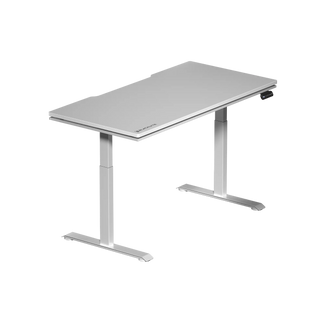
A height-adjustable desk solves this by putting you in control. When sitting, you can position the desk so your elbows rest at a natural 90-to-100-degree angle, your wrists stay neutral, and your feet sit flat on the floor. When you stand, you raise the surface to maintain that same alignment. The ability to alternate between sitting and standing throughout a session is where these desks truly pay off — not just ergonomically, but in sustained energy and focus. Staying in any single static position, even a well-supported one, causes physical fatigue over time. Movement is the real solution.
When evaluating height-adjustable gaming desks, look for:
- Electric dual-motor lift systems: dual motors provide significantly more stability and load capacity than single-motor alternatives, particularly at standing height
- Height range: ensure the desk's range covers your seated height (typically 25–30 inches for most adults) and your comfortable standing height
- Memory presets: programmable height positions let you switch between your ideal sitting and standing positions instantly, removing friction from the habit of actually changing posture
- Anti-collision detection: a sensor that stops the desk motor if it encounters an obstruction during height adjustment is a worthwhile safety and equipment-protection feature
- Stability at full height: test or verify that the desk remains solid at its maximum standing position — some lower-quality models develop significant wobble at the top of their range
For gamers who spend four or more hours at a desk in a single session, the case for a height-adjustable setup is genuinely compelling — not as a wellness trend, but as a practical performance investment. Visit our Gaming Hub for a deeper look at how ergonomics directly affects in-game performance and long-session endurance.
Cable Management: The Feature Most Buyers Underestimate
Nothing degrades a carefully built setup faster than a jungle of cables spilling off the back of the desk and pooling on the floor. Beyond the aesthetic problem, poor cable management is a practical hazard: it traps dust, restricts airflow around equipment, creates tripping risks, and makes every hardware upgrade feel like an archaeological excavation. Good cable management is the difference between a setup that genuinely functions cleanly and one that only looks good in a photo taken from the right angle.
Integrated cable management features to look for include:
- Under-desk cable trays: horizontal trays that run the width of the desk catch power strips, cable runs, and adapters, keeping them entirely off the floor and out of sight
- Cable grommets: openings built into the desktop surface that route cables from the surface straight down and out of view, eliminating the loop of visible wire across the back edge
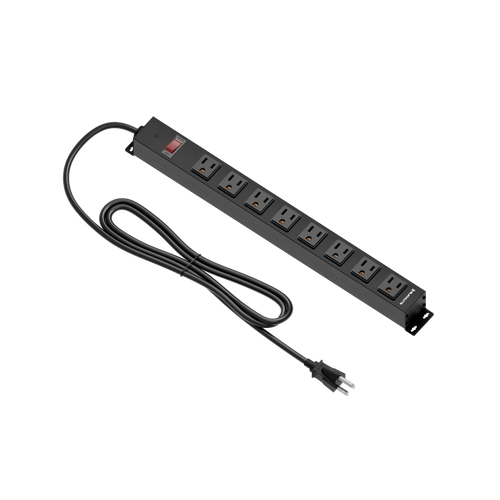
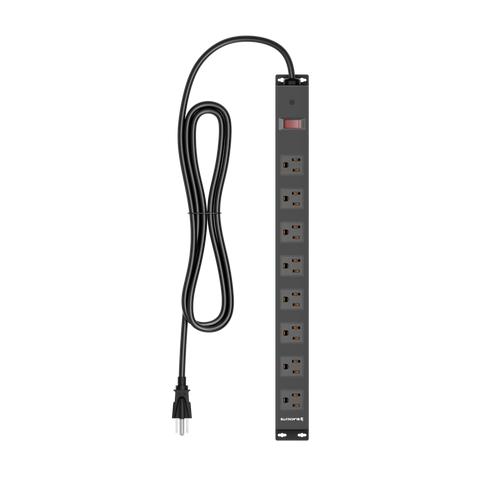
- Built-in power box: some premium desks include a built-in power box with mains sockets, consolidating your power connections to a single managed point and cutting loose cable count dramatically
- Magnetic surfaces or cable channels: magnetic-compatible desk surfaces allow cable clips and accessories to attach without drilling or adhesive, making reconfiguration easy
If you're buying a height-adjustable desk, cable management becomes even more critical. As the desk moves up and down, cables need enough slack to travel the full height range without pulling taut — especially the connections running to your monitor, PC, and any powered accessories. Plan cable lengths before you buy, and factor the desk's full height range into how much slack you build into each run.
Integrated Features Worth Paying For
The premium end of the gaming desk market has converged on a set of integrated features that genuinely add value beyond looking impressive in a spec sheet. Some of these are genuine quality-of-life upgrades. Others are marketing embellishments. Here's how to tell the difference.
Smart lighting controls — specifically app-controlled or driver-controlled RGB that integrates with the rest of your setup — are worth the premium over static, manually cycled LED strips. Being able to set desk lighting zones, sync colour with your chair or peripherals, and save profiles for different use modes (gaming vs. work vs. streaming) adds real atmosphere and utility. Random underbelly LED strips with three preset modes are not.
A built-in power box that brings mains sockets to the desk surface is one of the highest-value integrated features available. It eliminates the need for separate desk-mounted power strips, cleans up your cable topology, and puts power exactly where you need it. (It's a power box with sockets, not a power supply of its own.)
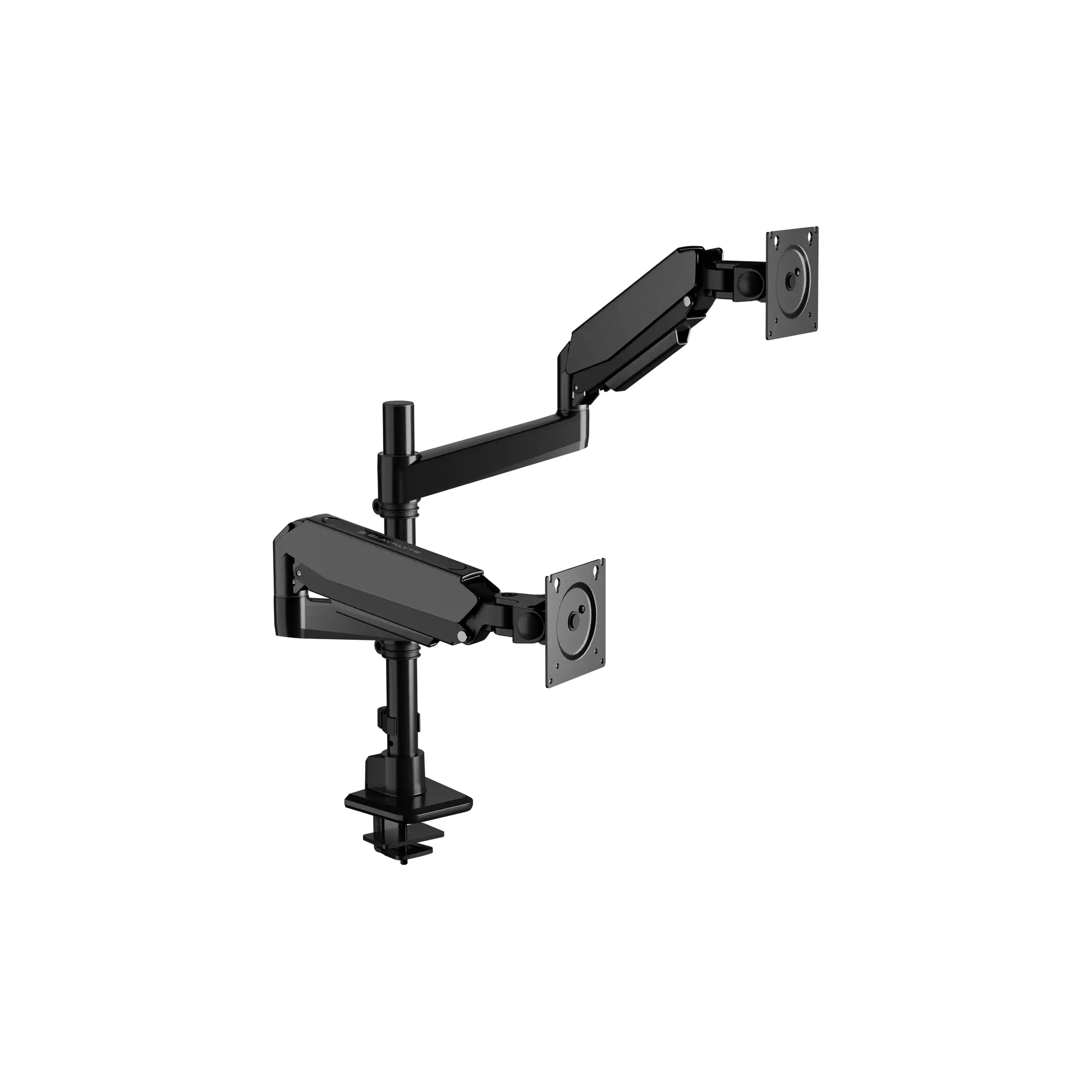
Magnetic surfaces and modular accessory ecosystems let you attach cable clips, monitor arm mounts, headphone hooks, and desk organisers without permanent modification to the surface. This matters a great deal if you reconfigure your setup regularly or expect to upgrade components over time.
Features that sound impressive but deserve scrutiny:
- Cupholders and headphone hooks: useful if positioned well, useless if they eat into your primary work surface or are mounted where you'll knock them constantly
- LED lighting without software control: static RGB strips add cost without adding much functionality
- Built-in shelves and hutches: can be great for organisation, but verify that they don't reduce the usable flat surface area in a way that defeats the purpose of buying a large desk
Why Your Desk and Chair Must Work Together
A desk bought in isolation is only half an ergonomic solution. Desk height, chair height, armrest position, lumbar support, and monitor placement are all interdependent variables — adjusting one without the others is like tuning one wheel on a race car and wondering why the handling is still off. The standard ergonomic starting point is to set your chair first: seat height so feet are flat on the floor, knees at roughly 90 degrees. From there, set the desk height so your elbows rest naturally at or just above desk level with your shoulders relaxed. Only then position your monitor at the correct eye height.
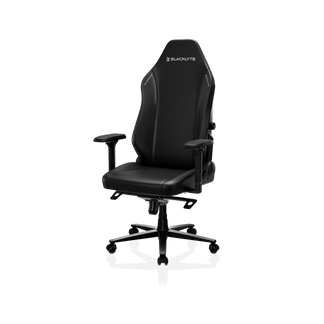
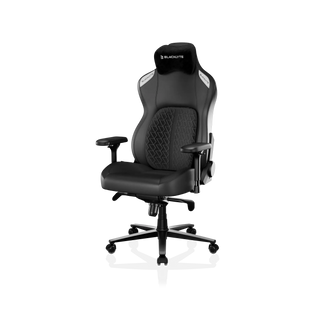
This is why premium gaming furniture brands engineer desks and chairs as a system rather than standalone products. A desk with a broad, adjustable height range paired with a chair that offers precise seat height adjustment, 4D armrests, and proper lumbar support gives you the granular control to dial in a truly neutral posture. Cutting corners on either piece undermines the investment in the other. If you're building a serious setup, use our Ergonomics guide to understand how desk and chair alignment works together for both gaming and productivity use cases.
How Blacklyte's Atlas Desks Deliver on Every Criteria
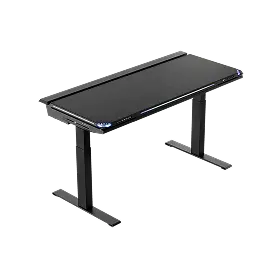
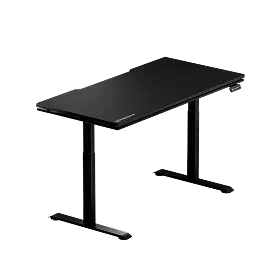
Blacklyte's Atlas Desk and Atlas Lite Standing Desk are purpose-built to satisfy every factor in this guide — not through a feature checklist, but through deliberate engineering decisions made by a team with 20 years in gaming furniture. The Atlas features a built-in electrical socket — an integrated power strip that brings mains power to desk level (shared with the Atlas Lite) — a magnetic surface system that lets you configure cable clips, hooks, and accessories without adhesives or drilling, and proprietary smart lighting controls managed through Blacklyte's Atlas Driver software. That means proper zone control, profile-saving, and seamless integration with the rest of your setup — not a strip of LEDs with a button cycle.
The structural foundation is built around stability and longevity, with thoughtfully engineered cable management channels that keep your wiring routed and hidden whether the desk is at sitting height or full standing extension. For gamers who share desk space between intense play and productive work — or who stream and need a clean, well-lit background that doesn't embarrass them on camera — the Atlas series bridges both worlds without compromise. Trusted by over 200,000 gamers across 50+ countries and regions, and backed by esports partnerships with organisations including tournament organizer BLAST, Team Liquid, and Fnatic, Blacklyte desks are built to the standard that competitive play demands.
Ready to see how the Atlas and Atlas Lite compare in detail? Use the Desk Comparison Tool to evaluate specifications side by side, or browse the full Blacklyte Desk lineup. And if you're building a complete setup from the ground up, explore Blacklyte Gaming Chairs and Accessories to pair your desk with a system engineered to work together.
The Bottom Line
A gaming desk is a longer-term investment than most of the hardware sitting on top of it. Your GPU will get replaced; your desk, if chosen well, will outlast two or three upgrade cycles. The buying criteria that matter most are size (measured against your room and your hardware), frame stability (tested against your actual equipment weight), surface quality (protective finish over a dense core, not just aesthetic texture), genuine cable management (integrated channels and grommets, not an afterthought), and height adjustability if you care about long-session comfort and posture. Integrated features like power supply and smart lighting controls tip the balance at the premium tier — provided they're properly engineered rather than bolted on for the spec sheet.
Get these decisions right and your desk stops being background furniture and starts being one of the best performance investments in your entire setup. Take the time to measure, compare specs honestly, and think about what your sessions actually demand — your back, your wrists, and your reaction times will all benefit from it.
Still Have Questions Before You Buy?
Our team has 20 years of gaming furniture expertise and is ready to help you find the right desk for your setup, space, and goals.
Contact UsOr explore the full range at Blacklyte.com — with fast free shipping, 30-day easy returns, and warranties extendable up to 5 years on desks and chairs.