












If you are a dedicated remote professional, creative designer, or competitive gamer spending upwards of eight hours a day at your desk, you know that physical discomfort is the ultimate threat to your focus and performance. When looking for the ideal setup, mastering desk and chair ergonomics is not just about choosing stylish furniture—it is a critical investment in your health, posture, and long-term productivity. This comprehensive guide delivers actionable, expert-backed strategies to optimize your workspace layout, eliminate debilitating back pain, and create a high-performance environment tailored to your body's exact needs.
Why Desk and Chair Ergonomics Matter for Modern Creators
Every year, millions of professionals and digital creators experience work-related musculoskeletal disorders caused by poorly arranged workstations. Whether you are editing high-resolution video or engaged in an intense gaming session, sitting in static, unsupportive environments forces your body into awkward positions. Over time, this results in persistent lower-back fatigue, neck tension, and repetitive strain injuries like carpal tunnel syndrome.
Investing in a proper ergonomics desk and chair setup fixes these critical friction points. By aligning your furniture with your body's natural anatomy, you minimize contact stress, boost full-body circulation, and maintain steady energy levels. True ergonomics ensures that your workspace adapts seamlessly to you, rather than forcing your skeleton to adapt to a rigid piece of furniture.
Mastering Your Ergonomic Chair Setup: The 90-90-90 Rule
The foundation of a healthy workspace starts from the ground up, starting with your chair. Ergonomists recommend achieving a clean "90-90-90 alignment" to distribute your weight evenly and alleviate pressure on your spinal discs. To achieve this, select a premium option from our Gaming Chairs Collection that offers deep customizability.
Finding the Right Seat Height and Depth
To begin your adjustment, stand directly in front of your chair. Adjust the seat height so that the highest point of the cushion rests just below your kneecap. When you sit down, your feet must plant firmly and flatly on the floor, keeping your thighs parallel to the ground. This eliminates pressure behind your thighs, which can restrict vital blood flow.
Next, check your seat pan depth. Sit completely back against the backrest. You should be able to fit a 2-to-3-finger gap between the front edge of the seat cushion and the back of your knees. A seat pan that is too deep cuts off circulation, while one that is too short fails to support your thighs properly.
Lumbar Support: Protecting Your Lower Back
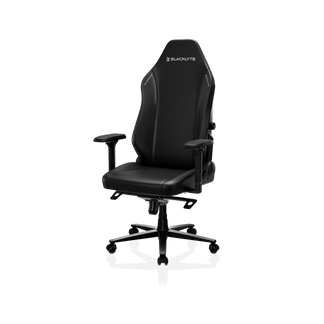
Your lower spine possesses a natural inward curve called the lordosis. Without proper reinforcement, long hours of sitting cause you to slouch, flattening this curve and putting immense strain on your lumbar discs. Highly adjustable chairs, such as the Blacklyte Athena Pro Gaming Chair, feature integrated lumbar mechanisms that mirror the natural shape of your back. For additional targeted support, incorporating a specialized accessory like the Blacklyte Athena Gaming Chair Lumbar Pillow ensures your spine stays aligned even during deep focus blocks.
Adjusting Armrests for Neck and Shoulder Relief
Incorrect armrest height forces your shoulders to either shrug upward or sag downward, causing painful knots in your upper back and trapezius muscles. Relax your arms loosely by your sides and bend your elbows at a 90-degree angle. Raise your armrests until they barely touch the undersides of your elbows. This supports the full weight of your forearms, removing the physical burden from your neck and shoulders.
Optimizing Your Ergonomics Desk Configuration
Your desk is the epicenter of your daily output. Relying on a fixed, standard-height desk often forces users to choose between resting their feet flat or typing comfortably.
The Power of Sit-Stand Desks
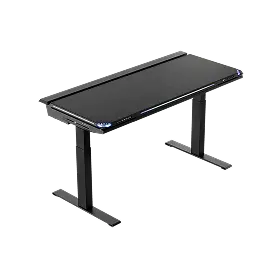
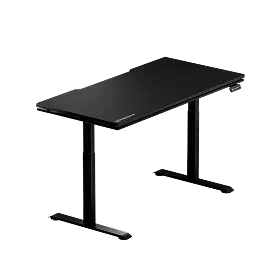
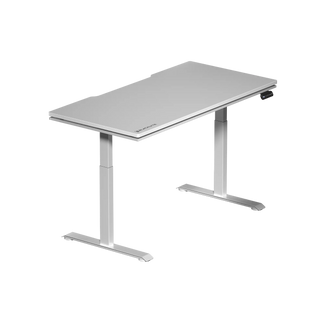
Modern ergonomic science proves that static posture is a primary driver of physical fatigue. The leading principle of workplace wellness is that "the best posture is the next posture." An adjustable height workstation, like the premium Blacklyte Desk, allows you to transition fluidly between sitting and standing throughout your day. Alternating your working stance every 30 to 60 minutes stimulates blood circulation, mitigates sedentary strain, and delivers a profound cognitive lift.
Ideal Desk Height and Forearm Positioning
Whether you choose to stand or sit, your desk height must be calibrated precisely to your resting elbow height. When your hands rest comfortably on your typing surface, your forearms should remain perfectly parallel to the floor, forming a 90-degree angle at the elbow. If your desk is too high, it forces your wrists to bend awkwardly upward, which compresses the median nerve and triggers repetitive strain risks.
Harmonizing Screen, Keyboard, and Mouse Placement
An optimized ergonomics desk and chair configuration is incomplete without precise peripheral mapping. Your computer screen and input tools determine the alignment of your neck and wrists.
Perfecting Monitor Height and Distance
Your monitor dictates your head posture. A screen that sits too low induces a constant downward bend at the neck, adding up to 60 pounds of extra strain on your cervical spine. Position your display exactly an arm’s length away (between 20 to 40 inches from your eyes). The top edge of the screen should line up directly with your eye level. This configuration creates a natural, effortless 20-to-30-degree downward gaze toward the center of your screen, keeping your neck neutral and eliminating eye fatigue.
Wrist Health: Keyboard and Mouse Arrangement
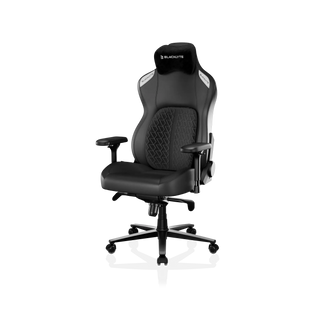
Keep your keyboard and mouse close enough to your body so that you do not have to stretch or lean forward. Your wrists must remain straight and neutral as you type. Avoid using the small plastic tilt feet at the back of your keyboard, as elevating the rear forces an unnatural upward wrist bend. When using your mouse, move from your entire elbow rather than pivoting strictly from the wrist joint to avoid isolated tendon strain. For deep immersion and total body support, pairings like the Blacklyte Kraken Pro Gaming Chair work hand-in-hand with an optimal desk layout to give you complete mechanical synergy.
Frequently Asked Questions (FAQs)
Q1: How do I know if my desk and chair ergonomics are set up correctly?
A1: A correctly configured workspace follows the 90-90-90 rule: your elbows, hips, and knees should all rest at approximate 90-degree angles. Your feet must be flat on the ground, your wrists should be neutral, and the top of your monitor screen should align perfectly with your horizontal eye level.
Q2: How often should I switch between sitting and standing at a sit-stand desk?
A2: For optimal circulation and muscle health, it is recommended to alternate positions every 30 to 60 minutes. A common effective ratio is sitting for 45 minutes and standing for 15 to 20 minutes to prevent both sedentary fatigue and standing exhaustion.
Q3: Can an ergonomic gaming chair be used for daily office work?
A3: Absolutely. High-end gaming chairs are engineered specifically for long-duration endurance, offering extensive multi-point adjustments, high-density foam support, and full lumbar tracking. This makes them outstanding choices for remote office workers and creative professionals.
Q4: Why do my wrists hurt even though I have a good ergonomic chair?
A4: Wrist discomfort is typically caused by improper desk height or peripheral placement rather than the chair itself. Ensure your desk surface aligns perfectly with your resting elbow height so your wrists remain flat and straight while typing, preventing nerve compression.
Q5: What is the ideal distance between my eyes and the computer screen?
A5: Your monitor should be positioned exactly an arm's length away, roughly 20 to 40 inches from your face. If you have to lean forward to read text, increase the font size on your display rather than compromising your neck posture.


