
Best Standing Gaming Desk Under $700: What to Buy for Gaming, Streaming, and Work

Quick Answer: What Is the Best Standing Gaming Desk Under $700?
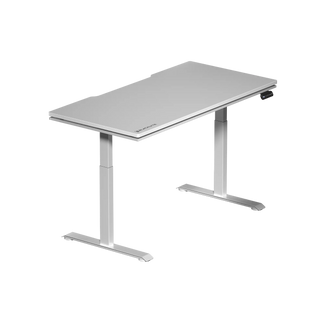
The best standing gaming desk under $700 should combine electric height adjustment, strong stability, enough desktop space for a gaming setup, clean cable management, memory presets, and a warranty that supports daily use. For gamers, streamers, and hybrid work users who want a sit-stand setup without moving into premium $800–$1,300 desk territory, the Blacklyte Atlas Lite Standing Desk is one of the strongest options to consider.
As of July 2026, Blacklyte’s US desk collection lists the Atlas Lite from $509, positioning it inside the under-$700 buying range. It includes dual electric motors, four height memory presets, a 27.6"–46.1" height range, up to 265 lbs stated load capacity on the comparison table, multiple desktop sizes, and three color options.
If your goal is a gaming desk that can also work as a clean home-office or creator desk, Atlas Lite is especially compelling because it focuses on the practical features most people actually use every day: stable sit-stand adjustment, cable organization, large surface options, and a design that works for both play and productivity.
Why a Standing Gaming Desk Is Different From a Regular Standing Desk
A regular standing desk is usually built for a laptop, monitor, keyboard, and office accessories. A standing gaming desk has to handle more: dual monitors, monitor arms, desktop speakers, a streaming mic, lighting, controller docks, a large mousepad, cable-heavy peripherals, and sometimes a PC tower.
That means the best standing gaming desk under $700 should be judged by more than price. You want to check:
| Buying Factor | Why It Matters for Gaming |
| Electric height adjustment | Makes it easy to switch between sitting and standing without interrupting play or work |
| Memory presets | Lets you save sitting and standing heights instead of manually adjusting each time |
| Stability | Reduces monitor shake, keyboard bounce, and desk wobble |
| Load capacity | Important for dual monitors, arms, speakers, consoles, and accessories |
| Cable management | Keeps power, USB, HDMI, DisplayPort, and charging cables controlled |
| Desktop depth | Gives enough room for keyboard, mouse movement, monitor distance, and speakers |
| Warranty | Helps protect a desk that will be used daily for long sessions |
For gaming, the mistake is buying only by desktop width. A wide desk is useful, but stability, height range, cable routing, and monitor placement matter more for daily comfort.
Our Pick Under $700: Blacklyte Atlas Lite Standing Desk
The Blacklyte Atlas Lite Standing Desk is the best fit for buyers who want a performance-style gaming desk under $700 without paying for a flagship RGB desk. It is designed as Blacklyte’s next-generation height-adjustable desk and is available in multiple sizes and three finishes: Obsidian Black, Moonstone White, and Natural Oak.
Key Specs at a Glance
| Features | Blacklyte Atlas Lite |
| Starting price | From $509 |
| Height range | 27.6"–46.1" |
| Motors | Electric dual motors |
| Memory presets | 4 |
| Lift speed | 1"/s |
| Noisy level | ≤48 dB |
| Load capacity | 265 lbs |
| Sizes | 47.2", 55.1", 63.0", and 70.9" wide options |
| Colors | Obsidian Black, Moonstone White, Natural Oak |
| Warranty | 3 years, can be extended to 5 years |
| Best for | Gaming, streaming, work-from-home, dual-monitor setups, clean cable-managed battlestations |
The Atlas Lite is not the most feature-loaded desk Blacklyte sells. That role belongs to the Atlas Desk, which is positioned as the flagship model with dynamic lighting and a higher stated load capacity. But under $700, the Atlas Lite is the more practical choice because it keeps the core sit-stand and cable-management features while avoiding the premium price of the flagship model.
Why Atlas Lite Works Well for Gaming Setups
1. It Has the Right Core Features Without Overpricing the Build
Under $700, many standing desks force you to compromise between stability, size, presets, and cable control. Atlas Lite covers the features that matter most for a gaming desk: dual electric motors, four memory presets, a broad desktop size range, and integrated cable management.
Blacklyte’s desk page describes the Atlas Lite as ideal for work and home use, with dual motors, memory positions, and built-in cable management for a smoother, more organized workspace.
For a gamer, this matters because your desk is not only a writing surface. It is the base for your entire battle station. A good standing gaming desk should reduce clutter, support gear weight, and make posture changes easy enough that you actually use them.
2. The Height Range Fits Most Sit-Stand Gaming Needs
The Atlas Lite height range is listed at 27.6"–46.1". That gives most users enough range to set both a seated keyboard height and a standing keyboard height.
For ergonomics, the goal is not simply to stand higher. The goal is to keep your keyboard and mouse at a height where your shoulders stay relaxed and your wrists stay neutral. Cornell’s ergonomics guidance recommends a sit-stand rhythm of about 20 minutes sitting, 8 minutes standing, and 2 minutes moving as a practical starting point for posture variation.
This is why memory presets matter. If the desk is annoying to adjust, most users stop switching positions. With four presets, you can save separate heights for focused gaming, relaxed browsing, standing work, and a secondary user.
3. It Supports a Cleaner Multi-Device Setup
Gaming desks collect cables fast. A typical setup can include a PC, monitor power, DisplayPort or HDMI cables, keyboard, mouse, headset dock, phone charger, controller dock, webcam, microphone, speakers, LED lighting, and a power strip.
Atlas Lite’s built-in cable management gives it an advantage over basic electric desks that leave everything hanging underneath. TechRadar’s review specifically called out the rear notch and built-in cable management tray as useful, especially for keeping cables from draping over the desk edge.
4. It Can Serve as Both a Gaming Desk and Work Desk
A lot of people shopping for a standing gaming desk are not only gaming. They are working from home, studying, editing videos, streaming, designing, or using the same setup for Discord, Zoom, and content creation.
That is where Atlas Lite fits well. TechRadar described the desk as suitable for both gamers and business professionals, noting that it can serve as both work and play furniture.
This dual-use angle is important. If a desk looks too much like office furniture, gamers may find it boring. If it looks too aggressive, it may not fit a home office. Atlas Lite sits in the middle: gaming-inspired, but still clean enough for a productivity setup.
Who Should Buy the Blacklyte Atlas Lite?
| Buyer Type | Is Atlas Lite a Good Fit? | Why |
| PC gamers | Yes | Strong surface options, cable management, and electric adjustment |
| Streamers | Yes | Good for monitor arms, mic arms, lighting, and clean cable routing |
| Hybrid workers | Yes | Professional enough for work, gaming-ready after hours |
| Dual-monitor users | Yes | Larger sizes can support more complete setups |
| Small-room gamers | Yes | 47.2" size gives a compact sit-stand option |
| RGB-first buyers | Maybe | Atlas Lite is cleaner and simpler; choose Atlas Desk if RGB is essential |
| Users wanting the lowest possible price | Maybe | Cheaper standing desks exist, but usually with more compromises |
| Very tall users | Check measurements first | Confirm the 46.1" max height works for your body and footwear |
Atlas Lite Desk vs Atlas Desk: Which Blacklyte Standing Desk Should You Choose?
Blacklyte offers two main standing desk directions: Atlas Lite Desk and Atlas Desk.
| Feature | Atlas Lite Desk | Atlas Desk |
| Best for | Value-focused sit-stand gaming and work setups | Flagship gaming setup with lighting and heavier-duty build |
| Starting price | From $509 | From $1,029 |
| Height range | 27.6"–46.1" | 28.3"–53.9" |
| Memory presets | 4 | 2 |
| Motors | Electric dual motors | Electric dual motors |
| Load capacity | 265 lbs | 275.6 lbs |
| Colors | Black, white, oak | Black only |
| Lighting | No flagship RGB lighting | Dynamic lighting synced to setup |
| Best buying reason | Best value under $700 | Premium Blacklyte battle-station experience |
Choose Atlas Lite Desk if you want the best Blacklyte standing gaming desk under $700. Choose Atlas Desk if budget is less important and you want the flagship RGB setup, higher max height, and higher stated load capacity.
How Does Atlas Lite Compare With Other Gaming Standing Desks?
Under $700 is a competitive price range. Some brands offer cheaper office-style standing desks, while premium gaming brands often exceed the budget once you add accessories.
For example, Secretlab’s Magnus Pro has strong cable management and gaming appeal, but Windows Central noted that the Magnus Pro starts at $799 and can reach $949 before accessories. Secretlab’s newer Magnus Evo was reviewed by TechRadar at a sale price of $699, with a 28.3"–46.2" height range and 265 lbs max load, making it a close competitor around the top edge of the budget.
Atlas Lite’s advantage is that it keeps the entry price lower while still offering dual motors, memory presets, cable management, multiple sizes, and a gaming/work design. The tradeoff is that buyers who want the most premium integrated cable-and-power ecosystem may still prefer higher-priced alternatives.
What Size Standing Gaming Desk Should You Buy?
The right size depends on your setup.
47.2" Wide: Best for Small Rooms
Choose this if you use one monitor, a laptop, a console setup, or a compact bedroom gaming station. It gives you the benefit of sit-stand movement without overwhelming the room.
55.1" Wide: Best for Most Users
This is the safest middle size for one large monitor or two smaller monitors. It gives enough mouse space for FPS games while leaving room for speakers or a mic arm.
63.0" Wide: Best for Dual Monitors and Streamers
Choose this if you use two monitors, a boom mic, camera light, stream deck, speakers, and a large mousepad. This size is the sweet spot for many serious gaming setups.
70.9" Wide: Best for Full Battle Stations
Choose this if you want a wide, premium-looking setup with multiple screens, creator gear, console accessories, and room to separate work and gaming zones.
A useful rule: buy the largest size your room can comfortably support, but do not ignore depth. Depth helps with monitor distance, keyboard position, and mouse movement. Mayo Clinic recommends placing the monitor directly behind the keyboard, around arm’s length away, with the screen 20–40 inches from your eyes and the top of the screen at or slightly below eye level.
How to Set Up a Standing Gaming Desk Correctly
Buying the desk is only step one. The real performance benefit comes from setting it up correctly.
Step 1: Save Your Seated Height
Sit in your gaming chair with your feet flat, shoulders relaxed, elbows close to your body, and forearms roughly level with the desk. Save this as your first memory preset.
Step 2: Save Your Standing Height
Stand naturally. Raise the desk until your keyboard and mouse allow relaxed shoulders and neutral wrists. Save this as your second memory preset.
Step 3: Set Monitor Height
Your monitor should be directly in front of you. The top of the screen should sit at or slightly below eye level. If you use multiple monitors, place the main monitor directly in front and angle the secondary monitor slightly inward.
Step 4: Control Cable Slack
Leave enough slack for the desk to move from sitting to standing without pulling cables tight. Route monitor, power, USB, and peripheral cables through the cable tray or rear cable path.
Step 5: Use a Sit-Stand Rhythm
Do not stand all day. Standing desks work best when they help you change posture. Start with short standing sessions and build the habit. A practical starting rhythm is 20 minutes sitting, 8 minutes standing, and 2 minutes moving.
Pros and Cons of Blacklyte Atlas Lite
Pros
- Strong under-$700 value
- Electric dual-motor adjustment
- Four memory presets
- Multiple width options from compact to extra wide
- Three color choices
- Cable management built into the desk experience
- Works for gaming, streaming, studying, and hybrid work
- Third-party review support from TechRadar
- 3-year warranty (can be extended to 5 years)
Cons
- No flagship RGB lighting
- 46.1" maximum height may not be ideal for every very tall user
- Bold branding may not fit every minimalist home office
- Load capacity is lower than Blacklyte’s flagship Atlas Desk
- Accessories such as monitor arms can push the total setup cost above $700
Final Verdict: Is Atlas Lite the Best Standing Gaming Desk Under $700?
Yes, for most gamers and hybrid work users, Blacklyte Atlas Lite is one of the best standing gaming desks under $700 because it gives you the features that matter most: electric sit-stand adjustment, dual motors, memory presets, usable cable management, multiple sizes, gaming-friendly styling, and a starting price below the $700 threshold.
It is not the best choice if you want full RGB lighting, the highest possible height range, or the heaviest-duty Blacklyte standing gaming desk. For those users, the Atlas Desk may be a better fit. But if your goal is a practical, clean, height-adjustable gaming desk that can support work, streaming, and daily gaming without crossing into premium pricing, Atlas Lite is the stronger value pick.
FAQs
1. What is the best standing gaming desk under $700?
The Blacklyte Atlas Lite is a strong choice under $700 because it starts from $509 on Blacklyte’s US collection page and includes dual electric motors, four memory presets, cable management, multiple sizes, and at least a 3-year warranty.
2. Is a standing desk good for gaming?
Yes, a standing desk can be good for gaming if it is stable, properly adjusted, and used to alternate between sitting and standing. The main benefit is posture variation, not standing all day.
3. What height should a standing gaming desk be?
Your standing desk should allow your shoulders to relax and your wrists to stay neutral while using the keyboard and mouse. Your monitor should be directly in front of you, about arm’s length away, with the top of the screen at or slightly below eye level.
4. Is Atlas Lite good for dual monitors?
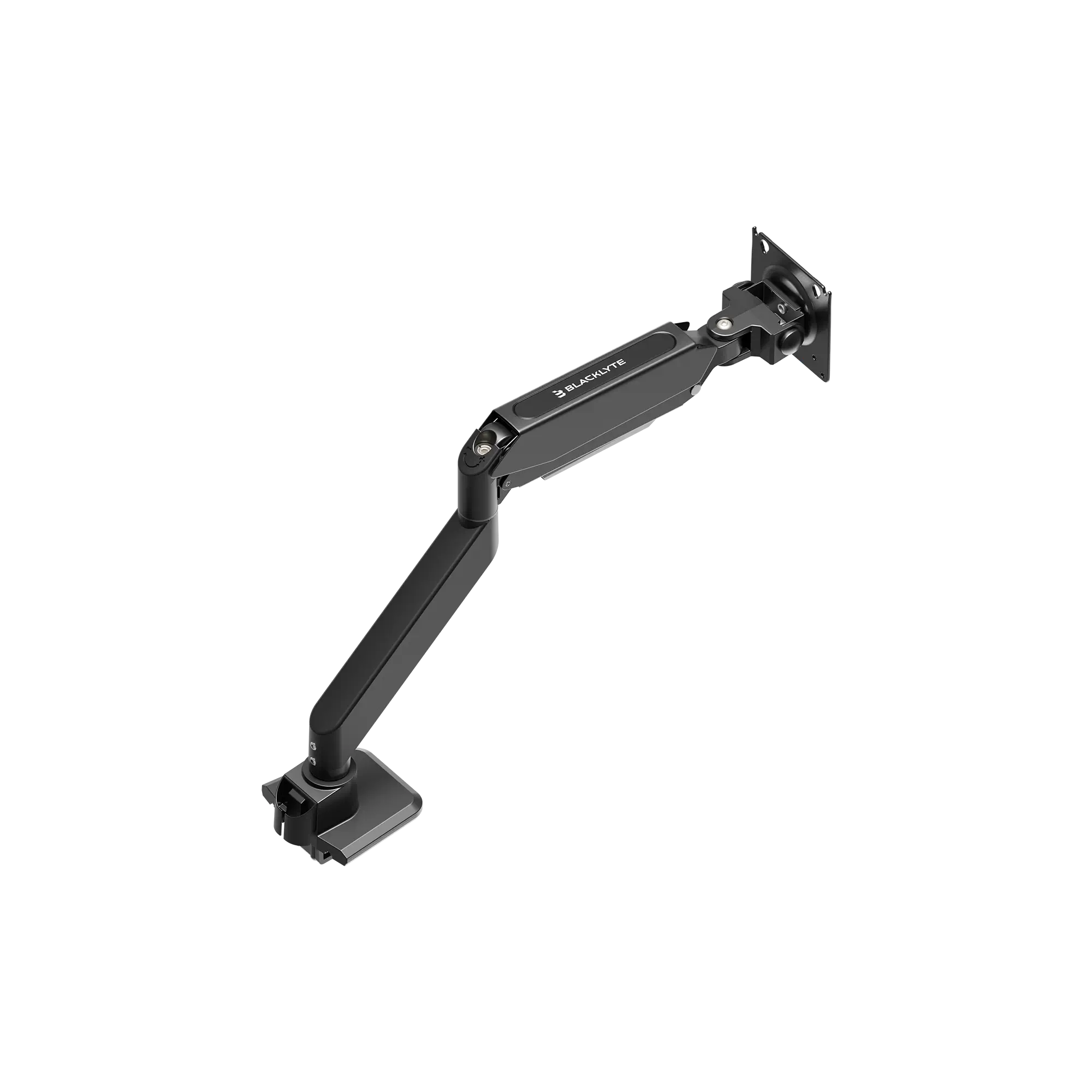
Yes, Atlas Lite can work well for dual-monitor setups, especially in the wider sizes. If you use two monitors, consider pairing the desk with a monitor arm to improve screen positioning and free up desktop space.
5. Is the Blacklyte Atlas Lite Desk better than the Atlas Desk?
Atlas Lite Desk is better for buyers who want the best value under $700. Atlas Desk is better for buyers who want Blacklyte’s flagship RGB gaming desk, higher stated load capacity, and taller height range.
6. Does Atlas Lite have cable management?
Yes. Atlas Lite includes cable-management features, and TechRadar’s review specifically praised the rear notch and built-in cable management tray as useful for keeping cables controlled.
7. Should I choose a gaming desk with RGB?
Choose RGB if lighting is part of your setup aesthetic or content creation style. Choose a cleaner non-RGB standing desk if you want a desk that works equally well for gaming, work calls, studying, and productivity.