










Not every gaming chair is built the same — and nowhere is that more obvious than in adjustability. You can have the most expensive foam, the most striking design, or the most recognizable brand badge on your chair, but if you can't dial in the height, tilt, and recline to fit your body and your setup, you'll be fighting discomfort within the hour. Adjustable gaming chairs exist to solve exactly that problem, giving you control over your posture rather than forcing you to adapt to a fixed seat.
The challenge is that not all adjustment systems are created equal. Tilt tension, recline lock angles, gas piston travel range — these specs look similar on paper but feel completely different in practice. This guide breaks down each major adjustment feature, explains what the numbers actually mean for your body and your sessions, and compares how leading gaming chair designs approach these mechanisms. By the end, you'll know exactly what to look for before you buy.
Why Adjustability Is the Most Important Gaming Chair Spec
Foam density, upholstery material, and base construction all matter — but adjustability is what makes a gaming chair actually work for your specific body. Two people can sit in the exact same chair and have completely opposite experiences based on height, leg length, shoulder width, and sitting posture. A chair that can't be tuned to fit you will push you into compensating positions: leaning forward to reach a monitor, dropping your shoulders to rest on armrests set too low, or tilting your pelvis back because the seat height is off. Over a two-hour session, those small misalignments accumulate into real fatigue and discomfort.
The three core adjustment axes — seat height, tilt, and recline — each address a different aspect of fit. Height sets the foundational relationship between your body and your desk. Tilt lets your seat respond naturally to your weight and movement. Recline gives you the ability to shift posture modes throughout a session. When all three are working correctly and set to match your body, the result is a chair you stop thinking about — which is exactly the point.
Seat Height Adjustment: The Foundation of Ergonomic Fit
Seat height adjustment is controlled by a hydraulic gas piston — a sealed gas-charged cylinder housed inside the chair's column that raises or lowers the seat when you actuate the lever. The quality of this mechanism determines how smoothly the seat moves, how precisely it holds position, and how long it stays calibrated over years of use. Entry-level chairs often ship with Class 3 pistons, which have lower weight ratings and shorter usable lifespans. Premium gaming chairs use Class 4 hydraulic gas pistons, which are rated for higher weight capacities and offer more consistent performance over time.
The usable height range of most gaming chairs falls between roughly 16 and 21 inches (approximately 40–53 cm) from floor to seat surface, though this varies by model. That range needs to accommodate your desk height and your leg length simultaneously. Ergonomically, the goal is to sit with your thighs parallel to the floor, your feet flat (or supported), and your elbows at roughly desk level — so the chair height and desk height are inseparable variables. A wider height range gives more people a proper fit, which is why it's worth checking the specific range rather than assuming any gaming chair will suit your stature.
What Makes a Gas Piston "Good"?
Beyond the class rating, look for smooth actuation (no lurching or sticking when adjusting), a secure hold at any position (no slow drift downward under load), and a manufacturer warranty that covers the mechanism. A chair's Class 4 hydraulic gas piston should hold position reliably under its rated weight capacity. If a chair's piston loses height after a few months of use, no amount of lumbar support will save your posture.
Tilt Mechanism Explained: What It Is and Why It Matters
Tilt is one of the most misunderstood features in gaming chair specs. Many buyers focus entirely on recline angle and overlook tilt, but these are two distinct functions that serve different ergonomic purposes. Tilt refers to the chair's ability to rock backward from a neutral position, allowing micro-movements and slight postural shifts while you're actively seated upright. It's not about lying back — it's about keeping your body subtly active rather than locked in a static posture.
Most quality gaming chairs use a frog-type tilt mechanism, which allows the entire seat and backrest to tilt backward together as a unit when you apply rearward pressure. The tilt-back angle on most designs is approximately 14 degrees from the neutral position, which is enough to relieve lower back pressure and encourage circulation without destabilizing your position at the desk. Crucially, a well-designed tilt mechanism includes adjustable tilt tension — a knob or lever that lets you increase or decrease the resistance required to initiate the tilt. Heavier users need more tension to prevent the chair from rocking too easily; lighter users need less. Without this adjustment, the tilt either feels immovable or uncomfortably loose depending on your weight.
Tilt Lock: When You Want Stability
Most gaming chairs include a tilt lock function that fixes the backrest in the upright (or slightly reclined) position. This is useful when you're focused on competitive play and want zero movement in the chair — some players find any rocking distracting during high-intensity sessions. Unlocking the tilt during breaks or more casual play lets your body naturally decompress. The ability to switch between locked and free-float tilt is a small feature with a meaningful daily impact on comfort.
Recline Range: Finding Your Optimal Angle
Recline is the feature most people picture when they think of an adjustable gaming chair: the backrest locking into various angles from upright to laid-back. Unlike tilt, which is a dynamic floating motion, recline is a set-and-lock adjustment. You push the backrest to your chosen angle and engage the lock to hold it there indefinitely. This lets you shift between an upright working posture, a slightly reclined gaming position, and a more relaxed lounging angle depending on what you're doing.
The ergonomic sweet spot for active gaming sits between 100 and 110 degrees of recline — slightly past fully upright, which reduces lumbar disc pressure compared to a perfectly straight 90-degree seat. For reading, watching content, or taking a break, most users find angles between 120 and 145 degrees comfortable. A recline range of 90 to 149 degrees covers all of these use cases and represents the standard for quality gaming chairs in this category. Ranges significantly shorter than this limit versatility; claims of 165 or 180 degrees of recline often reflect maximum backrest travel rather than a truly supported resting angle.
Multi-Position Locking vs. Continuous Adjustment
Some chairs offer fixed recline positions (often 3 to 5 preset angles), while others allow continuous adjustment to any angle within the range before locking. Continuous adjustment gives you more precision — you can find the exact angle that feels right rather than settling for the nearest preset. When evaluating a chair, look for a recline mechanism that locks securely at any point in the range without creeping forward under body weight.
How Tilt, Recline, and Height Work Together
These three systems don't operate in isolation — they create a total posture environment together. Getting your seat height right first establishes the baseline: your feet are supported, your thighs are level, and your desk height feels natural. From there, setting your recline angle determines how your spine is loaded and where lumbar support contacts your back. Finally, dialing in your tilt tension lets the chair respond naturally to your weight without fighting your movement or bouncing uncontrolled.
A common mistake is adjusting only one axis and ignoring the others. Raising seat height without adjusting armrests, for example, can leave your shoulders elevated and tense. Reclining the backrest without considering lumbar support placement lets the lower back unsupported at the new angle. Think of adjustability as a system: each change affects the others, and the best ergonomic outcome comes from tuning all axes together. If you want a deeper walkthrough of how to set up these adjustments for long sessions, Blacklyte's Ergonomics guide covers the full setup process with practical recommendations for both work and gaming.
Blacklyte Chair Adjustment Features Compared
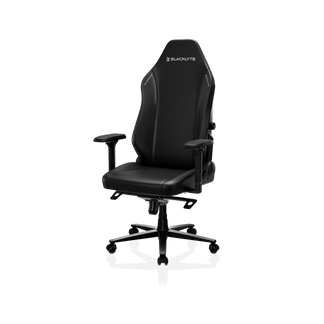
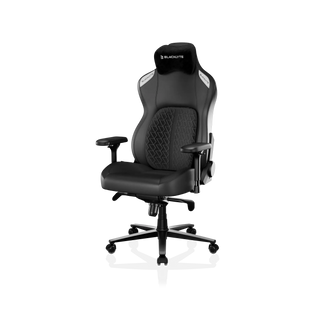
Blacklyte's current chair lineup — the Kraken Pro (premium), the Athena Pro (flagship), and the Athena (entry-level) — each share a core set of adjustment features while differing in construction and additional ergonomic systems. Here's how the key adjustable features break down across the three models.
Seat Height
All three chairs use a Class 4 hydraulic gas piston for seat height adjustment, delivering the load capacity and long-term reliability expected from a premium gaming chair. The gas piston provides smooth, controlled height transitions across the usable range, and the mechanism is backed by Blacklyte's warranty program — extendable up to 5 years for chairs. Athena, Athena Pro, and Kraken Pro all use aluminum alloy bases, which are lighter and more resistant to wear over time.
Tilt Mechanism
All three models use a frog-type tilt mechanism with adjustable tilt tension and a tilt lock. The tilt-back angle is approximately 14 degrees, allowing meaningful postural movement without destabilizing your seated position. Tilt tension adjustment is available on all models, so users of different weights can tune the resistance to suit their preference. The tilt lock lets you fix the chair in place when you want complete stability during competitive play.
Recline Range
Every chair in the current Blacklyte lineup reclines from 90 to 149 degrees with a multi-position lock. This range comfortably covers upright work, active gaming, and relaxed lounging. The recline mechanism allows continuous adjustment within that range and locks firmly at any chosen angle — no creeping or gradual forward drift under sustained pressure.
Armrests
4D armrests (adjustable in height, forward/back, left/right, and angle) are standard across the full Blacklyte lineup — not limited to flagship or premium tiers. This means even the entry-level Athena ships with armrests that can be properly positioned relative to your desk and shoulder width, rather than leaving you to work around fixed-height or 2D alternatives.
Lumbar Support
This is where the three chairs diverge most meaningfully. The Athena uses an external lumbar pillow, which is adjustable by placement but not mechanically integrated. The Kraken Pro features a built-in floating lumbar with front/back depth fine-adjustment and a lock, letting it conform to your lumbar curve at the right depth. The Athena Pro goes further with a built-in 4-way adjustable lumbar system offering both vertical height adjustment (up/down) and depth control (front/back) — the most comprehensive lumbar customization in the lineup. The seat cushion materials also vary: the Athena Pro uses a memory foam layer over a contour-foam core infused with bamboo charcoal and silver ions; the Athena and Kraken Pro seats use contour foam. All three chairs use contour foam in the backrest.
For a direct side-by-side spec breakdown of all three models, visit the Blacklyte Chair Comparison page. You can also browse the full gaming chair collection to see current configurations and availability.
What to Look For When Choosing an Adjustable Gaming Chair
With so many chairs on the market making similar-sounding claims, here are the core questions to guide your evaluation:
- Gas piston class: Is it a Class 4 hydraulic gas piston? This is the standard for reliable height adjustment under sustained daily use at higher weight capacities.
- Recline range: Does it cover at least 90–145 degrees? And does the lock hold securely at any angle, not just fixed presets?
- Tilt tension adjustment: Can you tune the tilt resistance to your body weight? Fixed-tension tilt mechanisms feel wrong for a large portion of users.
- Armrest dimensions: At minimum, look for 3D armrests (height, forward/back, pivot). 4D adds lateral slide, which matters for wider or narrower shoulder widths.
- Lumbar integration: Is the lumbar adjustable in depth? Height adjustability is a bonus. A fixed lumbar pad that can't be repositioned often ends up unused or actively uncomfortable.
- Base material and weight capacity: Aluminum alloy bases are lighter and more durable than steel for the same weight class. Check the rated weight capacity against your own — not just the average.
- Warranty coverage: A five-year extendable warranty on the chair and its mechanisms gives you meaningful protection and signals the manufacturer's confidence in their components.
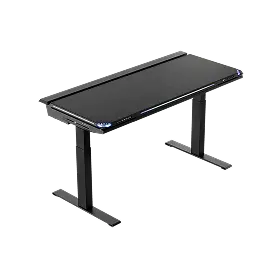
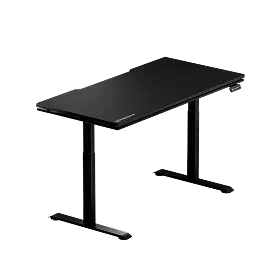
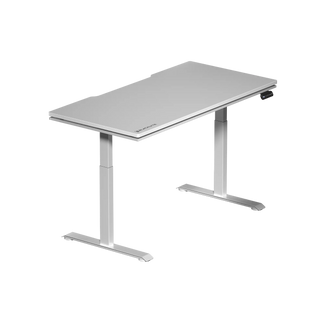
If you're also setting up a full gaming workstation, pairing your chair with an ergonomically matched desk makes the height calibration significantly easier. Blacklyte's height-adjustable standing desks are designed to work in tandem with their chair lineup. You can also explore Blacklyte's Gaming Hub for ergonomic guidance specific to gaming setups.
Final Thoughts
Tilt, recline, and height adjustment aren't marketing checkboxes — they're the mechanisms that determine whether a gaming chair actually fits your body or just sits near it. A frog-type tilt with adjustable tension keeps your posture active and responsive. A recline range of 90 to 149 degrees covers every real use case from competitive focus to post-session recovery. And a Class 4 hydraulic gas piston gives you the height precision and long-term reliability that cheap mechanisms can't match. When all three are dialed in together, the chair disappears — you stop noticing it, and you start noticing only the game.
Blacklyte's chair lineup is built around exactly that philosophy: every adjustment feature is present, tunable, and engineered to last — across the Kraken Pro, Athena Pro, and Athena. Trusted by over 200,000 gamers across 50+ Countries & Regions and backed by partnerships with leading esports organizations including Team Liquid, Fnatic, and tournament organizer BLAST, Blacklyte has spent 20 years refining what ergonomic gaming furniture should feel like. Whether you're building your first serious setup or upgrading from a chair that's let you down, the adjustability comparison above gives you the framework to choose right.
Ready to Find Your Perfect Fit?
Compare all Blacklyte gaming chairs side by side, or reach out to our team for a personalized recommendation based on your height, weight, and setup.
Compare All ChairsContact Us


