
Sit-Stand Desks: How the Mechanism Works and What Separates Good From Bad
Not all sit-stand desks are created equal. At first glance, they all do the same thing: they go up, and they go down. But spend a week with a budget desk and a week with a premium one, and you will feel the difference in every adjustment, every keystroke, and every hour you spend standing at your station. The motor response, the frame rigidity, the column smoothness, the intelligence of the control panel — these are the details that determine whether a height-adjustable desk becomes a genuine upgrade to your workspace or a source of daily frustration.
This guide breaks down exactly how sit-stand desk mechanisms work, from the motor and lifting columns to the control panel and frame construction. More importantly, it explains what the engineering specs actually mean for day-to-day performance — so you can cut through the marketing noise and understand what you are really buying.
What Is a Sit-Stand Desk, Really?
A sit-stand desk — also called a height-adjustable desk, a standing desk, or a stand-up desk — is a workstation designed to shift fluidly between seated and standing working positions. The core purpose is straightforward: break up the long, uninterrupted periods of sitting that are linked to poor posture, reduced circulation, and long-term fatigue. The mechanism that enables this is where the engineering gets interesting, and where the gap between a great desk and a mediocre one really opens up.
Modern sit-stand desks fall into two broad categories: electric and manual. Electric desks use motorized systems to raise and lower the frame at the press of a button. Manual desks rely on physical effort — either a hand crank or a counterbalance system — to achieve the same result. For most people who plan to change positions multiple times per day, an electric desk is the practical choice. The friction of a manual adjustment, however modest, is enough to reduce how often people actually use the desk's adjustability. If adjusting your desk feels like a task, you will do it less.
The Core Components of a Height-Adjustable Desk
Regardless of mechanism type, every sit-stand desk is built around the same fundamental architecture. Understanding these components is the first step to evaluating quality, because a weakness in any one of them undermines the whole system.
- The Frame: The structural skeleton of the desk, comprising the foot beams, crossbar (if present), and the leg assemblies that house the lifting columns. Frame quality — particularly steel gauge and weld integrity — determines overall rigidity and vibration resistance.
- The Lifting Columns: The telescoping leg segments that extend and retract to change the desk's height. Most desks use two-stage or three-stage columns. The more stages, the greater the height range and the more overlap between sections at full extension, which directly impacts stability.
- The Motor (Electric) or Crank Mechanism (Manual): The power source for height adjustment. In electric desks, one or two motors drive the lifting columns via internal gear assemblies. In manual desks, a hand crank engages gears in the frame to translate rotational effort into vertical motion.
- The Control Panel: The user interface for electric desks. Basic versions offer simple up/down buttons; premium versions include digital height displays, programmable memory presets, anti-collision sensors, and child locks.
- The Desktop Surface: The working platform itself. Thickness, material density, and span all contribute to how much the surface flexes or vibrates under load — a factor often underestimated by buyers focused entirely on the frame.
Every one of these components has a budget version and a well-engineered version. The difference is not always visible in a product photograph, which is why understanding the specifications behind them matters so much.
How Electric Sit-Stand Desks Work
An electric sit-stand desk uses an embedded motorized system to adjust height at the press of a button. The motor drives the lifting columns, which telescope in and out to raise or lower the desktop. The key engineering challenge is making this happen smoothly, quietly, evenly, and reliably — thousands of times over the desk's lifespan. That challenge is where quality separates itself from cost-cutting.
The Motor System: Single vs. Dual
The most-discussed specification in electric desk reviews is the motor count: single motor versus dual motor. A single-motor setup uses one motor to drive both lifting columns simultaneously, typically through a synchronized hex rod or drive shaft. A dual-motor setup places one motor in each leg, splitting the workload between the two columns independently. Both configurations are capable of excellent performance — but the motor count is far less important than the motor quality.
What matters in practice is how consistently the motor maintains its lifting speed under varying loads. A well-engineered motor should show minimal speed drop between a lightly loaded desk and one carrying dual monitors, a desktop PC, and a full array of peripherals. Budget motors often struggle as load increases — they slow down, strain audibly, and wear faster under the pressure. For heavy, asymmetric setups (multiple monitors placed off-center, for example), a dual-motor system does offer a practical advantage in distributing load and preventing one-sided stress on the columns. But a high-quality single-motor system will outperform a poorly engineered dual-motor system every time.
The practical takeaway: look at the desk's rated lifting capacity and the warranty backing the motor, rather than leading solely with motor count as a quality proxy.
Lifting Columns and Telescoping Stages
The lifting columns are the structural elements that actually move when you adjust your desk, and their construction is one of the most consequential quality indicators you can evaluate. Columns are built in stages — most consumer desks use either two-stage or three-stage telescoping systems. A three-stage column extends to a greater height range while maintaining more section overlap at full extension. That overlap is critical: it is the overlap between column segments that prevents lateral flex and wobble when the desk is at standing height.
The fit of the internal gliding blocks within the columns matters enormously as well. In a premium desk, these blocks are machined to tight tolerances, leaving minimal play between sections — and minimal play means minimal wobble. Budget columns with loose-fitting internals will feel noticeably shaky at full extension, even if they are technically within their rated load capacity. The material of the columns (cold-rolled steel is preferred over aluminium for rigidity) and the thickness of the steel walls are also direct indicators of how well the desk will resist flex and vibration over years of daily use.
The Control Panel: More Than Just Up and Down
The control panel is the component you interact with every single time you use the desk. A basic controller gives you an up button and a down button — functional, but that is about it. You hold the button, watch the desk move, and release it when you think the height looks right. There is no memory, no precision, and no protection. On a desk that costs as much as a good gaming chair, this level of interface is a meaningful shortcut.
A quality control panel adds programmable memory presets, a digital height display, and anti-collision detection. Memory presets let you save your exact sitting and standing heights, so a single button press moves the desk to a precise, repeatable position — no guesswork, no manual adjustment, no disruption to your workflow. Anti-collision technology monitors the electrical current drawn by the motors during movement; when the system detects an unexpected spike (caused by an obstacle in the desk's path), it automatically halts and reverses direction. This protects your equipment, your pets, and anyone nearby from accidental contact. Higher-end controllers also include child locks, overload protection, and soft start/stop behavior that prevents abrupt jolts during adjustment.
Manual Mechanisms: Hand Cranks and Counterbalance Systems
Manual sit-stand desks adjust height through physical effort rather than motorized power. The most common manual mechanism is the hand crank: a rotating handle connected to internal gears in the frame, which translate rotational movement into vertical motion in the lifting columns. Crank desks are mechanically simple, require no electricity, and are generally reliable over a long service life precisely because there are fewer components that can fail. The trade-off is time and effort — adjusting from a seated to a standing height typically requires a significant number of crank rotations and a minute or more of active effort. For most users who intend to change positions multiple times per day, this friction is a real barrier to consistent use.
Counterbalance systems offer a more convenient manual alternative. Spring-based counterbalance desks use coiled springs to offset the weight of the desktop, making it easier to push the surface up and lower it down with one hand. Pneumatic (gas-spring) counterbalance systems use compressed air to achieve the same effect with greater smoothness and precision. Neither requires electricity, and both provide faster transitions than a hand crank. The limitation is that the counterbalance is calibrated for a specific weight range — load your pneumatic desk too heavily, and the mechanism will no longer lift smoothly or hold its position reliably. For light to moderate setups, these systems are excellent; for multi-monitor workstations with heavy peripherals, they are less suited.
What Actually Separates a Good Desk From a Bad One
All sit-stand desks move up and down. That is the minimum viable product. What separates a genuinely good desk from a frustrating one is how it performs under real conditions — at full standing height, with a loaded desktop, adjusted dozens of times per week, over years of use. Here is where to look.
Frame Steel Quality: The gauge and weight of the steel used in the frame is a primary determinant of stability and vibration resistance. Thinner steel flexes more, vibrates more, and fatigues faster. Budget desks frequently use lighter-gauge steel to reduce manufacturing costs; the result is a frame that feels noticeably less solid at standing height. A heavier, well-constructed frame dampens vibration from typing and general use and maintains rigidity without relying on a crossbar alone.
Column Stage Count and Tolerances: Three-stage columns offer more height range and maintain greater overlap between sections at full extension compared to two-stage designs. Tighter internal tolerances — the precision fit of the gliding blocks inside each column — directly determine how much lateral wobble the desk exhibits. This is not something visible in a product listing; it shows up the moment you push the desk at full height.
Motor Consistency Under Load: A quality motor system performs consistently whether the desk is carrying a light laptop setup or a dual-monitor, desktop-tower configuration. Speed drop-off under load is a reliable sign of a motor that will wear faster and fail sooner. If specifications are not disclosed, the warranty period on the motor and frame is one of the most honest quality signals a brand can offer.
Control Panel Intelligence: Memory presets, a digital height display, anti-collision protection, and child lock functionality are not luxury features — they are usability and safety essentials. A desk without anti-collision demands more care in any shared or busy workspace. A desk without presets requires manual height-hunting every time you stand up, which erodes the habit over time.
Desktop Surface: A thicker, denser desktop surface resists flexing and contributes to the overall rigidity of the assembled workstation. A thin or low-density surface will amplify any vibration present in the frame. Look at how the desktop attaches to the frame as well — cheap connectors with excessive play will undermine even a solid frame underneath.
Features Worth Paying For
Beyond the core mechanism, a handful of premium features genuinely improve the day-to-day experience of using a sit-stand desk — and are worth weighing in any purchase decision. Comparing desks side by side on these parameters is one of the most effective ways to cut through specification noise.
- Programmable memory presets: Enables one-touch transitions between your saved sitting and standing heights. This is the single biggest usability upgrade over a basic up/down controller, and it is directly linked to how consistently people actually use the desk's adjustability.
- Digital height display: Shows your real-time desk height in centimeters or inches, allowing you to fine-tune ergonomic positioning rather than estimating by eye.
- Anti-collision detection: Stops and reverses the desk when an obstacle is detected. Essential in homes with children, pets, or cables positioned under the desktop path.
- Integrated cable management: Built-in channels, cable trays, or routing slots keep power cables and peripheral wiring organized as the desk moves through its full height range. On a desk with no cable management, adjusting height repeatedly will stress and tangle your cables.
- Built-in power access: An integrated electrical socket on the desk eliminates the cable run from your monitor and peripherals to a wall outlet, particularly valuable in setups where the desk is positioned away from wall sockets.
- Smart lighting controls: Increasingly common on premium desks, ambient or task lighting integrated into or controlled via the desk itself reduces eye strain during long sessions and contributes to a cleaner, less cluttered workspace.
Not every workspace needs every feature. But understanding what each one does — and what the absence of each one means in daily use — puts you in a much stronger position to evaluate whether a particular desk is actually worth its price tag. For a full breakdown of how these features compare across different desk models, Blacklyte's desk comparison page is a useful starting point.
How the Blacklyte Atlas Desks Put It All Together
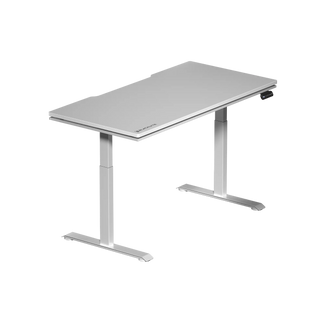
Blacklyte's standing desk lineup reflects exactly the kind of engineering priorities outlined in this guide. Both the Atlas Desk and the Atlas Lite Standing Desk are built around the features that actually matter for long-term, high-frequency use.
Both models include a built-in electrical socket — eliminating the need for power cables to chase you as the desk moves — alongside integrated cable management to keep your setup organized at every height. The control panel supports programmable memory presets, so your sitting and standing heights are locked in from day one. The Atlas model goes further with a magnetic desktop surface and smart lighting controls managed through Blacklyte's proprietary Atlas Driver software, giving the desk genuine smart-desk functionality without requiring a third-party integration. The two differ in their lift hardware: the Atlas Desk uses 3-stage columns with a 28.3″–53.9″ height range, 2 memory presets and an anti-collision system; the Atlas Lite uses 2-stage columns with a 27.6″–46.1″ range and 4 memory presets. These are not add-on features at additional cost; they are built into each desk's core design.
Backed by up to 5 years of warranty coverage, the Atlas lineup is engineered for the kind of use that reveals the difference between a quality desk and a budget one — daily, repeated adjustments under a loaded workstation, session after session. For anyone who takes their workspace seriously, whether for gaming or professional productivity, these are the details that compound into a genuinely better experience over time. Explore the full Blacklyte desk collection or learn how to build a fully ergonomic setup on the Blacklyte Ergonomics page.
Frequently Asked Questions
How does an electric sit-stand desk motor work?
An electric desk motor converts electrical energy into controlled vertical movement, driving the lifting columns up or down via internal gear assemblies. The motor is commanded by the control panel, and more advanced systems use sensors to monitor speed consistency and detect obstacles during adjustment.
Is a dual-motor standing desk always better than a single-motor one?
Not necessarily. Motor quality matters more than motor count. A high-quality single-motor system can outperform a poorly engineered dual-motor desk. That said, dual-motor desks do offer a practical advantage for heavy or asymmetrically loaded setups, since the workload is distributed across both columns independently.
What causes wobble in a standing desk, and how do I avoid it?
Wobble is most commonly caused by loose column tolerances, thin-gauge steel in the frame, insufficient column overlap at full extension, or poorly fit internal gliding blocks. To minimize it, look for desks with three-stage columns, heavier-gauge steel frames, and tight manufacturing tolerances. Proper assembly and a level floor also significantly reduce wobble in practice.
What is anti-collision technology on a standing desk?
Anti-collision detection monitors the electrical current drawn by the desk's motors during adjustment. If the desk encounters an obstacle, the increased resistance causes a spike in current draw. The controller detects this spike and immediately halts — and typically slightly reverses — the desk's movement to prevent damage or injury.
How long do sit-stand desk mechanisms typically last?
A well-built electric desk mechanism, properly maintained and used within its rated load capacity, is typically engineered for many years of reliable daily use. The warranty offered by the manufacturer is one of the most honest indicators of the expected lifespan the brand is willing to stand behind.
What is the difference between the Atlas Desk and Atlas Lite?
Both the Atlas Desk and the Atlas Lite include a built-in electrical socket and integrated cable management. The Atlas adds a magnetic desktop surface and smart lighting controls via the Atlas Driver software, making it the more feature-complete option for power users. The Atlas Lite offers the core height-adjustable functionality with integrated power access in a more streamlined package.
Final Thoughts
A sit-stand desk is only as good as the mechanism behind it. The height adjustment is the point — and if the motor strains under load, the frame wobbles at standing height, the columns feel loose, or the control panel makes every adjustment a chore, the ergonomic benefits you bought the desk for will be steadily eroded by the frustration of using it. Understanding how the mechanism works — and more importantly, what the quality indicators actually mean — is the difference between buying a desk and buying a good desk.
Focus on frame steel quality, column stage count and tolerances, motor consistency under real-world load, and control panel intelligence. Prioritize desks that offer genuine built-in convenience features like cable management, integrated power access, and smart presets. And back your investment with a warranty that reflects the manufacturer's confidence in what they have built. Those are the factors that matter when the honeymoon period is over and the desk becomes a daily fixture in your workspace. Explore the full Blacklyte product range or dive deeper into ergonomic workspace setup on the Blacklyte Ergonomics hub.
Ready to Upgrade Your Workspace?
Explore the Blacklyte Atlas Desk lineup — engineered with integrated power access, smart cable management, and programmable memory presets as standard.
Shop Standing DesksContact Us