
Large Gaming Desks: How Much Surface You Actually Need for Your Setup
You found the perfect monitor. You spec'd out the PC. You even picked the chair. Then you ordered the desk, set everything up — and immediately realized you're out of room. The keyboard is jammed against the monitor stand. The mouse barely has space to breathe. And there's nowhere for the headset, controller, or that second monitor you're already planning.
This is one of the most common and most fixable mistakes in any gaming setup: underestimating how much surface area you actually need. Not desk size in the vague "bigger is better" sense, but the specific combination of width and depth that determines whether your desk genuinely works for your rig or just holds it together.
In this guide, we cut through the guesswork with real dimension ranges for every major setup type — single monitor through triple screen and full streaming rigs — plus the ergonomic logic behind each recommendation, and how smart desk features can squeeze more usable space from whatever footprint you're working with.
Width vs. Depth: The Two Dimensions That Actually Matter
When most people think about desk size, they think about width — that left-to-right span that tells you how many monitors will fit. Width is important, but it tells only half the story. Depth, the front-to-back measurement, is just as critical and far more frequently overlooked. Depth determines how far your screens sit from your eyes, which has a direct impact on eye strain, neck tension, and how long you can comfortably sit at your setup.
According to OSHA guidelines on computer workstation ergonomics, the recommended viewing distance from your eyes to your screen surface falls between 20 and 40 inches. A shallow desk forces your monitor forward and your eyes closer — sometimes well inside that safe range. A 24-inch-deep desk paired with a standard monitor stand can leave your screen only 14 to 16 inches from your face, which is genuinely too close for extended sessions. Deeper is almost always better for your health, even if it costs a little extra floor space.
Think of it this way: width determines how many screens and peripherals you can line up side by side; depth determines whether your body can interact with all of them comfortably. You need both dialed in before anything else.
Single Monitor Setups: The Minimum That Actually Works
A single-monitor setup is the most forgiving in terms of desk space, but that doesn't mean any desk will do. If you're running a 24–27-inch display, a desk width of around 47–55 inches gives you room for the monitor, keyboard, mouse, and a bit of breathing space on the sides. Going narrower than 47 inches starts to feel cramped the moment you add a headset stand, a small speaker, or even a notepad.
Depth is where single-monitor setups can still go wrong. A monitor on a stock stand typically eats 8–10 inches of desk depth on its own. On a shallow 24-inch desk, that leaves roughly 14–16 inches for your keyboard and hands — while placing the screen far too close. For a 27-inch or larger display, a desk depth of at least 27–30 inches is the comfortable starting point, giving your eyes the distance they need and your forearms a stable resting surface. Mouse movement is another variable people consistently underestimate: competitive players using low-sensitivity settings need real lateral room, which means both depth (for the mousepad) and width (for sweeping movements) matter more than the screen count alone suggests.
Dual Monitor Setups: Where Surface Area Gets Real
Two monitors is where the width math starts to bite. A pair of 27-inch displays, including their stands, spans roughly 46–50 inches on their own. Add mouse space of 10–12 inches on your primary side, a few inches of buffer on the far edge, and you're already looking at a 60-inch desk as a realistic minimum — not a luxury. Two 24-inch monitors can be made to work on a slightly narrower surface, but anything under 55 inches starts to feel like you're building a jigsaw puzzle every session.
Depth becomes especially valuable with dual monitors because you'll likely want your primary screen centered and your secondary off to one side at a slight angle. That angling takes up depth, and if the desk isn't deep enough, your second monitor ends up either too close or awkwardly positioned. A depth of 27 inches or more keeps both screens at a comfortable distance without the setup feeling like it's falling off the front edge. If you're buying a desk now and already know dual monitors are in your future, 63 inches of width is the figure to plan around — it gives you balanced spacing, room for a couple of accessories like speakers or a headset stand, and enough flex to upgrade without replacing the desk again.
Ultrawide and Triple Monitor Setups: Go Big or Regret It
Ultrawide monitors (34–49 inches diagonal) look deceptively manageable until you try to fit one on a standard desk. A single 34-inch curved ultrawide is already around 32 inches wide with its stand, and a 49-inch super-ultrawide can span nearly 45 inches on its own. Pair that with speakers, a microphone arm, or even just a keyboard and large mousepad, and surface space disappears fast. For ultrawides, plan for a desk width of at least 63 inches, with 71 inches being more comfortable if you want room for accessories without playing Tetris every time you sit down.
Depth is arguably more important with ultrawides than with any other configuration. The wider the screen, the further away it needs to sit for your eyes to comfortably take in the whole panel without scanning. A shallow desk and a 34-inch ultrawide is a recipe for headaches by hour two. A depth of 30 inches or more is strongly recommended, and for 49-inch panels, you'll benefit from even more. This is also where monitor arms earn their value — by pushing the screen back toward the edge while freeing up the front portion of the desk for your keyboard, pad, and movement space.
Triple monitor setups demand the most surface of all. Three 27-inch displays can span six feet or more once angled for peripheral viewing, and for stand-mounted configurations, a desk width of at least 72 inches is generally recommended. A depth of 27–30 inches for stand-mounted setups remains the guideline, though monitor arms — particularly triple-arm rigs — can help you pull screens into a tighter configuration if your desk is on the narrower end of the range.
Streaming and Content Creation: Width Alone Isn't Enough
Streamers and content creators face a surface area challenge that goes beyond screens. Between a gaming monitor, a microphone arm (or boom stand), a webcam, an audio interface, a ring light or key light, a secondary monitor for chat and production tools, and the inevitable peripheral clutter of stream decks and controllers, a streaming desk is working far harder than a pure gaming setup. Width of around 63 inches is the common starting point, but the real differentiator for streamers is desk depth.
A deeper desk lets you push the main monitor back toward the far edge, creating a staging area in front for audio equipment, a webcam tripod, or a secondary control surface. It also tends to look cleaner on camera — a desk that's too shallow results in visible cable chaos and crowded peripherals creeping into frame. A depth of 27 inches or more keeps the setup organised and gives enough dimensional flexibility to rearrange gear between sessions without everything falling into each other. For setups that blend gaming and content creation, plan for both dimensions generously. It's the one area where buying more surface than you think you need almost never feels like a mistake six months later.
The Hidden Space Killers Most Buyers Overlook
Even when you measure monitors and keyboards, certain items reliably eat desk surface that buyers didn't budget for. Here are the most common offenders:
- Monitor stands: Most factory stands have wide bases that consume 6–10 inches of depth and spread out horizontally, limiting where you can place a keyboard or mousepad.
- Full-size keyboards: A standard 104-key keyboard is around 17–18 inches wide. If you're using a dedicated numpad, add another 3–4 inches. That's meaningful real estate on a desk that's already tight.
- Large gaming mousepads: XL and XXL pads commonly run 36 inches wide and 18 inches deep. On a 48-inch desk, a pad this size can consume most of the usable front surface.
- PC towers on the desk surface: Many setups place the tower on the desk itself, typically to the side of the monitors. A mid-tower can easily take up 8–10 inches of width and 18–20 inches of depth, leaving a significantly smaller effective work zone.
- Desk legs and frame intrusion: A listed desk width includes the full frame. Depending on the design, the legs or supports may intrude into the usable zone — particularly in the corners — reducing flat, obstacle-free surface more than the spec sheet suggests.
- Cable management: Without a proper cable management system, cords creep across the surface, physically blocking usable area and creating a visual mess that makes the desk feel smaller.
The practical lesson is to measure your actual peripherals — not just your monitors — before settling on a desk size. Add them up, include buffers for comfortable movement, and treat that number as your floor, not your ceiling.
How to Get More From the Surface You Have
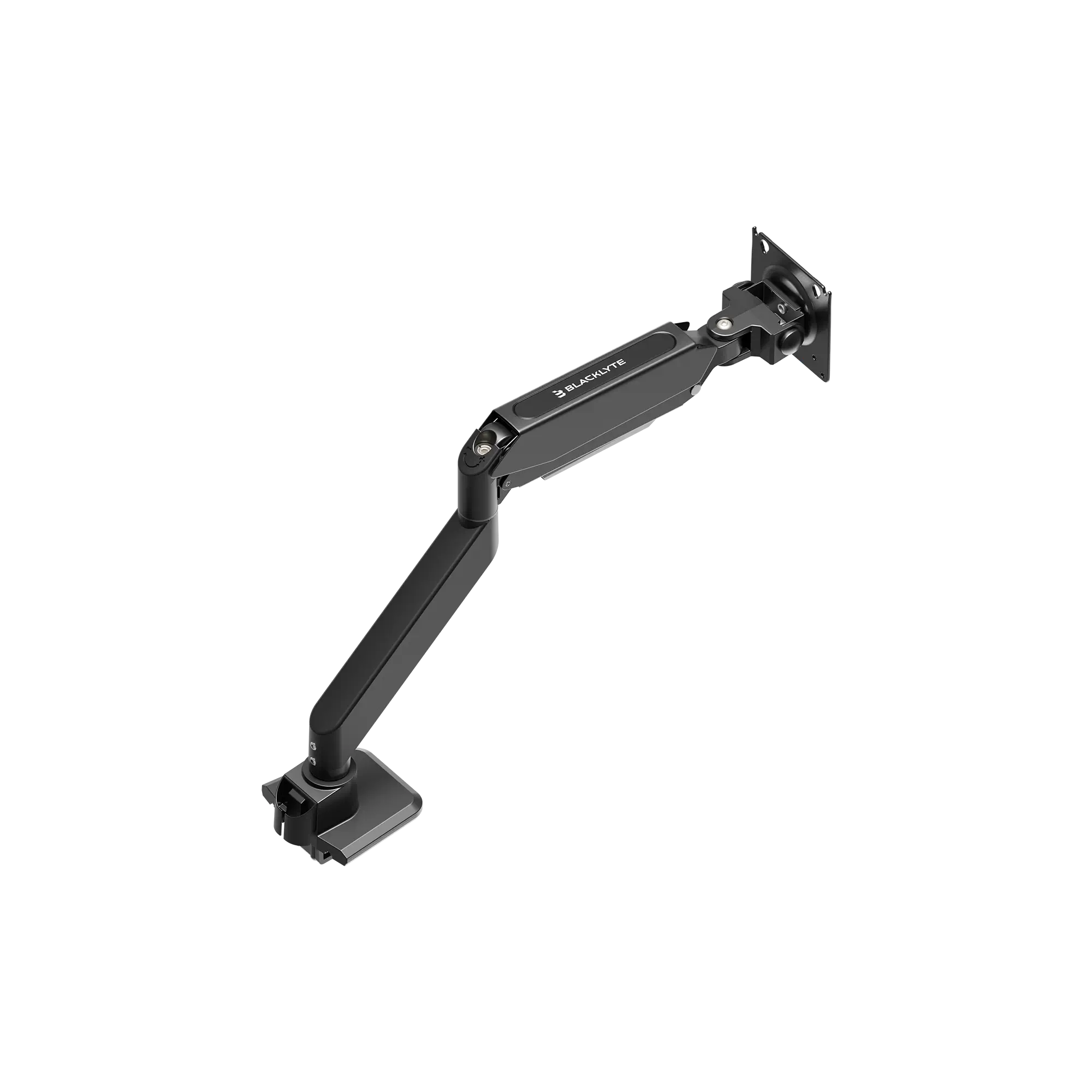
If your room constrains your desk size, or you've already bought a desk and want to reclaim surface, a few targeted additions make a meaningful difference. Monitor arms are the single most impactful upgrade: by removing the bulky factory stand, a monitor arm instantly recovers 6–10 inches of depth and keeps the screen stable at exactly the right height and angle. This is especially effective on desks that are slightly shallower than ideal for your display size. A dual monitor arm can consolidate two stands into a single clamp footprint, freeing up a surprising amount of horizontal space as well.
Beyond monitor arms, a few other upgrades reclaim real estate without requiring a new desk:
- Under-desk cable trays: Routing cables below the surface instead of across it keeps the top clean and visually open, which also makes the desk feel larger in practice.
- Headset hooks and side-mount accessories: Getting your headset off the desk surface — via a wall hook, monitor side-mount, or dedicated stand — eliminates one of the most common space hogs on a gaming desk.
- Desk shelves and risers: A simple monitor shelf lifts screens off the surface and creates usable storage underneath for keyboards, controllers, or audio equipment.
- PC floor mounts or under-desk holders: Moving the tower off the desk entirely — to a floor mount or under-desk CPU bracket — can recover an entire zone of usable width.
The best gaming setups aren't the ones with the most desk space. They're the ones where every inch of surface is intentional. Pairing the right desk size with the right accessories is how you get there.
Blacklyte Desks: Built for Real Gaming Surface Needs
Both Blacklyte standing desks are engineered with the reality of modern gaming setups in mind — meaning surface area, cable management, and ergonomic flexibility are built into the design rather than treated as afterthoughts.
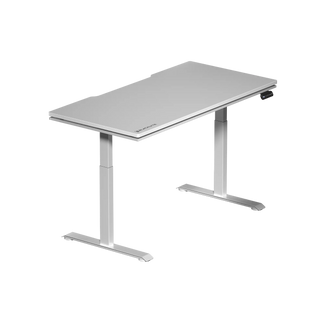
The Atlas Desk is Blacklyte's flagship standing desk, measuring 59.1 inches wide and 27.6 inches deep with a 275.6 lb (125 kg) load capacity and a 3-stage leg column for exceptional stability at height. It adds reactive RGB lighting controlled via the proprietary Atlas Driver software and a magnetic surface — making it a premium choice for setups where immersive aesthetics are as important as surface area.
The Atlas Lite Standing Desk is available in four sizes (120 cm, 140 cm, 160 cm, and 180 cm wide) with a consistent depth of 80 cm (31.5 inches) across all configurations. That depth is notably generous compared to most standing desks on the market, which typically cap out at 19–24 inches — putting the Atlas Lite well into the comfort zone for everything from single monitors to ultrawide setups. It ships with a dual-motor system rated to 220 lb (100 kg) in the Small and Medium sizes and 265 lb (120 kg) in the Large and Extra Large, so it handles heavy multi-monitor rigs without flex or wobble. Both desks ship with integrated cable management and a built-in electrical socket to keep the top surface clear, and both are built to handle the weight demands of serious multi-monitor rigs.
If you want to compare both models side by side — dimensions, load capacity, features, and pricing — Blacklyte's desk comparison page has everything laid out in one place. And if your setup goes beyond the desk itself, Blacklyte's accessories range includes monitor arms, cable management solutions, and add-ons designed to maximise your usable surface without redesigning your entire battlestation.
Final Thoughts: Measure Twice, Buy Once
Desk surface area isn't one number — it's the product of width and depth working together for your specific setup. A 60-inch desk with 24 inches of depth will feel noticeably smaller than a 55-inch desk with 31 inches of depth, depending on what you're running. The right call depends on how many monitors you have, how large your peripherals are, and how much movement your playstyle requires.
The quick reference: single-monitor setups work comfortably from 47–55 inches wide; dual monitors need at least 60–63 inches; ultrawides and triple screens push toward 63–71 inches and above. For depth, 27–30 inches is the target for most configurations, and going deeper almost always pays off. Factor in your hidden space consumers — large mousepads, keyboard size, PC towers, cable clutter — and size up from there. Your future self, the one who's been gaming for four hours without neck strain or elbow cramping, will thank you for it.
Need Help Choosing the Right Desk for Your Setup?
Whether you're planning a dual-monitor battlestation or a full streaming rig, Blacklyte's team is ready to help you find the surface area, height range, and features that fit your space and style. Contact us and let's build your perfect setup together.
Ready to explore? Browse all Blacklyte desks or check out the full product range — including gaming chairs, accessories, and more.