




















A dual monitor arm can free up desk space, bring two monitors closer to eye level and make a crowded workspace feel calmer. It can also become frustrating when the clamp does not fit, the screens collide or one arm slowly sinks under the monitor weight.
The right choice depends on five checks: desk material and thickness, monitor size and weight, VESA compatibility, available clearance and how you switch between sitting and standing heights.
Quick answer: Measure the desktop, check each monitor’s weight without its stand, confirm a 75x75mm or 100x100mm VESA pattern and map where both screens need to sit. For larger or mismatched monitors, two single monitor arms may provide easier fine-tuning.
Start With the Desk, Not the Arm
Even a strong monitor arm cannot compensate for a weak mounting surface. Desk material influences stability because two monitors create leverage when extended forward.
Most desk mounting options use either a desk clamp or grommet mount. A clamp grips the rear edge. A grommet mount passes through a cable hole or drilled opening and can be a stable option when rear clearance is limited.
Measure desk thickness at the exact mounting point. Check underneath for a frame rail, cable tray, drawer or bevelled edge that could block the mounting plate. The Blacklyte Atlas Dual Monitor Arm, for example, lists a 20–50mm clamp range and a 10–50mm grommet range.
For glass, hollow-core, particleboard or unusually thin desks, follow the desk manufacturer’s guidance. Proper installation protects both the desk and monitors.
Match Monitor Size, Weight and VESA Support
Most dual monitor arms support 13–32-inch screens and weight limits around 4.4–19.8 pounds per arm. Treat those figures as boundaries, not targets.
Check monitor weight without the stand. A 27-inch monitor can weigh roughly 4–8kg, while large monitors and ultrawide displays may be heavier. Staying below the stated weight capacity gives the spring mechanism more room for smooth movement and reliable tension adjustment.
Screen width matters too. Two 32-inch monitors may meet the specification yet bump into each other when angled. Compare their combined horizontal width with the arm’s extension and swivel range.
Most monitor arms use VESA plates in 75x75mm or 100x100mm patterns. Recessed mounting areas may require spacers or an adapter.
One Dual Monitor Mount or Two Single Arms?
| Setup | Best for | Trade-off |
| Dual monitor mount | Matching monitors, cleaner installation and more desk space | Both screens share one base |
| Two single monitor arms | Mixed sizes, independent height adjustment and easier upgrades | Uses more space and may cost more |
| Wall mount | Permanent setups with limited desktop depth | Harder to reposition |
A dual-monitor arm usually costs less than two separate arms and requires only one clamp or grommet mount. Separate arms provide more positioning flexibility when one screen is vertical, one is heavier or the monitors need different heights.
Choose Movement You Will Actually Use
Look for useful height adjustment, extension, tilt, swivel and rotation. Gas spring arms generally allow smoother height adjustment than basic mechanical arms, while mechanical designs are often more affordable. Either way, the arm should hold its position without drifting or sagging.

For an ergonomic setup, place the primary smoother height adjustment than basic mechanical arms, while mechanical designs are often more affordable. Either way, the arm should hold its position without drifting or sagging.
For an ergonomic setup, place the primary screen directly in front of you, with the top area around eye level and the display at a comfortable distance. Keep the second screen close enough that you can glance across without repeatedly twisting your neck.
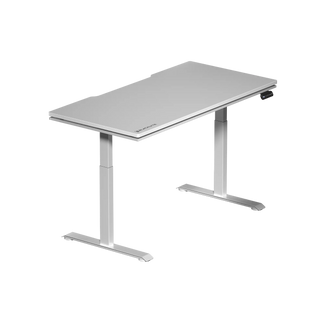
On a standing desk, test the position at both sitting and standing heights. A monitor mount that works while seated may feel too low or sit at the wrong distance once the desktop rises.
Blacklyte’s ergonomic desk setup guide explains how monitor position works with desk height, chair, keyboard and mouse.
Cable Management Is Part of the Fit
Without a cable management system, power and display cables can pull against the arm, restrict rotation or snag as a standing desk rises.
Built-in cable channels keep wires close to the arm while leaving slack at each joint. Good cable management creates more space, reduces clutter and makes future adjustments easier. Do not pull cables tight; leave enough length for the arm to reach its full vertical and horizontal range.
Material and build quality also affect long-term stability. Aluminium and steel components generally create a more rigid structure than plastic-heavy designs, although the desk surface and correct tension remain equally important.
Where the Blacklyte Atlas Dual Monitor Arm Fits
The Blacklyte Atlas Dual Monitor Arm goes beyond the common 13–32-inch category. Its published specifications include 13–49-inch screen compatibility, a 4.4–44.1-pound load range, 75x75mm and 100x100mm VESA support, integrated cable management and clamp or grommet mounting.

It also offers tilt, swivel, rotation and broad height adjustment for side-by-side, portrait-and-landscape or stacked layouts. Black and white colour options help it blend into different workspaces.
Users who want fully independent positioning can compare it with two Blacklyte Atlas Monitor Arms or read the single vs dual monitor mount guide.
Measure Once, Then Choose
Before buying, write down six numbers: desk thickness, rear-edge clearance, monitor weight, VESA pattern, screen width and desired viewing height. Compare them with the arm’s weight capacity, range of motion and mounting method.
Installation usually takes about 20 minutes when the fit has been checked beforehand. The slow part should be positioning and fine-tuning—not discovering halfway through that the desk clamp cannot clear the frame.
A well-chosen dual monitor arm should almost disappear into the setup. The screens stay level, cables stay controlled and switching between work, gaming and standing feels natural. That is the real sign that the mount fits.


