


















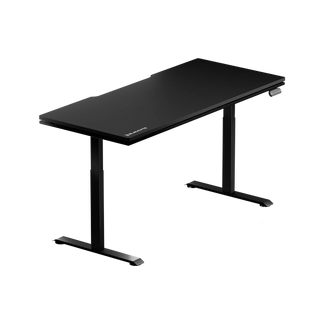


You sit down to game or grind through a workday, and within an hour your shoulders are creeping upward, your wrists are angled wrong, and your neck is quietly staging a protest. The culprit is almost never your chair — it's the desk. A fixed-height table forces your body to adapt to a surface that was designed for nobody in particular, while a quality height-adjustable computer table does the opposite: it bends to fit you, whether you're 5'2" and seated or 6'4" and standing. But not all adjustable desks are created equal. The gap between a desk that checks the "height-adjustable" box and one that delivers genuine stability, a wide enough range, and the smart features to make adjustment second nature is significant — and it's worth understanding before you commit. This guide breaks down everything that matters: how height ranges work, how to find your personal ergonomic fit, what actually makes a desk stable at standing height, and which integrated features separate a premium setup from the rest.
Why Adjustability Matters More Than a Fixed Height
The standard fixed desk sits at roughly 29 to 30 inches — a measurement that was never an ergonomic recommendation so much as a manufacturing convention shaped around a person close to six feet tall. For anyone shorter, that surface pushes the shoulders into a constant low-grade shrug. For taller users, it invites a subtle forward lean that compounds over hours into real discomfort. A height-adjustable computer table resolves this at the source. Rather than working around a fixed measurement, you set the surface to precisely where your body needs it — both for seated work and for standing — and you can revisit that setting as your footwear, workload, or physical needs change.
This matters especially for setups that serve double duty: competitive gaming sessions that demand peak reaction time and physical composure, and professional work that spans hours of focused output. When your desk height is wrong, even by a small margin, it costs you comfort and, over time, it costs you performance. Getting adjustability right is not a luxury detail — it's the foundation of the entire workstation.
Understanding Height Range: What the Numbers Actually Mean
When a desk lists its height range — say, 24 to 50 inches — that figure tells you two things: how low it drops for seated use, and how high it climbs for standing use. Both ends of the range matter. A desk that bottoms out too high leaves a shorter user seated in a standard chair with raised shoulders, unless they raise the chair and add a footrest. A desk that maxes out at 44 inches will leave a tall user standing with their elbows bent awkwardly downward. The widest-ranging desks run from roughly 23 to 49 inches, covering the fifth to ninety-fifth percentile of user heights across both sitting and standing postures. Many motorized desks bottom out in the mid-to-high 20s, so shorter users commonly pair them with a raised chair and a footrest to keep their elbows level with the surface.
The number of lifting column stages also shapes the usable range. A two-stage leg system telescopes through two sections, which limits both how low and how high the desk can travel. A three-stage system adds a third telescoping section, delivering a broader range and, critically, more overlap between sections at full extension — which contributes directly to stability at the top of the range. If you're tall, frequently stand at your desk, or want genuine flexibility across postures, a three-stage frame opens up options that a two-stage system simply can't provide.
Finding Your Fit: How to Dial In the Right Height for Your Body
The classic "elbows at 90 degrees" rule is a starting point, not a finish line. It's accurate enough to get you in the right neighborhood, but arm length scales with height in ways that mean two people of the same height can still have meaningfully different ideal desk heights. The more reliable method is a direct measurement: stand naturally (wearing the shoes you typically work in), let your arms hang, and bend your elbows to a relaxed 85–95 degree angle. Measure from the floor to the bottom of your elbow. That number is your target keyboard surface height when standing. For seated work, repeat the measurement from your chair with your feet flat on the floor and your thighs roughly parallel to the ground.
As a practical reference, ergonomic guidelines place the ideal standing desk height at roughly 38–42 inches for most adults, with seated heights typically ranging from 23 to 30 inches depending on the individual. The table below gives a quick-reference starting point:
| User Height | Seated Desk Height | Standing Desk Height |
|---|---|---|
| 5'0" | 22–24" | 36–38" |
| 5'4" | 24–26" | 38–40" |
| 5'8" | 25–27" | 41–43" |
| 6'0" | 27–29" | 43–45" |
| 6'4" | 28–30" | 46–48" |
Two details that people routinely miss: footwear and peripherals. If you typically work in shoes with a 1-inch sole, your height-while-working is an inch greater than your bare-foot measurement — your desk needs to match the reality of how you actually stand, not your profile stats. Similarly, if you use a mechanical keyboard with a significant rise, or a thick wrist rest, that surface layer effectively raises your hand position and may warrant lowering the desk slightly to keep your wrists neutral. These are small calibrations, but when you're spending eight or more hours at a desk, they compound into meaningful differences in how your shoulders and neck feel by the end of a session.
The Stability Equation: Frame Design, Motors, and What Keeps Your Desk Rock-Solid
Height range and ergonomic fit get most of the attention in desk buying guides, but stability is where a desk either earns its price or exposes its compromises. At seated height, almost any frame feels solid — the legs are short, the center of mass is low, and the telescoping sections overlap substantially. The real test comes at standing height, particularly above 42 inches, where even minor frame flex becomes perceptible as monitor wobble or vibration while typing. Understanding what determines stability at those heights helps you read a spec sheet far more critically.
Frame geometry matters more than motor count. A common misunderstanding is that dual motors make a desk more stable. Dual motors improve lifting speed and load-handling, but they operate on the vertical axis. Lateral stability — resistance to side-to-side sway — is determined entirely by frame geometry: leg column thickness, section overlap at full extension, the rigidity of the crossbar (when present), and the width of the base feet. A desk with dual motors and a thin-column C-frame design can wobble noticeably at standing height, while a single-motor desk with a thick-walled three-stage frame and a low-mounted rear crossbar may be dramatically more composed.
Crossbar design. A crossbar that connects the two leg columns close to the base creates what engineers call a triangulated structure — the frame resists torsional forces rather than each leg flexing independently. This matters most above 42 inches, where extended column sections act as lever arms and amplify small forces from typing or adjusting in your seat. Desks without a crossbar rely entirely on leg-column stiffness and foot width to resist lateral movement. That's sufficient for lighter loads and lower heights, but demanding setups — multiple monitors, heavy peripherals, or frequent switching between sitting and standing — benefit significantly from the added rigidity a well-placed crossbar provides.
Motor quality and lifting capacity. Dual-motor systems provide synchronized, even lifting across both column legs, which reduces the twisting stress that can develop in single-motor frames when a heavy, asymmetrically loaded desktop rises. Lifting capacity — the maximum weight the desk can handle safely at full range of motion — is a real-world constraint. Add up the weight of your monitor or monitors, a PC tower if it lives on the desk, a microphone arm, lighting, and the desktop itself, and heavy setups can approach or exceed the ratings of budget frames. Choosing a desk with a comfortable capacity buffer above your actual load keeps the motor, the columns, and the stability all in a healthy operating range.
Features That Elevate a Height-Adjustable Desk Beyond the Basics
Once range and stability are satisfied, the features built into a desk determine how well it actually integrates into your workflow. The best height-adjustable computer tables treat convenience as a design priority, not an afterthought.
- Memory presets. The ability to save your sitting and standing heights — and return to them with a single button press — transforms adjustability from something you think about into something you simply do. Most quality desks offer two to four programmable presets. This is one of those features you don't miss until you have it, and won't give up once you do.
- Integrated power strip. A built-in electrical socket at the desk eliminates the cable management chaos that typically plagues multi-monitor setups. Rather than routing power cables across the floor or behind furniture, you plug in at the surface level and keep the workspace clean.
- Cable management. Purpose-built channels, spine clips, and cable trays keep wire runs controlled and off the surface. This is particularly relevant for gaming and professional setups with multiple peripherals, where loose cables both look cluttered and become physical obstacles during sessions.
- Anti-collision technology. A desk that senses resistance and reverses direction when it meets an obstacle protects both your equipment and the mechanism itself. This is especially useful in shared spaces or setups where items occasionally end up in the desk's travel path.
- Surface area and material. A larger desktop gives you the room to position monitors, a keyboard, and secondary tools without crowding. Desk surface material affects both how the workspace looks and how usable it is — a surface that handles impact, resists wear, and stays easy to clean is a quality-of-life upgrade that becomes more valuable the longer you own it.
The difference between a desk that has a motor and a desk that has a genuinely thought-through workspace design shows up most in the details. Integrated power, intelligent cable management, and programmed memory presets collectively reduce daily friction in ways that accumulate into real improvements in focus and comfort.
Sitting vs. Standing: Building a Healthy Rhythm Into Your Day
A height-adjustable computer table is only as useful as the habit you build around it. The research consensus supports alternating between sitting and standing rather than replacing one with the other entirely — prolonged static standing carries its own fatigue risks, particularly in the lower legs and feet, while prolonged sitting is associated with well-documented musculoskeletal strain. A practical rhythm that many ergonomic specialists recommend is alternating postures roughly every 30 to 60 minutes. Start conservatively if you're new to standing at a desk: 20-minute standing intervals mixed into a seated day and gradually build from there as your body adapts.
One underappreciated benefit of memory presets is that they lower the activation energy for switching. When transitioning from sitting to standing requires a precise manual readjustment, people do it less. When it's a single button press that returns the desk to exactly the right height every time, the barrier disappears and the healthy habit becomes automatic. This is the practical argument for investing in a desk with a well-designed control panel, not just a functional motor. Explore Blacklyte's ergonomics resources and Gaming Hub for deeper guidance on how posture and setup choices interact with performance across both work and play.
Blacklyte's Height-Adjustable Desks: Performance Built for Gamers and Professionals
Blacklyte's standing desk lineup is engineered around the idea that a great desk should disappear into your workflow rather than demand your attention. Both the Atlas Desk and the Atlas Lite Standing Desk share a set of integrated features that distinguish them from desks that simply go up and down.
Both models include a built-in electrical socket — a genuine built-in power point that eliminates the need to route extension cables across your setup — alongside integrated cable management that keeps wire runs controlled and the surface clear. These aren't add-on accessories; they're built into the desk design so the workspace stays organized from day one. On range and frame, the two differ: the Atlas Desk travels 28.3″–53.9″ on 3-stage columns with 2 memory presets, while the Atlas Lite travels 27.6″–46.1″ on 2-stage columns with 4 memory presets. For a setup that runs a monitor, headset, lighting, and a charging dock simultaneously, this kind of built-in socket is a meaningful practical advantage.
The Atlas Desk steps up with a magnetic surface and smart lighting controls managed through Blacklyte's proprietary Atlas Driver software, giving you control over the desk's lighting colors and effects (desk height and memory presets are set on the desk's own keypad, not in the software). The magnetic surface integrates seamlessly with compatible accessories, keeping items like cable clips, phone holders, and desk organizers positioned exactly where you need them without adhesives or clamps. If you want to see how the two models compare across full specifications, Blacklyte's Desk Comparison page lays out the differences side by side.
Blacklyte desks are backed by warranties of up to 5 years, with fast free shipping and 30-day easy returns — the same confidence-first purchasing experience the brand extends across its full lineup. Whether you're building a dedicated gaming station or a high-output work environment, both desks are designed to support the ergonomic foundation your setup needs. Browse the full Blacklyte desks collection to find the right fit, and explore compatible accessories to complete your workstation.
Your Height-Adjustable Desk Buying Checklist
Before you commit to a desk, run through these key parameters to make sure it genuinely fits your needs rather than just sounding good on paper:
- Height range: Does the desk's minimum height match your seated elbow measurement? Does the maximum reach your standing elbow height comfortably with your typical footwear on?
- Frame stage count: Two-stage frames work well for standard height ranges. Three-stage frames offer broader range and better stability at full extension — prioritize this if you're tall or stand frequently.
- Stability features: Look for thick-walled column legs, a low-mounted crossbar if stability under load is a priority, and ANSI/BIFMA certification as a useful quality signal.
- Motor configuration: Dual motors provide more even lifting and handle heavier loads more reliably. Confirm the desk's lifting capacity comfortably exceeds your actual setup weight.
- Memory presets: Two to four programmable positions should cover seated typing, standing, and any task-specific heights you use regularly.
- Surface area: Match the desktop size to your actual gear footprint — a cramped surface undermines every other ergonomic gain.
- Integrated features: Built-in power outlets, cable management, and anti-collision detection are all worth factoring into the comparison at similar price points.
- Warranty and support: A desk is a long-term investment. A strong warranty — ideally up to 5 years — paired with responsive customer support signals that the brand stands behind the build quality.
A height-adjustable computer table that scores well across all of these criteria doesn't just let you sit and stand — it becomes a platform your entire setup is built around. Pair a well-specified desk with the right ergonomic chair and you've addressed the two variables that determine most of your daily physical experience at a computer. Blacklyte's gaming chair collection — including the Kraken Pro and Athena Pro — is engineered with the same precision-fit philosophy, built to work alongside a height-adjustable desk as part of a complete ergonomic workstation.
The Right Desk Doesn't Compromise
Height adjustability is the starting point, not the whole story. A desk that travels through a wide range but wobbles at standing height, lacks memory presets, or forces you to manage a cable explosion around it every time you adjust — that's a desk that delivers the concept without the execution. The best height-adjustable computer tables combine a well-engineered frame, a height range broad enough to serve both your sitting and standing posture, and the integrated features that make adjusting a reflex rather than a chore. Get those fundamentals right, dial in your personal measurements, and build a healthy alternating rhythm into your day, and you'll feel the difference not just in your comfort, but in the quality of your focus and output over every long session.
Ready to Build Your Perfect Workstation?
Explore Blacklyte's full range of height-adjustable standing desks, ergonomic gaming chairs, and accessories — engineered for performance, backed by up to 5 years of chair and desk warranty, and trusted by esports teams including Team Liquid, Team Vitality, Fnatic, and Team Spirit.
Shop All Products Contact Us


