
Console Gaming Chair Guide: Desk, Rocker, and Hybrid Options
Console gaming has always had a comfort problem. You sink into a couch, hunch toward the TV, and two hours later your lower back is staging a quiet protest. The controller is wireless. The game is immersive. But your seating setup? It's working against you.
Choosing the right console gaming chair changes that equation entirely. Whether you game from a dedicated desk, on the floor in front of a big screen, or somewhere in between, the chair category you pick shapes your posture, your stamina, and ultimately how long you can play before discomfort forces you to tap out. This guide breaks down the three main types — desk gaming chairs, rocker gaming chairs, and hybrid options — with honest comparisons and practical advice so you can find the setup that genuinely fits how you play.
Why Your Chair Type Actually Matters for Console Gaming
PC gamers have long understood that a quality chair is non-negotiable equipment. Console gamers are catching up — and for good reason. Console sessions tend to be longer and more physically relaxed than PC gameplay, which means slouching, neck craning, and cross-legged sitting on cushions are all common. Over time, those habits accumulate into real musculoskeletal strain.
The right chair type depends on three core variables: where you play (desk, couch-level, or floor), how long you play (casual hour-long sessions vs. multi-hour marathon gaming), and what you also use the space for (purely gaming, or a dual work-and-play setup). Each chair category serves a different combination of those variables, and understanding the trade-offs before you buy saves you from returning a chair that looked great but felt wrong from the first session.
Desk Gaming Chairs: Full Ergonomic Support for Serious Sessions
Desk gaming chairs are the most feature-rich category on the market. Designed for elevated seating at a desk or gaming table, they bring the full arsenal of ergonomic engineering: adjustable lumbar support, multi-directional armrests, recline mechanisms, height-adjustable gas pistons, and high-density foam cushioning. For console gamers who use a monitor setup or play at a gaming desk, this category delivers the best long-session support available.
Where desk chairs truly distinguish themselves is in their ability to keep your spine in a neutral position across extended play. A well-designed lumbar system pushes gently into the natural inward curve of your lower back, preventing the slow collapse that leads to back pain. Paired with adjustable armrests, a desk chair lets you dial in support for your arms and shoulders whether you're gripping a controller, typing, or just leaning back during a cutscene.
What to Look for in a Desk Gaming Chair
- Lumbar support system: Look for built-in adjustable lumbar rather than a loose pillow, which can shift during play. Pillow-based systems still offer support but require more active positioning.
- 4D armrests: Height, width, angle, and forward/back adjustment give you precise arm positioning for controller use.
- Recline range: A recline range up to around 149° lets you shift between focused upright play and relaxed lean-back viewing.
- Foam density: Higher-density cold-cure foam (ranging from 45–60 kg/m³ depending on the series) holds its shape across thousands of hours, preventing the dreaded flat-cushion effect.
- Base and caster quality: An aluminum alloy or steel 5-star base with smooth-rolling casters matters for stability during active play and easy repositioning.
Desk gaming chairs do have one trade-off: they require a desk or elevated surface to work properly. If your console setup is built around a TV across the room with no desk in the picture, you'll need to reconsider your layout — or look at the hybrid category below.
Rocker Gaming Chairs: Floor-Level Immersion
Rocker chairs sit directly on the floor, rocking slightly on a curved base. They're the classic console gaming accessory — compact, immersive, and designed for the TV-in-the-living-room experience that console gaming was built around. Without legs or a pedestal, you sit lower and feel closer to the action, which many players find enhances the sense of presence during cinematic games or competitive multiplayer.
The appeal is real, but the ergonomic limitations are equally real. Most rocker chairs offer fixed-position seating with minimal spinal support. Without height adjustment, lumbar targeting, or proper recline engineering, they're fine for shorter sessions but tend to cause lower back and hip strain during longer play. The curved rocking base also means your posture shifts constantly, which can be relaxing at first and fatiguing over time.
Who Rocker Chairs Work Best For
Rocker chairs make the most sense for casual or social console gamers who prefer floor-level seating, play in 30–90 minute blocks, and prioritize a low-profile form factor over ergonomic precision. They're also a reasonable option for younger players or secondary gaming setups where budget and space are the primary constraints. If you're a daily player logging two or more hours per session, however, a rocker chair's limitations in spinal support will likely catch up with you.
Hybrid Gaming Chairs: The Best of Both Worlds?
Hybrid gaming chairs attempt to bridge the gap between rocker-style floor immersion and desk-chair ergonomics. The most common format is a pedestal-style chair: a bucket seat mounted on a weighted pedestal base that allows 360-degree swivel and often a rocking or reclining motion. Some models pair with a matching footrest or ottoman to encourage a more reclined, TV-facing position.
The better hybrid designs include meaningful ergonomic features — padded high backs, basic lumbar pillows, adjustable recline angles — while still enabling low-to-mid height seating suited to large-screen console play. They often include audio integration as well, with built-in speakers and subwoofers designed to enhance the surround-sound experience without headphones.
Limitations Worth Knowing
Hybrid chairs occupy an interesting middle ground, but they rarely match the ergonomic rigor of a proper desk gaming chair. The lumbar support is generally less adjustable, armrests (when present) are typically fixed or 2D at best, and the foam quality varies widely across price points. They also tend to be bulkier than rockers without delivering the full postural benefits of a desk chair. That said, for a dedicated TV gaming room where floor-level or low-profile seating is the goal and sessions run 60–120 minutes, a quality hybrid can be a smart compromise.
Desk vs. Rocker vs. Hybrid: Side-by-Side Comparison
| Feature | Desk Chair | Rocker Chair | Hybrid Chair |
|---|---|---|---|
| Ergonomic support | Excellent | Limited | Moderate |
| Best for long sessions | Yes | No | Sometimes |
| Works without a desk | No | Yes | Yes |
| Adjustability | High (height, recline, armrests, lumbar) | Minimal | Low to moderate |
| TV-facing setup | Possible with monitor arm or TV stand | Ideal | Good |
| Dual work/play use | Excellent | No | Limited |
Console Gaming Chair Buying Checklist
Before committing to any chair, run through this practical checklist to make sure it actually fits your setup and habits:
- Session length: Gaming two or more hours daily? Prioritize a desk chair with built-in lumbar and 4D armrests. Shorter, casual sessions give rocker and hybrid options more viability.
- Setup type: Desk and monitor setup calls for a desk chair. TV across the room with no desk? Hybrid or rocker territory.
- Body size and fit: Check weight capacity and seat width. A chair that doesn't fit your frame won't support it properly regardless of feature count.
- Lumbar adjustment type: If you have lower back concerns, look for built-in adjustable lumbar rather than a loose pillow. The pillow works; the built-in system works more consistently.
- Material: Breathable mesh or performance fabric suits warmer environments and longer sessions; leatherette cleans more easily and has a premium look.
- Warranty and returns: Gaming chairs are long-term investments. Look for at minimum a 2-year warranty with a reasonable return window to assess fit at home.
Blacklyte's Picks for Console Gamers
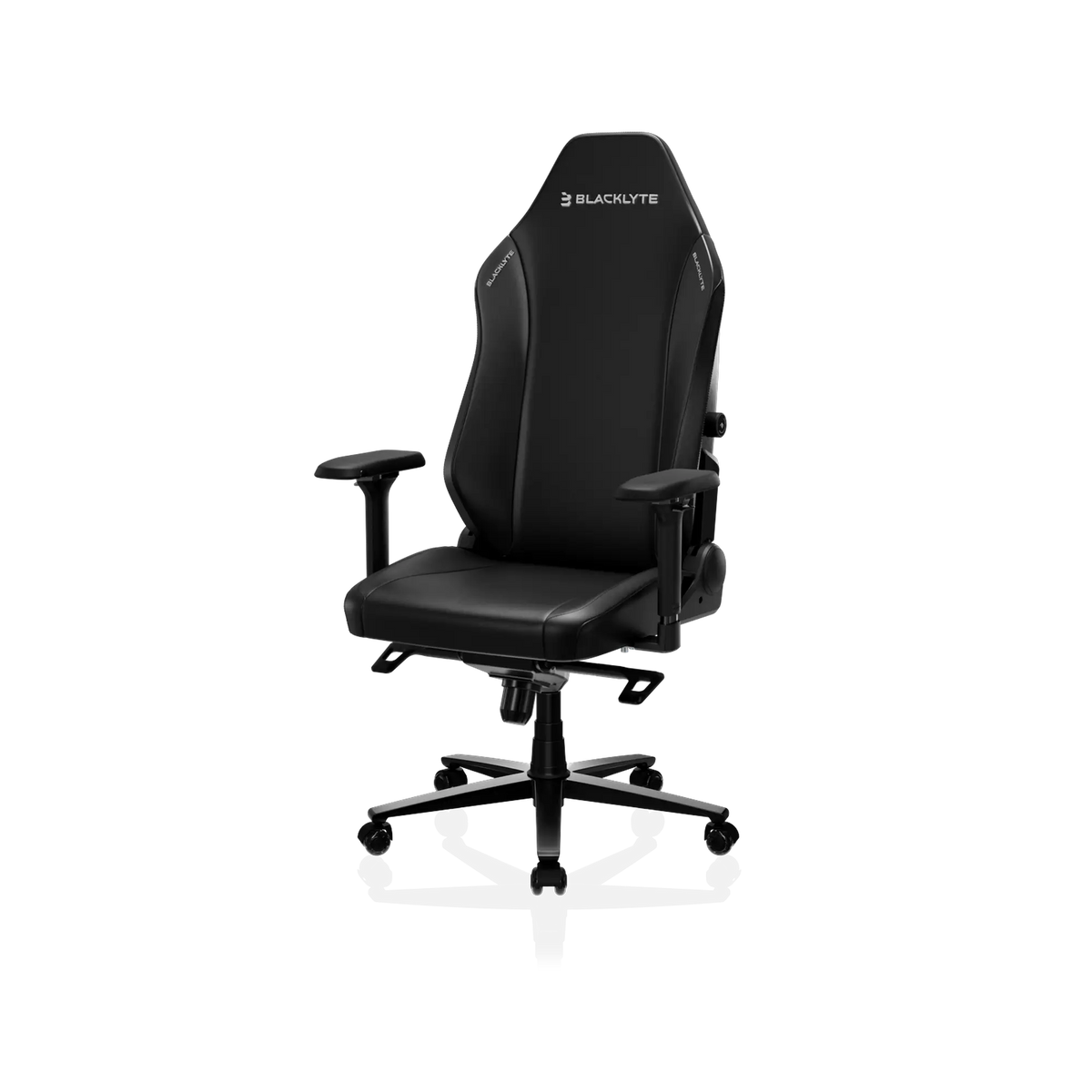
If your console setup involves a desk or a monitor — or if you're ready to upgrade your space to support proper ergonomics — Blacklyte's gaming chair lineup is worth a serious look. Built over 20 years of ergonomic engineering, trusted by 200,000+ gamers across 50+ countries and regions, and backed by partnerships with esports organizations including Team Liquid, Fnatic, Team Vitality, Team Spirit, and tournament organizer BLAST, Blacklyte chairs are designed for the kind of performance-level comfort that holds up across long sessions, not just first impressions.
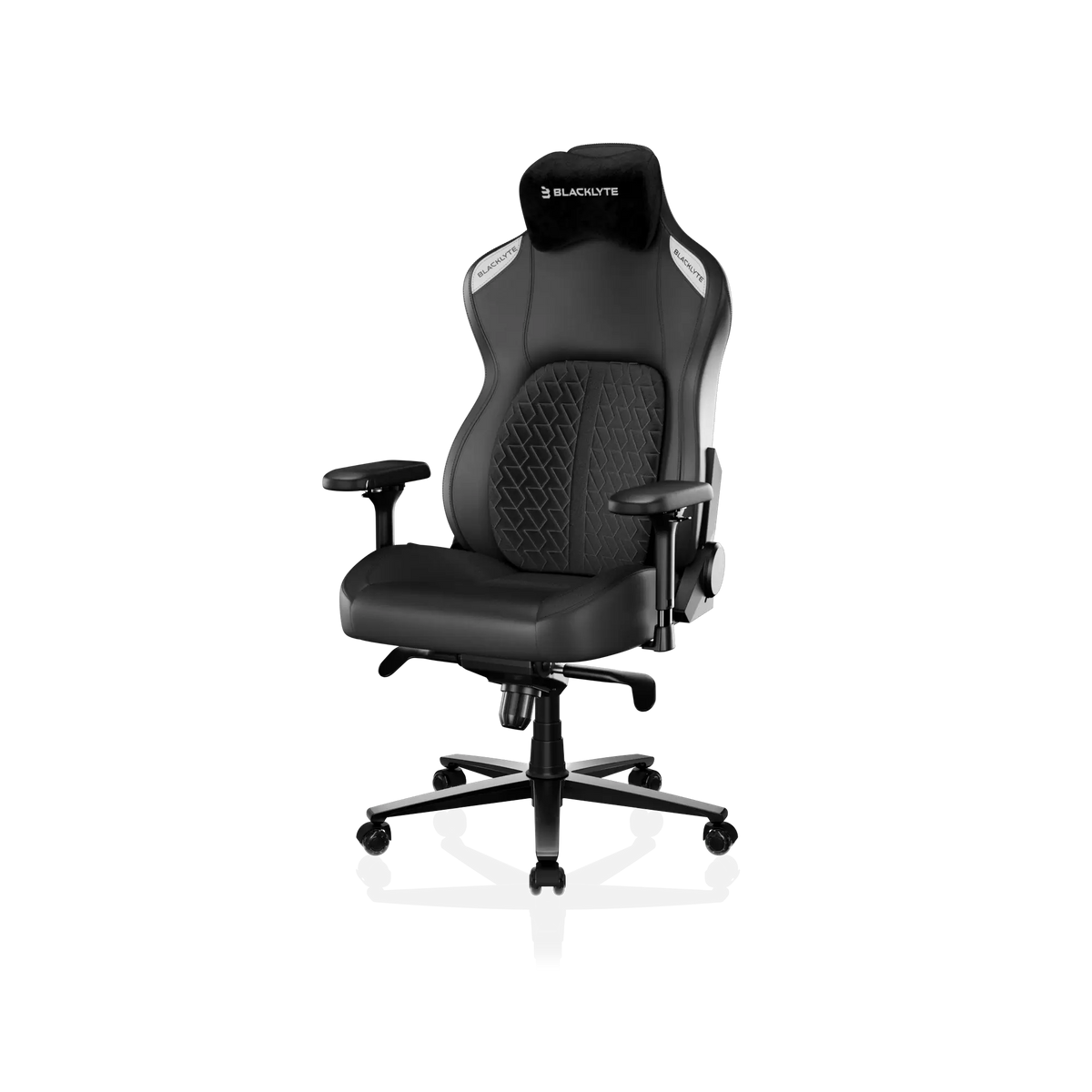
For players who log serious hours and want a more refined support system, the Kraken Pro sits in the premium tier. It features a built-in floating lumbar with front/back fine-adjustment and lock, DuraGen™ Leatherette upholstery, a Class 4 hydraulic gas piston, 4D armrests, and an aluminum alloy base — a step up in both material quality and lumbar precision for players who need consistent lower back support during extended play.
At the top of the lineup, the Athena Pro is Blacklyte's flagship chair. It's the only model in the range featuring a dual-layer seat with memory foam over a contour-foam core, infused with bamboo charcoal and silver ions for temperature regulation and hygiene. The built-in lumbar system adjusts in four ways — up/down and front/back — giving you precise targeting of your lumbar curve regardless of height or seating position. Like all Blacklyte chairs, it ships with 4D armrests, a 90°–149° recline range, and an aluminum alloy base.
If you're pairing your chair with a dedicated gaming desk, Blacklyte's standing desk lineup — including the Atlas Desk and Atlas Lite — brings integrated cable management, magnetic surfaces, and smart lighting controls to complete a purpose-built setup. You can also compare all Blacklyte chairs side by side to find the exact spec that matches your needs. All chairs and desks are backed by warranties extendable up to 5 years, with free shipping and 30-day easy returns.
Want to go deeper on ergonomics? The Gaming Hub covers posture, setup optimization, and ergonomic guidance specifically for players — whether you're gaming on console or PC.
Final Verdict: Which Type Is Right for You?
There's no universally correct console gaming chair — but there is a correct one for how you actually play. If you game at a desk for two or more hours at a stretch, a desk gaming chair with proper lumbar support, 4D armrests, and a quality recline mechanism will protect your posture and extend your stamina. If you prefer floor-level TV gaming for casual shorter sessions, a rocker or hybrid can serve that use case well. And if you're somewhere in between, a hybrid pedestal chair offers a workable middle ground.
The most important thing is not to let habit make the decision for you. Most console gamers default to the couch — not because it's ergonomically sound, but because it's there. Investing in the right chair is investing in every future session: less discomfort, longer play, and a setup that actually works with your body instead of against it.
Ready to find your perfect console gaming chair? Browse the full Blacklyte gaming chair lineup, or compare models side by side to zero in on the right spec for your setup. Have questions about which chair fits your play style or body type? Contact the Blacklyte team — we're here to help you build the setup you deserve.