








Best Desks for Work and Gaming: One Desk, Two Modes
Most people don't have the luxury of two separate setups — a polished home office for the workday and a dedicated gaming battlestation for the evening. Space is finite, budgets are real, and frankly, the best desks for work and gaming are good enough that splitting them is unnecessary. The right desk shouldn't make you choose between productivity and performance; it should be engineered to handle both without compromise.
This guide breaks down exactly what separates a genuinely dual-purpose desk from a desk that merely claims to be one. You'll learn which features actually matter for switching between work mode and game mode, why height adjustability is the single most important spec on your checklist, and how Blacklyte's Atlas desk lineup was purpose-built to serve both roles at the highest level.
Why One Desk Should Do Both Jobs
The modern setup has evolved. Remote work has pushed the home office into the same room — sometimes the same corner — where people unwind with a three-hour gaming session after clocking out. That overlap isn't a problem to solve with more furniture; it's an opportunity to invest once and invest well. A desk that works hard during the day and performs at night isn't a compromise — it's a smarter allocation of space, money, and focus.
The psychological benefit is just as real as the practical one. When your workspace is organized and purposeful, your brain responds accordingly. A clean, well-equipped surface signals focus whether you're building a spreadsheet or grinding ranked matches. Clutter, by contrast, fragments attention across both contexts. A dual-purpose desk done right keeps both modes sharp, not muddled.
Gaming Desk vs. Office Desk: Where the Lines Blur
The traditional distinction between a gaming desk and an office desk has become increasingly superficial. Both serve the same fundamental purpose: a stable, spacious surface to support long hours in front of a screen. The real differences lie in feature depth, ergonomic flexibility, and build quality rather than the label on the box.
Office desks have historically prioritized professional aesthetics and storage — clean lines, neutral finishes, drawers for documents. They're built for productivity and designed to look at home in a corporate setting. What many lack is the ergonomic depth that marathon sessions demand: height adjustability, cable management at scale, and structural integrity under a full multi-monitor rig.
Gaming desks are engineered specifically for high-volume peripheral loads — multiple monitors, desktop towers, streaming equipment, audio hardware. They typically feature smoother surface edges for comfortable long-session wrist positioning, integrated cable management channels, and increasingly, electric height adjustment. The aesthetic language leans toward performance: angular lines, dark finishes, and optional RGB lighting.
The convergence point is the modern height-adjustable standing desk built with premium materials and smart features. At this tier, the desk doesn't care whether you're in a video call or a firefight — it's engineered to support both with equal competence. That's the category where Blacklyte operates, and it's the category where your buying decision should be focused.
Key Features That Make a Desk Truly Dual-Purpose
Not every feature marketed on a gaming desk actually serves a dual work-and-gaming role. The following are the features that genuinely earn their place in a hybrid setup:
- Electric height adjustment with memory presets. The ability to dial in your exact sitting and standing heights — and recall them instantly — removes friction from every transition. One button press and the desk is calibrated for your 9 a.m. video call or your 9 p.m. raid session.
- Integrated cable management. A desk serving two high-peripheral-load roles accumulates cables fast. Built-in routing channels, rear management trays, and surface-level wire guides keep the setup clean in both contexts without requiring a teardown between modes.
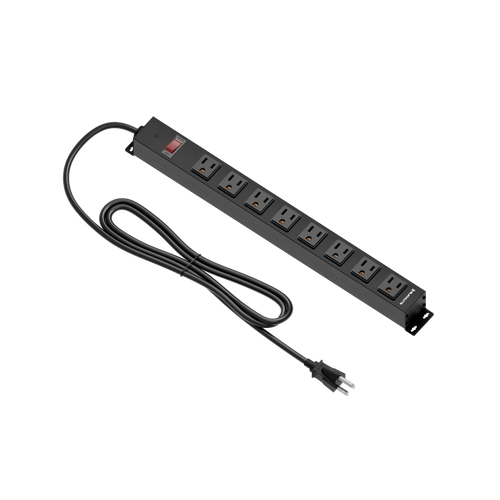
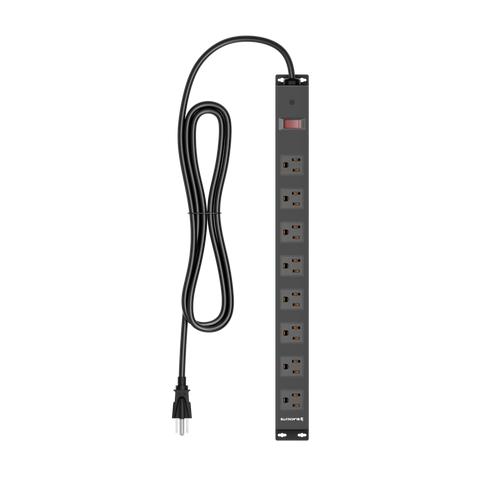
- Built-in power box. A built-in power box houses mains sockets at the desk, so you don't need an external power strip on the desktop surface — a genuine quality-of-life upgrade. (It's a power box with sockets, not a power supply of its own.) It lets you feed your entire rig from a single managed point, keeping the surface free and functional.
- Surface size and structural stability. A dual-purpose desk needs enough real estate to house your work peripherals and gaming peripherals simultaneously — or to accommodate both configurations without constant rearranging. Structural rigidity under a full load is non-negotiable; wobble during an intense gaming session is both frustrating and ergonomically damaging.
- Smart or adaptive lighting. Lighting that can shift from a calm, neutral tone for focused work to an immersive ambient environment for gaming adds genuine mood and functionality — not just aesthetics.
- Durable, professional-grade surface finish. The surface you work on needs to resist daily keyboard and mouse wear, look professional on camera, and hold up under the mechanical stress of long gaming sessions.
Features like headphone hooks, cup holders, and peripheral shelves are useful additions but secondary to the structural and ergonomic fundamentals above. Build your checklist from the inside out: stability, adjustability, and power management first — then the quality-of-life additions.
The Standing Desk Advantage for Gamers and Remote Workers
The health case for height-adjustable standing desks has moved well beyond office workers. Gamers spend as many hours seated as anyone in a professional role — sometimes significantly more — and the physical consequences are identical. Prolonged static sitting compresses spinal discs, tightens hip flexors, impairs circulation, and progressively degrades posture in ways that don't stay contained to the gaming chair. They follow you into the next morning's work session.
The value of a sit-stand desk isn't that it turns you into someone who stands all day — it's that it gives you the option to vary your posture throughout a long session. That variation is what protects the body. Alternating between sitting and standing keeps muscles engaged, supports blood flow, and reduces the cumulative strain that builds when any single posture is held for hours. For gamers specifically, the improved circulation from standing has a direct cognitive benefit: more oxygen reaching the brain supports the alertness and reaction-time sharpness that competitive play demands.
For remote workers, the ergonomic upside is equally compelling. A fixed-height desk locks you into whatever position it was set at — which may not correspond to your actual body dimensions. Height adjustability means the desk conforms to you, not the other way around. Elbows at a natural 90-degree angle, monitor at eye level, shoulders relaxed: these aren't luxuries, they're the baseline for a sustainable working posture across a full career of screen time.
The practical recommendation for a dual-purpose setup is straightforward: choose a desk with electric height adjustment, set two memory presets (one for sitting, one for standing), and rotate positions every 45 to 90 minutes. The transition takes seconds. The long-term physical difference is significant. You can explore the full science behind this approach on Blacklyte's ergonomics resource page and the Gaming Hub for gaming-specific posture guidance.
How the Blacklyte Atlas Series Handles Both Modes
Blacklyte's Atlas desk lineup was designed from the ground up to eliminate the trade-off between a professional workstation and a high-performance gaming setup. With 20 years of ergonomic furniture engineering and partnerships with some of the most demanding organizations in competitive gaming — including tournament organizer BLAST, Team Liquid, and Fnatic — Blacklyte brings an unusually high bar to desk design. The Atlas series reflects that standard directly.
Atlas: The Flagship Gaming and Content Creator Desk
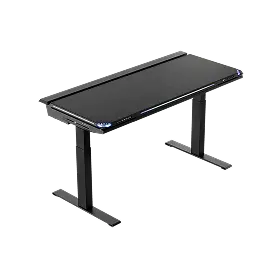
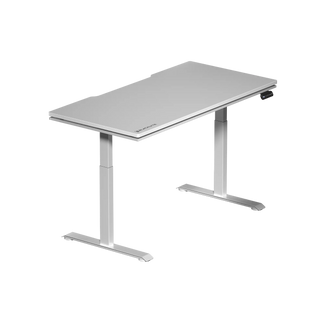
The Atlas is built for users who want full immersion at both ends of the day. It features electric height adjustment powered by TÜV-validated motor technology, engineered for whisper-quiet operation and long-term mechanical reliability — every height transition is as smooth as the first, session after session. The AI-driven RGB lighting system integrates with the Atlas Driver software, allowing real-time lighting control that can sync with game state, follow a scheduled day-to-night cycle for focus and wind-down, or be customized entirely to your preference. Structural integrity is verified to BIFMA and global ergonomic standards, with zero frame deflection under professional-grade loads — which means your multi-monitor rig and full peripheral stack aren't going to introduce any wobble into your setup.
Cable management on the Atlas is architectural rather than afterthought. The integrated rear management system routes cables cleanly from the surface to a managed exit point, keeping the desktop free and professional-looking whether you're on a work video call or streaming a session. The built-in electrical socket — an integrated power strip that brings mains sockets to the desk — eliminates desktop power bricks entirely, letting you run your complete rig from one organized source. The magnetic surface compatibility means accessories snap into place without tools and reconfigure in seconds — a genuinely useful feature when switching between work and gaming peripheral configurations.
Atlas Lite: Dual-Motor Performance for Work and Home
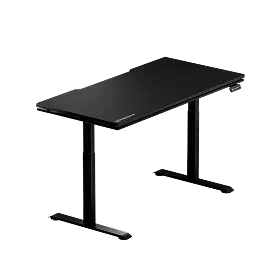
The Atlas Lite brings Blacklyte's dual-motor height adjustment and integrated cable management into a cleaner, more understated form factor — ideal for users who want the full ergonomic and organizational benefit without the gaming-forward RGB lighting of the flagship. It's equally at home in a professional home office environment as it is supporting a gaming rig, which makes it the natural choice for anyone whose setup needs to look polished during video calls and perform under load during long play sessions. Memory position presets mean your optimal sitting and standing heights are always a single touch away.
Both desks ship with fast, free shipping, a 30-day easy return window, and warranties extendable to five years under Blacklyte's Extended Warranty Program — coverage that reflects genuine confidence in long-term build quality. You can compare the Atlas and Atlas Lite side by side to determine which configuration fits your space and workflow.
Pairing Your Desk With the Right Chair
A dual-purpose desk performs at its best when paired with a chair that's equally capable across both contexts. The posture requirements for focused work and competitive gaming have more in common than most people assume: lumbar support, armrest positioning relative to the desk surface, and the ability to recline for mental recovery between intense blocks of activity. A chair engineered for one and not the other will always leave something on the table.
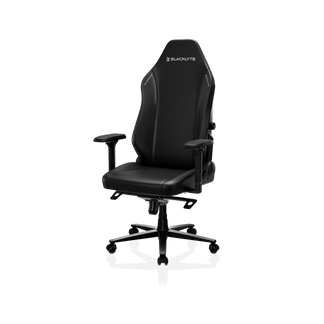
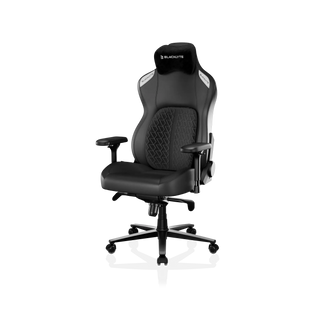
Blacklyte's gaming chair lineup is built around this dual-purpose principle. All three current models — the premium Kraken Pro, the flagship Athena Pro, and the Athena — ship with 4D armrests across the full lineup, a Class 4 hydraulic gas piston for smooth, reliable height adjustment, and a frog-type tilt mechanism with adjustable tension for personalized recline comfort. The Athena Pro adds a built-in 4-way adjustable lumbar system (height and depth) and a memory foam seat layer infused with bamboo charcoal and silver ions — a meaningful upgrade for users spending 8-plus hours daily in the chair. The Kraken Pro features a built-in floating lumbar with front/back fine-adjust and lock for users who prefer a streamlined premium experience. If you're building a complete work-and-gaming workstation, pairing the Atlas desk with the right Blacklyte chair is the most efficient path to a setup that's genuinely optimized across both modes. Use the chair comparison tool to match the right model to your specific needs.
Dual-Purpose Desk Buying Checklist
Before committing to any desk for a combined work-and-gaming setup, run it against this checklist. Every item here represents a feature that genuinely impacts long-term satisfaction — not just first impressions:
- Electric height adjustment with programmable memory presets (minimum two preset positions)
- Dual-motor lifting mechanism for stable, level height transitions under full peripheral load
- Structural certification to BIFMA or equivalent ergonomic standards
- Integrated cable management — not add-on trays, but built into the desk architecture
- Built-in power box (mains sockets) to keep the desktop surface clear
- Surface width of at least 55 inches to accommodate dual-monitor configurations without crowding
- Professional finish that presents well in video calls and resists daily peripheral wear
- Lighting flexibility — controllable independently from the PC for both work and gaming environments
- Warranty coverage of at least three years on both desk frame and motor
- Return policy with adequate trial window to confirm fit for your space
A desk that checks every box on this list isn't a gaming desk or an office desk. It's a high-performance workstation that serves whoever is sitting (or standing) at it. That's the standard worth buying to — and it's the standard the Blacklyte Atlas was built against. Browse the full Blacklyte product collection or check current promotions to find the right configuration for your setup.
Final Verdict
The best desks for work and gaming aren't two different products. They're one well-engineered platform with the flexibility to shift between a focused professional environment and an immersive gaming setup without requiring you to compromise either role. Height adjustability, integrated cable and power management, structural integrity under a full load, and intelligent lighting are the features that make this possible — not RGB aesthetics or a gaming brand logo.
Blacklyte's Atlas series delivers all of it in a single, cohesive platform backed by two decades of ergonomic engineering, validated by global safety standards, and refined through partnerships with the most demanding organizations in competitive gaming. Whether you're clocking in for a full remote workday or loading into a late-night session, the desk underneath you shouldn't be what's holding you back. Explore the full Atlas desk lineup and build the setup that performs as hard as you do.
Not sure which Blacklyte desk is right for your setup? Our team is happy to help you find the perfect match — whether you're building a work-first station with gaming capability or a full battlestation that doubles as a home office.
Contact Us