



















You can have a powerful computer, a responsive mouse, and a beautiful gaming desk, yet still feel uncomfortable after an hour of play. The problem is often not your equipment. It is the way your arms, wrists, shoulders, and upper body interact with the setup.
The best arm position for PC gaming keeps your shoulders relaxed, elbows close to your body, and forearms almost parallel to the floor. Your elbows should ideally remain bent at a slight angle of about 90 to 110 degrees. Your wrist should stay straight in a neutral position instead of bending upward, downward, or sharply toward either side.
This posture helps reduce unnecessary pressure while giving you enough freedom for aiming, keyboard input, and quick mouse motion.
What Does a Good Gaming Arm Position Look Like?
Start by sitting back in the chair instead of leaning toward the screen. Let your backrest support your spine, keep your chest open, and allow your shoulder blades to settle naturally.
Your upper arms should hang close to your torso. Avoid pulling the elbows outward or lifting one shoulder to reach the mouse. The forearms can rest lightly on the desk or armrests, but they should not be pushed hard against a sharp surface.
A comfortable arm position usually includes:
- Relaxed shoulders rather than raised shoulders
- Elbows bent between 90 and 110 degrees
- Forearms close to parallel with the floor
- A straight, neutral wrist
- Hands positioned close to the keyboard and mouse
- Enough desk space for natural movement
Proper posture should feel supported, not forced. You should be able to move your fingers, palm, wrist, elbow, and shoulder without significant tension.
Set the Chair Height Before Adjusting the Desk
Chair height affects almost every other part of your gaming position. Sit with your feet flat on the floor and your knees at roughly the same height as your hips. Your legs should feel supported rather than hanging from the seat.
When the chair is too low, your elbows may sit below the desk, forcing the wrist to bend upward. When the chair is too high, your feet may be unable to reach the floor, creating pressure under the thighs.
A small foot stool can help when the correct arm height leaves your feet unsupported. Your knees should remain comfortably bent, and the front edge of the seat should not pull against the back of your legs.
Adjust the backrest so your body is supported at a slight angle. Sitting perfectly upright at 90 degrees for long hours can feel rigid and may place more stress on the spine. A bit of recline often allows the back, neck, and shoulder muscles to stay more relaxed.
The Blacklyte Athena Pro Gaming Chair includes adjustable 4D armrests, lumbar support, and recline control, making it easier for each user to fine-tune the seat around their body.
Adjust Armrests Without Raising Your Shoulders
Armrests should meet your forearms without pushing them upward. If your shoulders rise when your arms touch the pads, lower the armrests. If you have to lean or slide sideways to reach them, adjust their width and angle.
The arm pads should support part of the forearms while allowing the elbows to remain close to the body. They should not lock your arms in one position or prevent natural mouse motion.
For example, a player using a small desk may need the armrests to sit level with the table. Someone with more space may prefer to rest most of the forearm directly on the desk surface.
The goal is to maintain support without creating a fixed pressure point.
Match the Desk Height to Your Elbows
Your desk should be close to elbow height when you are sitting in a relaxed position. If the table is too high, you will lift your shoulders. If it is too low, you may round your back, tilt your head forward, and bend your wrist.
Ideally, your keyboard should sit a few inches above your knees while remaining close enough that you do not reach forward. Keep the keyboard flat or use a slight negative tilt if that helps maintain a neutral wrist.
Avoid resting your wrist on a hard desk edge. The edge can press into the palm, wrist, or forearm and make long gaming sessions uncomfortable. A rounded desk edge, soft desk mat, or better forearm placement can reduce this pressure.
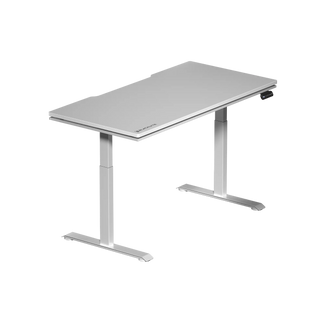
An adjustable desk such as the Blacklyte Atlas Gaming Desk lets you change the surface height instead of forcing your chair and body into an awkward position. Additionally, changing between sitting and standing can add more movement to a long computer session.
Keep the Mouse Close to Your Body
Place the mouse beside the keyboard, not far out to the side. You should be able to control it while keeping your elbow near your ribs and your shoulder relaxed.
If the mouse is too far away, your upper arm will pull forward, and your shoulder muscles will stay active. Over time, that reaching position can affect comfort and focus.
Your sensitivity settings also influence how much space you need.
In low-sensitivity FPS games, aiming often comes from the forearm, elbow, and shoulder. Most of the forearm can rest lightly on the desk while the arm moves across a larger surface. Make sure the wrist does not catch on the desk edge as you slide the mouse.
For high-sensitivity gaming, smaller movements come from the wrist and fingers. Keep your palm relaxed and avoid gripping the mouse too tightly. Even with small movements, the wrist should remain neutral rather than sharply bent.
Once you have decided on a comfortable physical position, adjust the in-game sensitivity. Changing sensitivity before fixing the setup may hide the real ergonomic problem without solving it.
Position the Monitor to Protect Your Neck
The monitor should sit directly in front of your head so you do not twist your neck or torso. Keep the screen roughly an arm’s length away, usually around 20 to 30 inches depending on screen size and vision.
The top portion of the monitor should sit near eye level, while the center of the screen can be about 15 to 30 degrees below your natural line of sight. This position allows your eyes to look slightly downward without tilting your head.
A Blacklyte Atlas Single Monitor Arm can help adjust screen height, distance, and angle while freeing additional desk space.
Change Position During Long Gaming Sessions
Even a proper posture can become uncomfortable when held for too long. The body is built for motion, not for a single fixed sitting position.
Between matches, rest your hands, straighten your legs, stand up, and move your shoulders. Open and close your fingers, gently turn your head, and stretch the chest and hips. Periodic movement helps reduce fatigue in muscles that remain active during gaming.
Poor posture may contribute to discomfort, nerve irritation, tight muscles, or reduced control. Persistent pain, tingling, numbness, or weakness should not be treated as a normal part of gaming. A qualified healthcare professional can assess symptoms that do not improve after changing the setup.
Finally, remember that an ergonomic gaming position is personal. Your height, desk surface, mouse sensitivity, seat depth, monitor size, and preferred games all affect the final setup.
Start with relaxed shoulders, bent elbows, supported forearms, a straight wrist, flat feet, and a centered monitor. Then make small adjustments until your chair, desk, keyboard, and mouse feel like one connected system.
For more ways to build a comfortable space for work and play, explore Blacklyte’s ergonomic gaming chairs and complete gaming setup products.


