
Adjustable Gaming Desks: Manual, Pneumatic, and Electric Compared
An adjustable gaming desk can make a long gaming session feel noticeably less restrictive. Instead of keeping your shoulders, arms and wrists at the same height for hours, a height-adjustable desk lets you switch between sitting and standing while keeping your computer, monitors and accessories within reach.
The standing desk market offers three main adjustment systems: manual, pneumatic and electric. A manual gaming desk is usually the budget option. A pneumatic desk moves with a gas-assisted mechanism, while an electric standing desk uses powered legs for faster, more precise adjustment.
For a light gaming setup, any of the three can work. For a PC gaming setup with multiple monitors, a desktop computer, speakers and a monitor arm, an electric adjustable gaming desk is usually the most practical choice.
Manual, Pneumatic and Electric Gaming Desks at a Glance
| Desk type | Best for | Main benefit | Main limitation |
| Manual desk | A light setup or limited budget | Simple construction and lower price | Slow to adjust |
| Pneumatic desk | A laptop or single-monitor setup | Smooth movement without power | Sensitive to equipment weight |
| Electric desk | Multiple monitors and heavier accessories | Quick adjustment and memory features | Higher initial price |
Manual Adjustable Gaming Desk: Simple but Slower
A manual adjustable gaming desk normally uses a hand crank. It does not require electric motors, making it appealing to anyone who wants a straightforward budget desk without powered components.
A sturdy manual gaming desk can still provide a stable desktop surface. The problem is convenience. Raising a desk for gaming by hand becomes less attractive when the surface holds monitors, a computer, speakers, lighting and all that extra equipment.
After an hour of work or play, many users simply leave the desk at the same height rather than turning the crank again. That limits the main benefit of a sit-stand desk.
A manual model is a great option when money is tight, the gaming setup is light and height changes are occasional. Before ordering a new desk, check its weight capacity, height range and frame construction. A low price does not help if the desk shakes whenever you move the mouse.
Pneumatic Gaming Desk: Smooth Movement Without Power
A pneumatic standing desk uses a gas-assisted or spring-loaded mechanism. Pressing a switch releases the surface, allowing it to rise or lower without being connected to a wall outlet.
This design works well for a laptop, one monitor or a compact gaming setup. It also keeps the floor clearer because there is no motor power cable running from the desk.
The limitation is balance. A spring-loaded mechanism must be matched to the weight on the desktop. Adding large monitors, heavy monitor arms or a desktop PC may make the movement less smooth or more difficult to control.
Before choosing a pneumatic gaming desk, calculate the combined weight of the computer, monitors, speakers and accessories. Pneumatic adjustment can feel fast and clean, but it may not be the best standing desk solution for a heavy setup.
Electric Standing Desk: The Most Popular Choice
An electric adjustable gaming desk uses powered legs and electric motors to move the surface. For users who regularly alternate between sitting and standing, it is the most popular choice because the adjustment is quick and requires almost no physical effort.
Useful features may include dual motors, memory presets, anti-collision protection and a built-in cable management system. Dual motors are especially valuable for a gaming setup with multiple monitors because they help keep the desktop level and stable while it moves into a standing position.
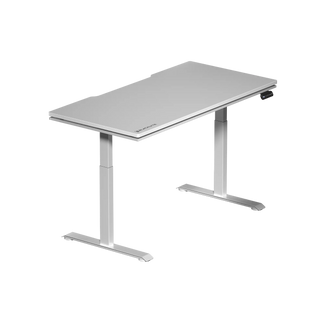
The Blacklyte Atlas Lite Standing Desk is designed for users who want a clean electric standing desk with several size options. It has electric dual motors, four memory presets and a height range of 27.6 to 46.1 inches. Its desktop is available in four sizes, ranging from 47.2 to 70.9 inches wide, and larger versions support a maximum distributed load of up to 120 kg.
For a heavier and more integrated gaming setup, the Blacklyte Atlas Desk combines dual electric motors with integrated power, lighting controls and advanced cable management. Its desktop measures 59.1 by 27.6 inches, its height range runs from approximately 28 to 54 inches, and its stated maximum distributed load is 125 kg. The reinforced frame and three-stage legs are designed to remain rock solid beneath multiple monitors, a PC and other gaming accessories.
Buyers can also compare Blacklyte gaming desks before deciding which surface size, height range and feature set suits their room.
How to Find the Best Size Desk for Gaming
The best size depends on monitor width, mouse movement and available room. Measure the total width of your monitors, then add enough surface area for speakers, a keyboard and unrestricted movement of your mouse arm.
Desktop depth is just as important as width. A surface depth of approximately 27 to 30 inches works well for many setups because it gives users room to position the monitors farther from their eyes. OSHA recommends placing a computer monitor directly in front of the user and generally between 20 and 40 inches from the eyes.
An L-shaped desk can provide additional space, but an L-shaped adjustable desk requires a strong multi-leg frame to remain stable. It also takes up more floor space than a straight table. Measure the room carefully, including the seat, computer tower and walking space, before choosing an L-shaped gaming desk.
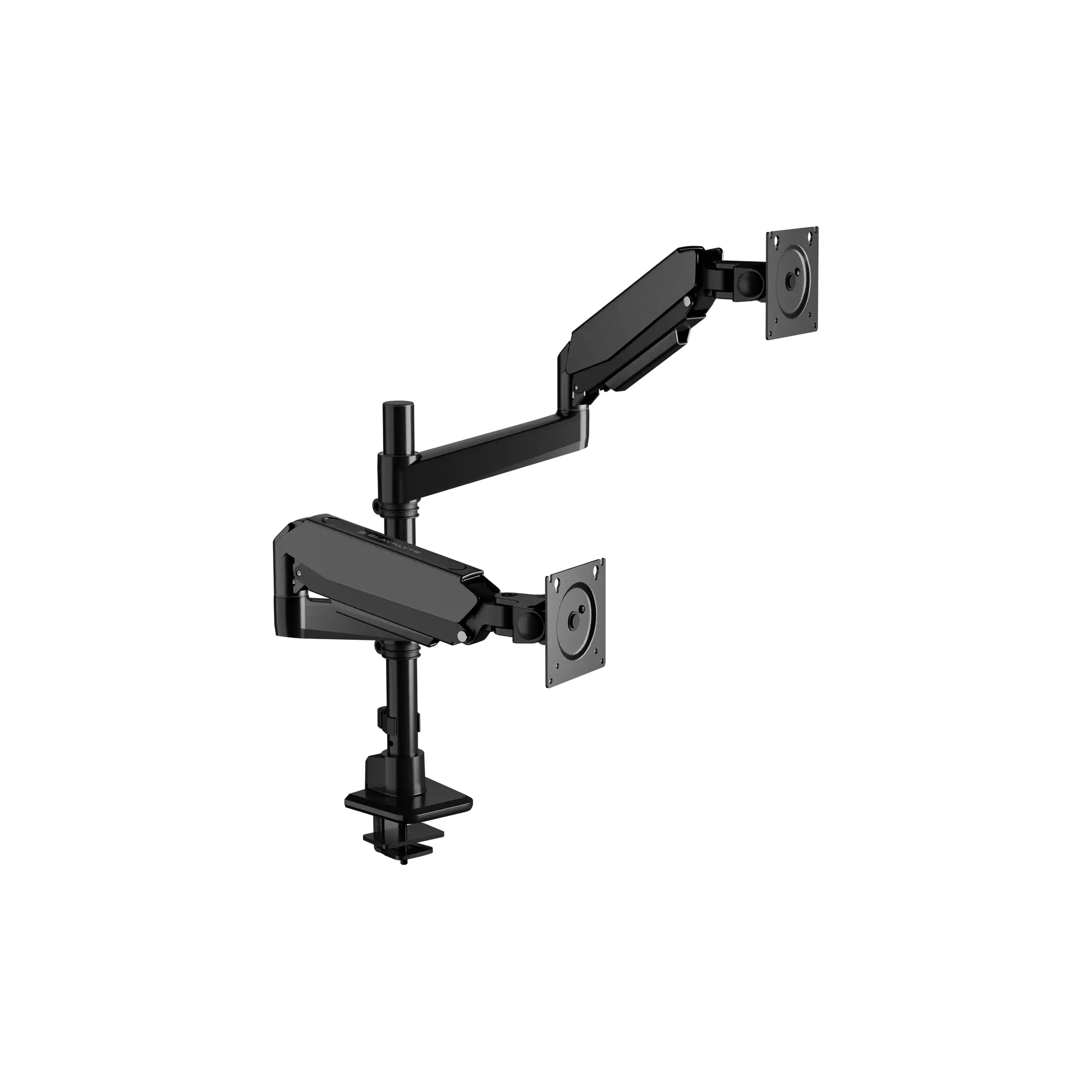
For multiple monitors, a Blacklyte Atlas Monitor Arm can release more usable desktop space. It supports displays weighing between 2 and 20 kg and allows the monitor height and angle to be adjusted independently of the desk.
Good Cable Management Protects a Moving Setup
Cable management is not only about appearance. When a standing desk moves, power, display, audio and USB cables must have enough slack to reach the standing position without pulling against the monitors or computer.
Look for a cable management system with an under-desk tray, organised routing points and space for a power strip. Great cable management keeps wires away from your feet and reduces the risk of a cable catching on the frame.
Mounting the power strip beneath the desktop can also reduce the number of cables travelling to the floor. Leave enough controlled slack for the desk’s full height range, then test the setup at both its lowest and highest positions.
Set the Desk at Your Perfect Height
When sitting, keep your shoulders relaxed, wrists neutral and elbows close to your sides. OSHA’s workstation guidance recommends keeping the elbows between approximately 90 and 120 degrees, with the hands and forearms roughly parallel to the floor.
When standing, raise the desk until your arms remain relaxed rather than reaching upward. The monitors should sit directly in front of you, with the top of each screen at or slightly below eye level. Correct monitor placement may help reduce eye strain caused by awkward viewing positions.
The goal is not to stand all day. Even the best gaming desk cannot make one fixed posture ideal for every person. Switching between sitting and standing, making small position changes and stepping away periodically can make long sessions feel less static.
Which Adjustable Gaming Desk Should You Choose?
Choose a manual gaming desk when budget and mechanical simplicity are the priorities. Choose a pneumatic desk when the setup is light and you want smooth adjustment without electric power. Choose an electric standing desk when you use multiple monitors, carry a fair amount of weight or want fast switching between preferred heights.
For most serious PC gaming setups, an electric adjustable gaming desk provides the strongest balance of stability, usable features, cable management and convenience. The Atlas Lite is suited to users who want a streamlined standing desk in several sizes. The Atlas is the premium model for a heavier gaming setup that needs integrated power, lighting and advanced cable management.
Measure the room, calculate the equipment weight and confirm the seated and standing height before spending your money. The best gaming desk is not the desk with the longest feature list—it is the one that fits your body, your monitors and the way you actually play.