




















Most people buying a computer desk focus on two things: how it looks and how much it costs. Those two variables are easy to compare on a product page. The problem is that neither one tells you how a desk performs in six months, or three years, when the monitors are loaded up, the cables are routed, and the surface is taking daily abuse from keyboards, wrists, and the occasional coffee mug.
A desk is one of the longer-lived pieces of equipment in any gaming or work setup. A good one disappears into the background of your day; a bad one makes itself known every time something wobbles, a cable snags, or an edge chips under the weight of a monitor arm. The specs that separate the two are specific, measurable, and almost never the ones featured prominently in a product listing. This guide walks through the five that actually matter — with the numbers and reasoning you need to make the right call.
Spec 1: Frame Construction and Structural Bracing
The frame is the skeleton of the desk, and its construction determines whether the whole structure stays planted or transmits every keystroke as vibration. The material itself — usually steel — is less important than how it is used. A frame made from thicker-gauge steel with well-engineered joints and cross-bracing will outperform a lighter frame made from the same material but with no lateral support. This is the distinction between a desk that stays solid at year three and one that develops a telltale sway within months.
The most meaningful feature to look for is structural bracing between the legs. A horizontal crossbar or rear cross-beam converts a flexible rectangular frame into a more rigid system by resisting the lateral forces that cause side-to-side sway. For height-adjustable desks, this matters even more: as the legs extend, the geometry of the frame becomes more susceptible to movement, and a desk without adequate bracing will wobble noticeably at standing height even when it felt solid at sitting height during the store demo.
Two failure modes are worth knowing before you buy. Wobble is the side-to-side or front-to-back swaying caused by insufficient frame rigidity or weak joints. Deflection is the downward bending of the desktop material under load. These are separate problems with separate causes, and a desk can pass one test while failing the other. When evaluating a frame, look for: thicker-gauge steel legs (not hollow thin-wall tubing), bolt-and-nut or welded joints rather than cam-lock assembly at high-stress points, a cross-beam or rear modesty panel connecting both legs, and adjustable leveling feet to eliminate the floor-condition variable.
For standing desks specifically, the leg column design adds another layer to evaluate. Two-stage columns (inner and outer tube) are standard at the entry level; three-stage columns allow a wider height range while maintaining more overlap between the tubes at any given setting, which reduces the wobble that appears at the top of the extension range. Tight manufacturing tolerances between the inner glide blocks and the column walls are what keep that overlap stiff rather than loose.
Spec 2: Surface Material and Finish
The desktop surface is where your setup actually lives, and its durability under daily use is what you will notice long after the initial purchase excitement fades. Most computer desks use one of four core materials: solid wood, medium-density fiberboard (MDF), particle board, or tempered glass. Each behaves differently under sustained load, surface wear, and environmental conditions. Getting this decision right is mostly a matter of knowing what each material actually does over time.
Solid wood offers the strongest resistance to long-term sag under heavy, permanent loads because of its higher structural stiffness. The trade-off is cost, weight, and sensitivity to humidity changes, which can cause expansion, contraction, and eventual warping if the desk is in a room with significant seasonal variation. Hardwood species (oak, ash, maple) perform considerably better than softwoods on a gaming or work desk taking the weight of monitors and peripherals.
MDF is the material most premium gaming desks actually use, and for good reason. It provides a consistently flat, smooth substrate that takes laminate and paint finishes evenly, which is why high-quality MDF with a hardwearing surface finish can resist the day-to-day abuse of coffee mug rings, pen impressions, and mouse drag better than a natural wood desk with only a wax or oil finish. The caveat is span length: MDF desks wider than roughly 60 inches benefit from a steel stiffener or under-rail running the length of the surface to prevent the slight flex that becomes visible under load at the midpoint.
Particle board is the budget option and performs like one. It is less dense than MDF, more vulnerable to moisture and edge impact, and more likely to sag under the sustained weight of a dual-monitor arm over months of use. If a desk listing doesn't specify the surface material, particle board is often what you are getting. It is worth asking.
Tempered glass looks striking in product photos and is genuinely scratch-resistant on its top surface. In practice, it amplifies vibration rather than dampening it, shows every fingerprint and dust particle, and is entirely unforgiving if you drop a peripheral onto it. For a gaming or work desk that takes real daily use, glass is a style decision, not a performance one.
Beyond the core material, pay attention to the surface finish. A high-pressure laminate (HPL) or PVC-wrapped edge resists chips and moisture ingress far better than a simple melamine print. The edge banding in particular is where cheap desks reveal themselves: chipped, peeling edges on a desk that otherwise looks fine are almost always a sign that the surface finish was not built for sustained use.
Spec 3: Weight Capacity (and Why the Margin Matters)
Weight capacity is one of the specs most commonly listed and least carefully considered. The number on a product page tells you the maximum load the desk is rated to support. What it does not tell you is the difference between a desk operating near its ceiling and one with a meaningful safety margin — and that difference has a direct impact on long-term performance.
A modern gaming or productivity setup accumulates weight quickly. A full-tower PC sits in the range of 30 to 45 lbs on its own. Add two 27-inch monitors (roughly 10 to 15 lbs each), a monitor arm that concentrates its load at a single mounting point, a pair of studio monitors or bookshelf speakers, a keyboard, and various accessories, and a serious dual-monitor rig can reach 80 to 100 lbs before you factor in a desktop PC. A desk rated to exactly 100 lbs is already working at its limit on day one.
The practical principle used by furniture engineers is to aim for a desk whose rated capacity exceeds your actual setup weight by a comfortable margin — commonly referenced as the 80% rule, where sustained operation at the maximum rating increases the risk of long-term material fatigue and structural creep, particularly in MDF and particle-board surfaces. Running at 70 to 75 percent of the rated maximum leaves room for future additions and prevents the slow deterioration that comes from holding material at its structural limit indefinitely.
For standing desks with motorized lift mechanisms, the weight-capacity question has an additional dimension. Exceeding the motor's rated capacity doesn't just risk the surface — it puts strain on the lift columns and the motor itself, accelerating wear and risking motor failure over time. When comparing motorized desks, look for a lift capacity that exceeds your loaded setup weight by at least 50 lbs, and confirm whether the stated capacity is a static figure (desk stationary) or a dynamic lift rating (desk in motion), as these can differ.
Spec 4: Height Range and Adjustment Mechanism
Desk height is the single most direct ergonomic variable in any computer setup. A desk that sits too high forces the shoulders up and the wrists into extension; too low, and you hunch forward to see the screen. For a fixed-height desk, the target is typically a surface height that lets you sit with your elbows at roughly 90 degrees and your forearms parallel to the floor — which for most people falls in the 28 to 30 inch range. But bodies vary, and chairs vary, and a fixed desk is a permanent compromise if you don't confirm the number against your own seated height before buying.
A height-adjustable standing desk sidesteps that compromise entirely, and it adds a second benefit: the ability to alternate between sitting and standing throughout the day, which reduces the sustained static load on the spine and the fatigue that accumulates from long unbroken sitting sessions. The ergonomic case for sit-stand capability is well established, and for anyone using a desk for both gaming and work across long daily sessions, it is one of the more meaningful upgrades available.
When evaluating height-adjustable desks, the key specs are the minimum sitting height, the maximum standing height, and the smoothness and noise level of the adjustment mechanism. The minimum height matters for shorter users and for achieving the correct sitting posture on a standard chair; desks that bottom out at 28 inches or higher restrict options. The maximum height determines whether the desk can reach a proper standing position for taller users — 45 to 48 inches covers most adults standing, but taller users (over 6'2") should verify this. A dual-motor electric mechanism will lift more quietly and more smoothly under load than a single-motor system, and programmable height presets mean you can switch positions without manual guesswork. Comparing desk specifications side-by-side is the fastest way to map these numbers against your own requirements before committing.
Spec 5: Integrated Features That Earn Their Place
The fifth spec category is the one that separates a desk built for a gaming or productivity setup from a desk built for a generic office. Integrated features — built-in power access, cable routing, surface technology, and smart controls — can meaningfully reduce the friction of daily use or add nothing but marketing copy to the spec sheet, depending on how well they are actually engineered into the desk rather than bolted on as afterthoughts.
The most practically useful integrated feature on any desk that powers a multi-device setup is a built-in electrical socket. Having mains power available at the desk surface itself eliminates the floor-level power strip, dramatically shortens cable runs, and gives you a single managed power source for your entire setup. This is the difference between a desk that organizes your workspace and one that requires you to organize around it. When this feature is paired with genuine cable management infrastructure — dedicated routing channels along the desk frame, a cable spine that travels with the desk during height adjustments, and an under-desk cable tray large enough to hold adapters and excess cable length — the result is a setup that stays clean without constant re-management.
Beyond power and cable management, premium desk surfaces increasingly incorporate functional materials directly into the top layer. A magnetic surface that accepts magnetically-attached accessories (monitor mounts, cable holders, accessory pads) without requiring permanent drilling or clamping is a practical feature for users who reconfigure their setup frequently or simply don't want to commit to a fixed peripheral layout. Smart lighting controls integrated into the desk via proprietary software are more niche, but for a gaming environment where ambient lighting is part of the experience, being able to sync desk lighting with the rest of a setup from a single interface removes one more point of friction.
The honest filter for integrated features is this: does the feature solve a problem you actually have, and is it built into the desk's structure rather than relying on a clip-on accessory that could fail independently? Cup holders and monitor risers that come with a budget gaming desk are not integrated features in any meaningful sense. A built-in power socket with a cable routing system that runs through the desk frame is. The difference in both build quality and daily utility is substantial.
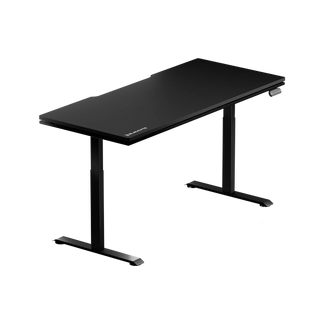
Blacklyte's Atlas Desk and Atlas Lite Standing Desk both include a built-in electrical socket and an integrated cable management system as standard — not as add-ons. The Atlas Desk additionally features a magnetic surface and integrated LED lighting controlled through Blacklyte's proprietary Atlas Driver software, which brings colour and effect selection into a single interface on your PC; height and memory presets are set on the desk's own keypad. These features reflect the same engineering philosophy behind the full Blacklyte desk lineup: every specification should earn its place by solving a real problem in a genuine workstation environment.
Putting It All Together
A computer desk that lasts is not defined by any single specification. It is defined by the combination: a braced steel frame that holds its rigidity under sustained load; a surface material durable enough to absorb daily use without chipping, sagging, or warping; a weight capacity with meaningful margin above your actual setup; a height range that places your body in a genuinely neutral working posture; and integrated features that work with the desk's structure rather than sitting on top of it. Getting four of these five right and cutting corners on the fifth is how a desk that looked excellent on paper starts disappointing you twelve months later.
The good news is that these specifications are all measurable and comparable before you buy. Read the frame construction details — not just the material, but the bracing and joint type. Verify the surface material and finish, particularly the edge banding. Do the weight math on your actual setup and compare it against the rated capacity with margin in mind. Confirm the height range against your own measurements and your chair. And evaluate whether integrated features are engineered into the desk or just featured in the marketing. Those five checkpoints, applied consistently, will filter out a large proportion of the desks that would have disappointed you.
If you want to see how these specs translate into a real product side-by-side, Blacklyte's desk comparison page lays out the full specification breakdown across the Atlas lineup. For a broader look at how desk ergonomics connect to posture and long-session comfort, the Blacklyte ergonomics guide covers the full picture.
The five specs in this guide — frame construction, surface material, weight capacity, height range, and integrated features — are the ones that determine whether a desk earns its place in your setup for years or starts showing its limitations within months. None of them are complicated to evaluate once you know what to look for. The difference between a desk that lasts and one that doesn't is almost always visible in the specification sheet, if you know which numbers and construction details to read.
Have questions about which desk spec matters most for your specific setup? Get in touch with the Blacklyte team — we can walk you through the frame, load, height and feature specs of the Atlas and Atlas Lite and help you find the right fit.


