


















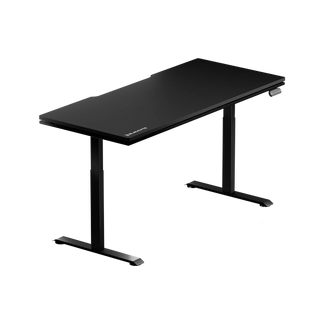


Most gamers spend months researching their GPU, obsessing over frame rates, and debating monitor refresh rates — then sit down at a chaotic desk on an unsupported chair and wonder why long sessions leave them fatigued, distracted, and uncomfortable. The hardware inside your rig matters, but the environment around it shapes how you actually play.
Gaming setup accessories are where the real quality-of-life upgrades happen. The right additions don't just make your battlestation look better on camera — they sharpen your focus, protect your body during marathon sessions, and turn a functional desk into a purpose-built performance station. Whether you're building fresh or refining an existing setup, this guide breaks down the accessories that genuinely move the needle, and explains exactly why each one earns its place.
Why Accessories Make or Break a Battlestation
There's a common misconception that once you have the right chair, desk, monitor, and peripherals, the job is done. In reality, those core components create the skeleton of your setup — accessories are what give it function, comfort, and character. Gaming desk accessories don't increase your FPS, but they do improve consistency, reduce physical strain, and eliminate the micro-distractions that compound over a four-hour session. A cable snagging your mouse mid-flick, eye fatigue from poor lighting, a numb lower back from inadequate lumbar support — these are the things that cost you focus, and they're all solvable.
The best battlestations are built as ecosystems, not collections of individual parts. Each upgrade should serve a clear function, whether ergonomic, organizational, or immersive. With that principle in mind, here are the accessories worth adding to your setup — in order of ergonomic priority, because comfort always comes first.
Ergonomic Chair Upgrades: Start With Where You Sit
Your chair is the single most used piece of hardware in your entire setup — more than your keyboard, your mouse, or your monitor. If your chair is already doing the heavy lifting ergonomically, a few targeted accessories can push comfort even further for your specific body and play style. If your chair isn't pulling its weight at all, that's the first thing to fix. Blacklyte's gaming chair lineup — the high-end Kraken Pro, the flagship Athena Pro — ships with 4D armrests across the full lineup, built-in lumbar systems, and recline up to 149°, so there's less gap-filling to do with aftermarket accessories.
That said, a quality magnetic head pillow is one of the highest-value chair add-ons available. Blacklyte's own Gaming Chair Head Pillow features a dual-magnet attachment system and memory foam fill, meaning it stays locked to your chairback during intense movement and conforms to the natural curve of your neck and cervical spine. For gamers who spend hours leaning back at moderate recline angles, this kind of cervical support reduces the neck tension that builds up gradually and turns into a headache by round three of a ranked session. You can explore the full range of Blacklyte chair accessories at the official accessories collection.
If you're comparing Blacklyte chair models before committing, the Chair Comparison page lays out the full spec differences side by side. Note that lumbar systems vary by model: the Kraken Pro has a built-in floating lumbar with front-to-back fine adjustment and lock, and the Athena Pro offers a 4-way adjustable built-in lumbar (both height and depth). Knowing which system your chair has tells you where aftermarket support is most beneficial.
Monitor Arm or Riser: The Fastest Posture Fix on Your Desk
If there's one accessory that ergonomists, professional gamers, and productivity researchers consistently agree on, it's the monitor arm. A good arm lets you position your screen at exact eye level, at the correct distance from your face, and at the precise angle that keeps your neck neutral — and reconfigure it in seconds when you switch between gaming and desk work. This is especially important if you use a height-adjustable standing desk, because the ideal monitor height changes when you go from seated to standing. A monitor arm moves with you; a static stand never will.
For gamers who aren't ready to commit to a full arm mount, a monitor riser is a meaningful upgrade with zero installation. Setting your display at a slightly elevated position reduces the downward neck tilt that accumulates across long sessions and creates useful storage space underneath for a keyboard, small peripherals, or documents. It's one of the highest-ROI ergonomic purchases available at any budget level. Whether you go arm or riser, the goal is the same: top bezel of your monitor at or just below eye level, screen roughly an arm's length away.
Cable Management: Clean Desk, Clear Mind
Cable chaos is more than an aesthetic problem. Tangled cables create friction for wired mice, create accidental disconnections during intense moments, and introduce a persistent visual noise that makes it harder to stay focused. A clean desk is genuinely a functional advantage, not just a flex for setup photos. The good news is that thoughtful cable management is inexpensive and modular — you don't need to do it all at once.
A layered approach works best. Start with an under-desk cable tray to bundle your power strip and primary cable runs out of sight. Use adhesive cable clips along the desk frame to route individual cables horizontally, then add cable sleeves or split braided loom for any vertical drops from desk to floor. Velcro ties are preferable to zip ties for gaming setups — you'll rearrange more than you think, and cutting zip ties repeatedly gets old fast.
Blacklyte's Atlas Desk and Atlas Lite Standing Desk both feature integrated cable management systems built directly into the desk's architecture, along with a built-in electrical socket; the Atlas adds a magnetic surface for anchoring cable routes. For gamers on these desks, cable management is dramatically simpler out of the box — but even if you're on a third-party desk, the layered approach above will give you a noticeably cleaner result within an afternoon. Browse Blacklyte's full standing desk lineup on the Desks collection page.
Desk Lighting: Bias Lighting, Light Bars, and RGB Done Right
Lighting is where battlestations tend to get either very right or very wrong. Done poorly, RGB is just noise — strips stuck haphazardly to monitor backs, clashing colors, and software that taxes your system. Done well, lighting is one of the most impactful upgrades you can make for both immersion and eye health. The key is understanding the difference between lighting types and what each one actually accomplishes.
Bias lighting — an LED strip mounted behind your monitor that projects a soft glow onto the wall — is a functional ergonomic upgrade, not just an aesthetic choice. Installing an LED strip behind your monitor increases the perceived contrast of your screen and reduces the fatigue caused by your eyes constantly adjusting between a bright display and a dark surrounding environment. Gaming in a dimly lit room without bias lighting accelerates eye fatigue over long sessions and can contribute to headaches and dryness that end your night earlier than your stamina would otherwise allow.
A monitor-mounted light bar is a different tool entirely. It casts asymmetric light downward across your desk surface, illuminating your keyboard and workspace without throwing any glare onto the screen itself — something a desk lamp or ceiling light cannot achieve without compromising your view. For gamers who type in low-light environments or reference notes during play, it's one of the most practical upgrades on this list.
Blacklyte's Atlas Desk integrates smart lighting controlled natively through the proprietary Atlas Driver software, so color, brightness, and effects are managed from a single interface rather than a separate app for every strip. If your desk already handles ambient lighting, you can direct your lighting budget toward targeted bias strips for the monitor back rather than duplicating what the desk already provides. Explore smart desk lighting and more on the full Blacklyte product range.
Extended Desk Mat: The Unsung Hero of Setup Consistency
An XL or extended desk mat is one of those upgrades that doesn't feel significant until you've been using one for a week — and then you can't imagine going without it. A quality extended mat unifies your keyboard and mouse zone onto a single consistent surface, which means no more transition friction when your mouse travels from the mat onto bare desk. For FPS players who use low sensitivity and need large, sweeping mouse movements, this consistency is directly relevant to aim performance. For everyone else, it protects the desk surface, dampens mechanical keyboard noise, and ties the aesthetic of the setup together cohesively.
When choosing an extended mat, prioritize surface consistency and stitched edges over RGB features. Premium mats now offer integrated wireless charging zones and addressable lighting that sync with ecosystems like Corsair iCUE, but these should be secondary considerations — a consistent, flat surface with a non-slip rubber base is what actually makes the difference. Aim for at least 900mm x 400mm to cover both keyboard and mouse comfortably in most full-sized setups.
Headset Stand and Audio Organization
A dedicated headset stand is one of the smallest, least expensive accessories on this list — and one of the most visually impactful. Hanging a quality headset on a stand rather than leaving it draped over a monitor, stuffed in a drawer, or balanced on a speaker keeps the earcup padding in better shape over time (constant compression degrades foam faster than people expect) and keeps the cable tangle-free. For setups with multiple headsets or controllers, a multi-device stand or pegboard hook system keeps everything accessible without consuming desk real estate.
Gamers who have moved to standalone microphones should also consider a boom arm for audio organization. A desk stand transmits every keystroke and mouse click as surface vibration directly into the microphone — a boom arm suspends it at mouth level, isolated from the desk surface, and swings out of the way entirely when not in use. For streamers and content creators, it's a meaningful audio quality upgrade. For competitive gamers in team environments, clear communication is never a small thing.
Anti-Fatigue Mat: Essential for Standing Desk Gamers
If you're gaming or working at a height-adjustable standing desk, an anti-fatigue mat is non-negotiable once you're standing for more than an hour at a stretch. Hard floors create sustained pressure on your feet, knees, and lower back that makes standing increasingly uncomfortable and ultimately drives you back to sitting — defeating the purpose of the standing desk entirely. A quality anti-fatigue mat uses a slightly yielding surface to encourage micro-movements in your calf muscles, which promotes circulation and dramatically reduces fatigue during extended standing periods.
High-density polyurethane foam construction outperforms cheaper PVC or rubber options in both durability and the quality of support provided underfoot. Look for a mat with a non-slip base and beveled edges (so chair casters roll across it smoothly rather than catching), and size it to match your standing zone. If you're using Blacklyte's Atlas or Atlas Lite height-adjustable desk for hybrid gaming and work sessions, pairing it with an anti-fatigue mat completes the ergonomic picture that a great desk starts. You can explore the full ergonomics approach for workstations on Blacklyte's Ergonomics page.
Wrist Rest: Small Add-On, Big Long-Term Impact
Wrist rests occupy a similar category to anti-fatigue mats — modest in price, easy to overlook, and quietly impactful over months of daily use. A well-designed wrist rest keeps your wrists in a neutral, slightly elevated position during the non-active moments of a gaming session (navigating menus, typing between matches, browsing), which reduces the extension strain that contributes to repetitive stress injuries over time. This is more relevant to typists and productivity-focused gamers than pure action players, but for anyone who spends significant time at the keyboard, it's an easy win.
Memory foam options conform to the natural contour of your wrist and redistribute pressure more evenly than rigid alternatives. Gel-filled options tend to stay cooler during long sessions. The best choice depends on your desk surface temperature and how you tend to rest your wrists while gaming. Either way, it pairs naturally with an extended desk mat for a unified, ergonomic keyboard-and-mouse zone that feels intentional rather than assembled by accident.
Build It as an Ecosystem, Not a Collection of Parts
The most common mistake in battlestation building is treating each accessory as an isolated upgrade. A monitor arm added to a poor desk setup is still fighting the environment around it. RGB lighting in a setup with unresolved cable chaos just illuminates the mess. The gamers who end up with genuinely great setups are the ones who approach each layer of the build with the whole system in mind: ergonomics first, organization second, immersion third.
That philosophy is exactly what informs Blacklyte's product design. The Atlas desks are built as a platform — a built-in electrical socket and cable management architecture on both, with the Atlas adding magnetic surface routing and smart lighting control through Atlas Driver software — not just a flat surface with legs. The chair lineup — the Kraken Pro, and Athena Pro — is engineered with posture systems (4D armrests across the full lineup, model-specific lumbar solutions, Class 4 hydraulic gas pistons, and reclining up to 149°) that reduce the gap accessories need to fill. When your foundation is built right, accessories amplify rather than compensate.
Blacklyte has built that foundation for over 200,000 gamers across 50+ Countries & Regions, backed by esports partnerships with organizations including tournament organizer BLAST, Team Vitality, Team Liquid, Fnatic, and Team Spirit. If you're building or upgrading your battlestation and want to see the full product ecosystem, browse the Gaming Chairs, Desks, and Accessories collections — or visit the Gaming Hub for ergonomics guidance built specifically for play.
The Right Accessories Elevate Every Hour You Spend at Your Setup
Your battlestation is more than a place to play — it's where focus sharpens, long sessions become sustainable, and the gap between average and elite performance narrows. The accessories in this guide aren't extras or luxuries. They're the difference between a setup that slowly grinds you down and one that actively supports you through every ranked match, grinding session, and late-night stream.
Start with ergonomics — chair, monitor position, wrist support — then layer in cable management and lighting once the physical foundation is solid. Build it as a system, and every upgrade you add will compound the ones that came before it. The desk comparison tool and chair comparison tool at Blacklyte are great places to align the foundation of your setup before choosing accessories that complement it. Visit the Desk Comparison page or Chair Comparison page to get started.
Ready to Build Your Ultimate Battlestation?
Whether you're refining an existing setup or starting from scratch, Blacklyte's team is here to help you choose the right chair, desk, and accessories for your specific needs. Fast free shipping, 30-day easy returns, and warranties extendable up to 5 years on chairs and desks mean you can commit with confidence.
Contact Us


