












Black Friday is one of the few moments each year when premium gaming furniture drops to a price that actually makes the upgrade decision easy. The problem is that most shoppers head into the sale focused entirely on price and walk away with a desk that looks great in product photos but fails them six months later—because the surface finish chips, the frame wobbles under dual monitors, or the footprint simply doesn't fit the room they measured in their head.
This guide cuts through that noise. Whether you're buying your first dedicated gaming desk or replacing a fixed-height table that's been straining your back through long sessions, the three factors that separate a desk you'll love for years from one you'll regret are size, frame construction, and surface finish. Get those three right and everything else, including cable management, smart features, and aesthetics, falls into place naturally. Read on to build a clear picture of what to look for, what to skip, and how Blacklyte's standing desk lineup fits into that picture.
Why Black Friday Is the Right Time to Upgrade Your Gaming Desk
Gaming desks are large, complex pieces of furniture, and premium models carry price points that can feel hard to justify at full price. Black Friday changes that equation. Serious discounts on height-adjustable and feature-rich desks make this the ideal window to invest in a setup that genuinely supports your posture, your gear, and the hours you put in at your rig. Unlike smaller peripherals where Black Friday deals can be hit or miss, gaming furniture discounts tend to be deep and consistent across reputable brands during the sale period.
The catch is that the same sale environment that produces great deals also produces a wave of low-quality products at tempting prices. A desk that carries a steep discount because it was never worth its original price is still a bad purchase. The goal of this guide is to give you the knowledge to evaluate any desk on its actual merits, so that when you find a genuine deal, you can recognize it and buy with confidence.
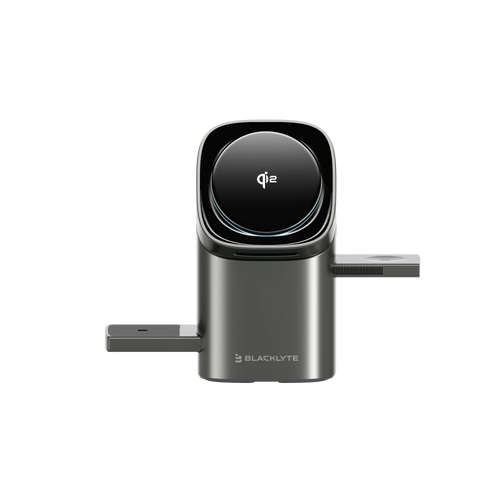
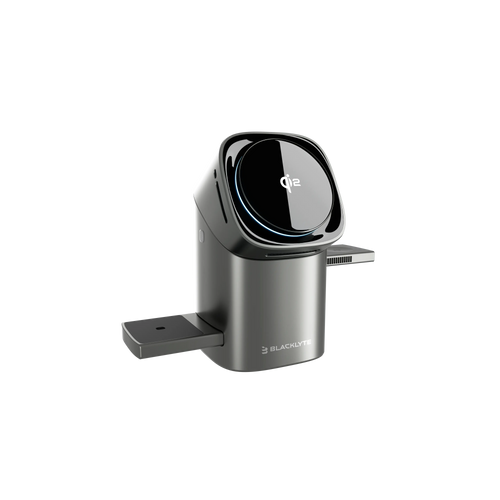
If you're planning to upgrade your gaming setup this Black Friday, explore Blacklyte Black Friday Gaming Desk Deals to discover special offers on gaming chairs, standing desks, and setup essentials. Compare available options and find the right upgrades for your space and budget.
Getting Size Right: Width, Depth, and Height Range
Size is the most commonly misjudged spec in a gaming desk purchase. It seems straightforward until the desk arrives and a monitor sits six inches too close, or the surface is so shallow that your keyboard is pressed against the back edge. Measuring your room before browsing is essential, but measuring your setup matters just as much as measuring your space.
Width
Width is largely determined by your monitor configuration. A single 27-inch display needs roughly 40 inches of desk width to feel comfortable with room for peripherals on either side. Dual 27-inch monitors want at least 55 to 60 inches, and a 34-inch or 38-inch ultrawide benefits from the same range. Triple-monitor or streaming setups, where a secondary display sits at an angle, push that requirement to 70 inches or more. When in doubt, go wider: unused surface space is easy to fill, but a desk that's too narrow forces constant compromises.
Depth
Desk depth is the dimension most people underestimate. A depth of 24 inches works adequately for a single monitor on a built-in stand, but the moment you add a monitor arm, a keyboard wrist rest, or a larger display, roughly 27 to 32 inches becomes the practical sweet spot. Greater depth also matters for eye comfort: the standard ergonomic guideline is to position your monitor at roughly arm's length, and a shallow desk makes achieving that distance difficult without pushing the display against the wall.
Height Range and Adjustability
For a fixed-height desk, the standard 29 to 30 inches suits most adults of average stature reasonably well, but anyone taller or shorter than average will find themselves compensating with their posture. A height-adjustable standing desk removes that variable entirely by letting you set the precise sitting height for your body, then raise the surface to a comfortable standing position during longer sessions. The ability to alternate between sitting and standing over the course of a gaming or work session reduces the static load on your spine and keeps energy levels steadier across several hours. If you're spending serious time at your desk, adjustability is one of the most impactful ergonomic investments you can make. You can explore Blacklyte's Ergonomics and Gaming Hub pages for more guidance on setting up a posture-perfect workstation.
Frame Construction: What's Actually Holding Everything Up
The frame is the structural backbone of a gaming desk, and it's the component most likely to separate a desk that stays solid for five years from one that develops wobble within months. Unfortunately, it's also the component most obscured by marketing language and spec sheets that list material names without explaining what they mean in practice.
Fixed vs. Height-Adjustable Frames
Fixed frames are simpler, usually less expensive, and can be extremely rigid because the geometry never changes. They're a reasonable choice if your setup is permanently configured and you've confirmed the desk height works for your body. Height-adjustable electric frames add complexity through telescoping lifting columns and a motor drive system, but the ergonomic payoff of being able to sit and stand throughout the day is substantial. For gaming sessions that regularly run two hours or longer, a standing desk frame isn't a luxury; it's a meaningful contributor to how you feel at the end of a session.
Frame Materials: Steel vs. Aluminum
Steel and aluminum are the two dominant materials in quality desk frames, and they represent a genuine engineering trade-off rather than a clear-cut winner. Steel's higher stiffness means a steel frame of a given geometry resists deflection and wobble more effectively, which is why it dominates mid-range to premium standing desk frames where heavy monitor loads are common. The trade-off is weight: steel is significantly denser than aluminum, making the assembled desk heavier to move and slightly more demanding to assemble.
Aluminum frames compensate for lower raw stiffness through precision extrusion and complex cross-sectional geometries that increase structural rigidity without proportional weight gain. They also carry a natural oxide layer that provides excellent corrosion resistance, which matters for longevity in humid environments. High-quality aluminum frames from engineered product lines achieve stability figures that rival steel when the profile design and joint precision are well executed. The key takeaway is that the material name alone tells you less than the engineering quality behind it: a well-designed aluminum frame from a reputable manufacturer outperforms a poorly specified steel one every time.
What to Look for in a Standing Desk Motor System
For height-adjustable desks, the motor system is where real performance differences emerge. Dual-motor systems run quieter, adjust more evenly across the full width of the desktop, and handle heavier loads more reliably than single-motor designs. Three-stage lifting columns extend the usable height range significantly compared to two-stage versions, which matters if you're tall or if you want a genuinely comfortable standing height rather than one that forces you to stoop slightly. Anti-collision sensors are a valuable safety extra worth looking for: they stop the desk from driving into an obstacle (a chair, a child, a cable) during an adjustment cycle. Programmable height memory presets turn a two-second button press into the correct sitting or standing position without any fiddling.
Surface Finish: More Than Just Aesthetics
The surface finish of a gaming desk affects how the desk feels to use every day, how well it holds up under regular wear, and how cleanly it integrates with the rest of your setup. It also happens to be one of the most misunderstood specs on the market, largely because marketing terminology around finishes is inconsistent and often misleading.
Carbon Fiber Texture
The "carbon fiber" label on most gaming desks refers to a textured laminate or PVC wrap applied over an MDF or engineered wood core. This is not a drawback: the laminate performs well in practice, offering good resistance to scratches, moisture, and the daily wear of mouse movements and peripheral use. The texture also reduces specular glare under overhead lighting, which contributes to visual comfort during long sessions. The aesthetic pairs naturally with RGB peripherals because the woven pattern diffuses and reflects light in a way a flat surface cannot. One practical note: high-end optical mouse sensors can occasionally show minor tracking inconsistency on heavily textured carbon-look surfaces, so a mouse pad is still recommended for competitive play.
Matte and Painted Finishes
Matte finishes are the all-around practical choice. They resist fingerprints better than gloss surfaces, they're neutral enough to work with any color scheme, and they age gracefully. A quality matte laminate over a thick MDF core is a workhorse surface that handles the daily demands of a gaming setup without requiring careful maintenance. White matte finishes brighten a room noticeably and work well in clean, minimal setups, though they show marks more readily than darker options and benefit from regular wiping.
Magnetic Surfaces
A small number of premium desks take surface functionality a step further with magnetic desktop surfaces that allow magnetic accessories (monitor stands, headset hooks, cable clips) to reposition instantly without drilling or adhesives. This is a genuinely useful feature for setups that evolve over time, or for players who use the desk for both gaming and work and want to reconfigure quickly. It's a detail that sounds like a gimmick until you've reorganized a cable-heavy desk by hand and realized how much time a magnetic system would have saved.
Built-In Features Worth Paying For
Premium gaming desks increasingly ship with integrated features that would otherwise require separate purchases and additional cable management headaches. Knowing which of these genuinely add value versus which are marketing checkboxes helps you evaluate whether a higher price tag is justified.
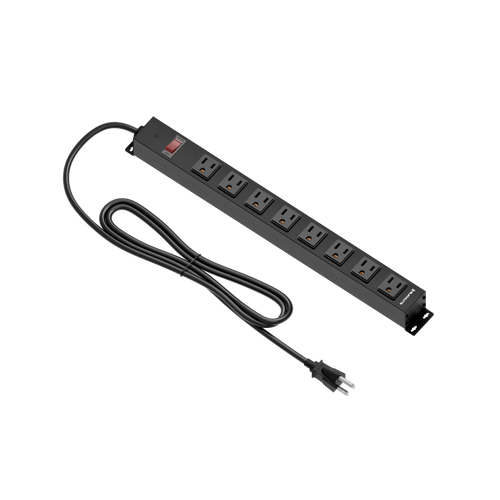
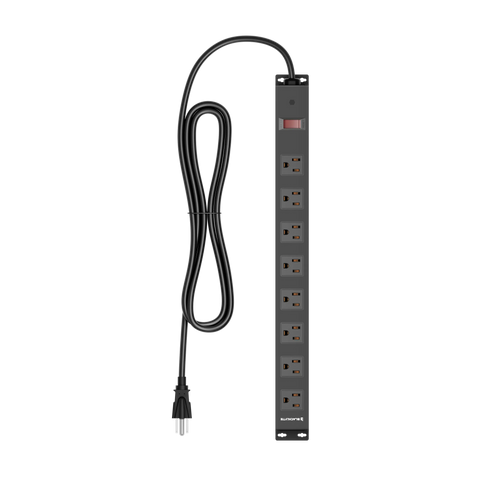
- Built-in electrical sockets: An integrated power outlet at the desk surface eliminates the need for a separate power strip and the cable run to reach one. This is a practical daily convenience that pays for itself in cleanliness and ease of use.
- Integrated cable management: Trays, channels, and grommets that route cables below the surface keep the workspace visually clean and prevent cables from interfering with height adjustments on a sit-stand desk. A desk without a cable management solution forces improvisation that rarely looks good and often creates trip hazards.
- Smart lighting controls: Programmable RGB or ambient lighting systems controlled via dedicated software can sync with the rest of your setup and create consistent scene presets without manual adjustment each session. This matters more as a setup grows in complexity.
- Height memory presets: On adjustable desks, the ability to save two or more precise heights and recall them with a single press is the difference between a standing desk you actually use every day and one you adjust occasionally.
- Warranty coverage: A desk is a long-term purchase. Coverage of up to five years on the frame signals that the manufacturer is confident in their engineering and protects your investment if something goes wrong.
The Blacklyte Desk Lineup: Atlas Desk and Atlas Lite
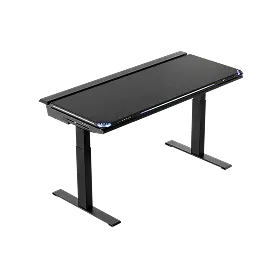
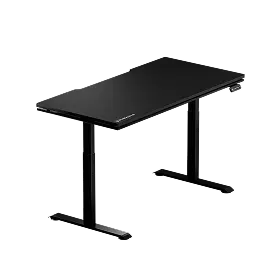
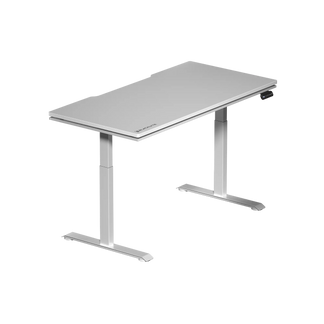
Blacklyte builds their desk lineup around a principle that should be familiar by now: every spec should serve the person sitting (or standing) at it. Both the Atlas Desk and the Atlas Lite Standing Desk are height-adjustable standing desks that ship with a built-in electrical socket and integrated cable management as standard, removing two of the most common friction points in a standing desk setup before you even open the box. Both use Q235 steel frames with dual motors. The Atlas Desk comes in one size, 59.1″ × 27.6″, in Obsidian Black, with 3-stage columns (28.3″–53.9″), 2 memory presets, and an anti-collision system; the Atlas Lite comes in four widths (47.2″, 55.1″, 63.0″, 70.9″) at 31.5″ deep, in Obsidian Black, Moonstone White, or Natural Oak, with 2-stage columns (27.6″–46.1″) and 4 memory presets. The Atlas top is a PVC wrap over MDF with a steel plate; the Atlas Lite top is a melamine laminate over an MDF core.
The Atlas Desk steps things up further with a magnetic desktop surface for tool-free repositioning of magnetic add-ons, plus smart lighting controls managed through their proprietary Atlas Driver software. It's designed for setups that demand both flexibility and polish: a competitive gaming rig one moment, a clean productivity workstation the next, with the surface configuration changing in seconds rather than minutes. The Atlas Lite offers the same height-adjustable foundation, built-in electrical socket, and cable management at a more accessible price point, making it the natural starting point for anyone building a serious setup for the first time.

Both desks carry up to a 5-year warranty, which reflects the same commitment to build quality that runs through the rest of the Blacklyte lineup. Blacklyte is trusted by esports organizations including Team Vitality, Team Liquid, Fnatic, and Team Spirit, and operates alongside tournament organizer BLAST as a partner brand. That level of credibility in the competitive space isn't built on furniture that fails. You can compare both desk models in detail on the Blacklyte site, or browse the full desk collection to see current options and pricing.
Quick Buying Checklist Before You Click
Before finalizing any Black Friday gaming desk purchase, run through these practical checks to make sure the deal actually fits your needs:
- Measure your space first. Include clearance for your chair to roll back, and account for any surrounding furniture. A desk that dominates the room creates daily frustration regardless of how good it is.
- Confirm it fits your monitor setup. Width should comfortably accommodate your current display configuration with room on both sides for peripherals and a mousepad.
- Check desk depth against your viewing distance. If you use a large or curved display, a depth of 27 inches or more gives you the flexibility to position the monitor correctly.
- Evaluate the frame honestly. For any height-adjustable desk, look for a dual-motor system as the minimum standard; three-stage columns widen the height range for taller users, and anti-collision protection is a valuable extra.
- Look beyond the surface finish. The core substrate and frame material matter more to long-term performance than the laminate texture. A thick MDF core with quality laminate will outperform a thin board, whatever its wrap.
- Factor in built-in features. A desk with an integrated power socket and cable management saves money and effort on accessories, which should factor into your true cost comparison.
- Read the warranty terms. Premium desk warranties of up to five years indicate genuine confidence in build quality. A 1-year warranty on a standing desk used daily is a risk worth noting.
- Confirm the return policy. Blacklyte offers a 30-day easy return window, which gives you time to properly evaluate the desk in your space.
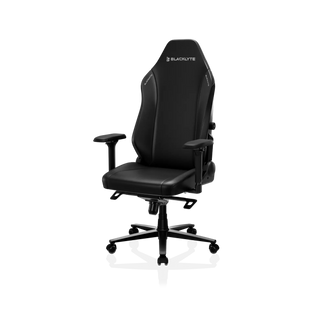
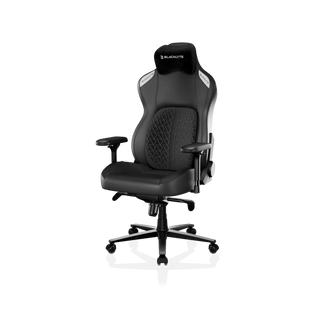
The full Blacklyte product range, including desk accessories that complement both the Atlas and Atlas Lite, is available with free shipping and transparent warranty coverage. If you're pairing a new desk with a chair upgrade this Black Friday, the chair comparison tool makes it easy to find the right match from the Blacklyte gaming chair lineup.
A gaming desk is one of the few purchases in a setup that touches everything else simultaneously: your monitors, your keyboard, your posture, and the ambient feel of the room. Getting it right during Black Friday means more than finding the deepest discount. It means knowing what size works for your space and your gear, understanding why frame construction determines whether the desk stays solid five years from now, and recognizing which surface finish will perform under daily use rather than just photograph well.
Size, frame, and finish are the three decisions that separate a desk you'll keep from a desk you'll replace. Take those three seriously, use the checklist above, and this Black Friday becomes the moment your setup finally gets the foundation it deserves.
Ready to Find Your Desk?
Browse the Blacklyte standing desk range, compare models side by side, or reach out if you need a recommendation tailored to your setup. Free shipping, a 30-day return window, and up to a 5-year warranty are included as standard.


