


















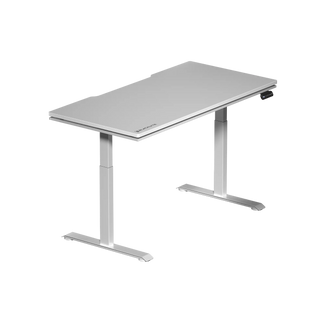

You've compared surface areas. You've weighed weight capacities. You've debated tabletop materials. But if there's one standing desk specification that will determine whether your investment actually improves your health, focus, and comfort — it's the sit-to-stand height range. Too narrow, and the desk can't reach your ideal sitting or standing position. Too limited at the low end, and shorter users are stuck hunching. Too capped at the top, and taller gamers or workers end up craning their necks to see their monitors while standing.
This guide breaks down what the sit-to-stand range on adjustable standing desks actually means in practice, how to figure out the range your body needs, and how Blacklyte's Atlas and Atlas Lite standing desks compare to the broader market — so you can stop guessing and start choosing with confidence.
Why Sit-to-Stand Range Is the Most Important Spec Nobody Talks About
Most standing desk marketing focuses on load capacity, motor count, or surface size. These matter — but none of them will hurt you if they're slightly off. An inadequate height range, on the other hand, can actively work against your posture and negate every ergonomic benefit you were hoping to gain. The sit-to-stand range is the span between the desk's lowest position (designed for seated use) and its highest position (designed for standing use). A desk that can't reach your correct seated height forces you to shrug your shoulders or bend your wrists upward. A desk that can't reach your correct standing height has you either looking down at your monitor or bending at the waist — exactly the problems you bought a standing desk to solve.
The sit-to-stand range also determines how many people in your household or workspace can comfortably use the same desk. A narrow range is a dealbreaker in shared environments. A wide, well-calibrated range is what makes a standing desk genuinely versatile rather than just a novelty.
How to Find the Height Range You Actually Need
The ergonomic target for a sitting desk position is having your elbows bent at roughly 90 degrees when your hands rest on the keyboard, with your shoulders relaxed and your feet flat on the floor (or on a footrest). For standing, the same 90-degree elbow rule applies, but you're now factoring in shoe height as well. A good rule of thumb used by ergonomists is to take your height in centimeters, multiply by 0.43 for a rough seated desk height estimate, and then add approximately 25–30 cm to get your standing height target.
Here's a practical height reference to help you assess whether a given desk range will cover your needs:
- Under 5'4" (163 cm): Seated height approximately 60–65 cm; standing height approximately 90–100 cm
- 5'4"–5'9" (163–175 cm): Seated height approximately 65–70 cm; standing height approximately 100–108 cm
- 5'9"–6'2" (175–188 cm): Seated height approximately 70–75 cm; standing height approximately 108–118 cm
- Over 6'2" (188 cm+): Seated height approximately 75–80 cm; standing height approximately 118–125 cm
These are estimates, not absolutes — chair height, monitor arm reach, and personal preference all shift the final numbers. But they give you a baseline for evaluating whether a desk's published range will actually work for your body before you buy.
Industry Benchmarks: What a Good Sit-to-Stand Range Looks Like
The standing desk market has evolved considerably, and the range benchmarks have shifted as manufacturers improved their lift column technology. Here's how the tiers generally break down:
- Entry-level range (60–120 cm): Covers most average-height adults in both seated and standing positions, but leaves limited headroom for taller users and may not go low enough for shorter users on higher chairs.
- Mid-range (58–123 cm): A more inclusive window that starts to accommodate a broader spectrum of users, including people under 5'4" and people over 6'.
- Premium/wide range (56–128 cm and beyond): The gold standard for versatility, allowing the desk to serve nearly the full adult height spectrum without compromise — critical for shared desks, families, or offices with multiple users.
Beyond raw numbers, the quality of the lift mechanism matters enormously. A desk that claims a wide range but wobbles at its upper limit or drifts out of position over time fails on the most practical level. Electric dual-motor systems with anti-collision detection, memory presets for your exact positions, and stable column construction are what separate a desk that advertises a wide range from one that actually delivers on it.
Sit-to-Stand Range Compared: Blacklyte Atlas vs. Atlas Lite
Blacklyte's two standing desks — the Atlas Desk and the Atlas Lite Standing Desk — are engineered to serve different use cases within the same performance-first philosophy. Both offer meaningful sit-to-stand ranges built around real ergonomic use, not just spec-sheet marketing. Here's how they compare across the key parameters that determine day-to-day usability:
| Specification | Atlas | Atlas Lite |
|---|---|---|
| Height Range | 72–137 cm | 70–117 cm |
| Motor System | Dual-motor | Dual-motor |
| Height Presets | 2 memory presets | 4 memory presets |
| Anti-Collision | Yes | Yes |
| Smart Controls | Atlas Driver software + integrated panel | Integrated control panel |
| Integrated Power Supply Column | Yes | No |
| Cable Management | Built-in | Built-in |
| Magnetic Surface | Yes | No |
| Smart Lighting | Yes (Atlas Driver) | No |
Both desks cover the needs of users across a wide height range — from shorter individuals seated at around 60 cm up to taller users standing at 120–135 cm. For shared setups — a desk used by two people of different heights, or a home office that doubles as a gaming station — the Atlas Desk's broader ceiling is worth factoring in.
What sets both desks apart from a simple height-range comparison, though, is the ecosystem around them. The programmable memory presets mean you're not manually adjusting the height every time you switch between sitting and standing. You set your exact ergonomic positions once, save them, and recall them with a single button press. That's the difference between a desk you actually use as a sit-stand tool versus one that gets locked in one position because adjusting it feels like a hassle.
Beyond the Numbers: What Else Affects Ergonomic Performance
Height range is the foundation, but a standing desk's real-world ergonomic performance comes down to how well the entire system holds together. Stability at standing height is one of the most commonly overlooked factors in desk reviews. A desk that wobbles at 120 cm under the weight of dual monitors, a keyboard, and peripherals isn't ergonomically sound regardless of what its range claims. Dual-motor lift systems with robust column construction significantly reduce wobble compared to single-motor alternatives, and both the Atlas and Atlas Lite are built around this architecture.
Anti-collision detection is another underrated spec. If someone places an item under the desk and triggers a lowering cycle, a desk without anti-collision protection can cause damage — to the object, to the desk frame, or in the worst case, to a pet or a child. This is a safety feature, not a luxury one, and it belongs on any desk being used in a real home or office environment.
The integrated power supply and cable management on both Atlas models address a problem that plagues most standing desk setups: cords. When a desk moves vertically multiple times a day, loose cables create a tangled, potentially hazardous mess. Having cable management built into the desk structure — rather than bolted on as an afterthought — keeps the workspace clean and the cables safely routed through every height transition. Combined with Blacklyte's magnetic surface on the Atlas Desk and smart lighting controls via the Atlas Driver software, the full picture is a desk engineered for how people actually use it, not just how it looks in a specification table.
Who Needs What Range? A Practical Breakdown
Not every buyer has the same needs, and understanding where you fall helps narrow the decision quickly.
- Solo users of average height (5'4"–5'10"): Either the Atlas Lite or Atlas Desk will cover your range comfortably. The Atlas Lite's 70–117 cm window is more than sufficient, and the cost savings can go toward a quality monitor arm or desk accessory.
- Taller users (6'0" and above): The Atlas Desk's 72–137 cm range provides the additional headroom that matters at standing height. At 6'2", the difference between a 117 cm and 137 cm maximum can mean working comfortably upright versus slightly hunching your shoulders.
- Shared desks (two users of different heights): The wider the range, the better. The Atlas Desk handles this scenario with room to spare, and its memory presets let each user save their own position independently.
- Gaming + work hybrid setups: Both desks are built for exactly this use case, with integrated power for peripherals and cable management that keeps a multi-device setup organized. The Atlas Desk's magnetic surface and smart lighting via Atlas Driver make it the stronger choice for a premium gaming station.
- Users pairing a standing desk with an ergonomic chair: Remember that chair seat height affects your target desk height. If you're pairing with a Blacklyte gaming chair — which features a Class 4 hydraulic gas piston for smooth seat height adjustment — dial in your chair height first, then set your desk preset to match. Visit the Blacklyte Ergonomics page for a full guide to dialing in your workstation posture.
Final Verdict: Choosing the Right Desk for Your Setup
Sit-to-stand height range is the cornerstone spec for any adjustable standing desk purchase, and it's one where cutting corners has immediate, physical consequences. A range that's too narrow is a desk that doesn't actually work for your body — no matter how feature-rich the rest of the product is. Both the Blacklyte Atlas Desk (72–137 cm) and the Atlas Lite (70–117 cm) are engineered to cover the ergonomic needs of the vast majority of users, with dual-motor precision, anti-collision safety, memory presets, and integrated cable management making each position change smooth and repeatable.
The Atlas Desk is the choice for taller users, shared environments, and anyone building a premium workstation or gaming setup where smart controls, magnetic surfaces, and Atlas Driver software integration are part of the experience. The Atlas Lite delivers the core sit-to-stand performance — the same dual-motor stability, the same anti-collision system, the same memory presets — in a package purpose-built for focused, single-user setups.
Either way, you're getting a desk built to the same standard of ergonomic engineering and performance-first design that has made Blacklyte the choice of over 200,000 gamers and workers across 50+ countries and regions. Explore and compare both desks side by side to find the exact fit for your height, your workflow, and your setup.
The right sit-to-stand range doesn't just make a desk more adjustable — it makes every hour at that desk more comfortable, more focused, and better for your body over the long run. Whether you're optimizing a home office, building a high-performance gaming station, or sharing a workspace with someone of a different height, Blacklyte's Atlas lineup gives you the range, the precision, and the smart features to get it right. Stop settling for a desk that almost fits. Browse all Blacklyte standing desks and find the one engineered for your exact setup.
Need Help Choosing the Right Desk?
Our team is ready to help you find the perfect sit-to-stand setup for your height, workflow, and space. Reach out and get personalized guidance from the Blacklyte team.
Contact Us


